App Keeps Logging Me Out: Common Causes and Fixes

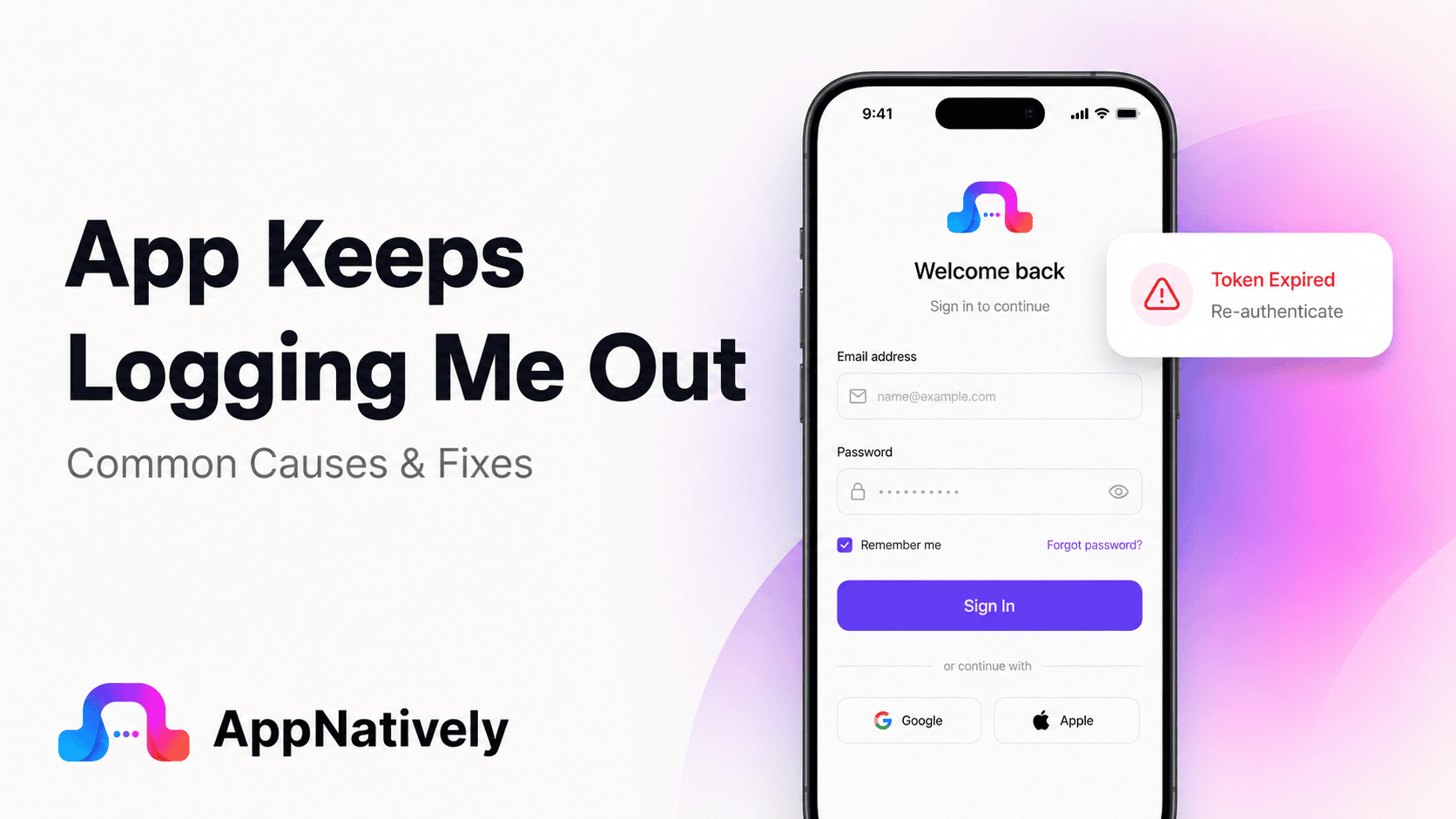
You open an app, sign in, and everything works normally. A few hours later, you return and discover that you have been logged out again. Sometimes it happens every time you close the app. Other times, you stay signed in for days before suddenly being asked for your credentials again.
An app keeps logging you out when its authentication session, access token, refresh token or stored credentials are no longer available or accepted.
The cause can be something simple, such as corrupted app data, or something deeper, such as an expired session, server-side security policy or an authentication bug.
This problem can be especially frustrating in shopping, banking, booking, learning and productivity apps where users expect to remain signed in.
In this blog post, we’ll explain why apps keep logging users out, what you can do to fix the problem, and what developers should check when automatic logouts affect users.
Common Causes of an App That Keeps Logging You Out
Repeated logouts usually happen because the app cannot maintain or validate the user’s authentication session.
The session may have expired, the stored token may have been removed, the server may have rejected the token, or the app may have failed to restore the user’s credentials correctly.
Here are the most common causes.
i. Your login session has expired
The most straightforward explanation is session expiration.
When you sign in, the app usually receives some form of authentication state that allows it to recognize you on subsequent requests. That state may expire after a specific amount of time or after a period of inactivity.
Session expiration is not necessarily a bug.
It is an important security control because long-lived authentication sessions increase the potential impact of a stolen or compromised session.
OWASP recommends using session timeouts and enforcing expiration on the server side rather than relying only on information controlled by the client.
ii. Your access token has expired
Many modern apps use tokens instead of repeatedly sending your password.
A common design uses a short-lived access token and a longer-lived refresh token. The access token authorizes normal API requests, while the refresh token can be used to obtain a new access token when necessary.
OWASP’s mobile security guidance specifically describes this access-token and refresh-token model and recommends handling token expiration correctly.
If the app cannot refresh an expired access token, it may send you back to the login screen.
iii. The refresh token is no longer valid
A refresh token can also expire, become revoked or otherwise become unusable.
For example, this can happen after a password change, account security event, administrator action or session revocation.
From the user’s perspective, the result can look like a random logout because the application suddenly requires authentication again.
The logout itself may actually be the application’s response to a legitimate authentication failure.
iv. The app cannot access your stored credentials
Mobile applications need a secure way to store authentication information between sessions.
On iOS, applications can use Keychain to securely store credentials and retrieve them when reauthentication is required. Apple specifically documents using the Keychain so users do not have to repeatedly provide credentials when the app needs to authenticate again.
If stored authentication information becomes unavailable or corrupted, the application may behave as though you have never signed in.
OWASP recommends platform-specific secure storage mechanisms such as Keychain on iOS and Keystore on Android for sensitive authentication information.
v. The app’s data was cleared
If app data has been cleared, stored login information may disappear.
This can happen intentionally when a user clears application data or unintentionally after certain device maintenance, storage-management or application-management actions.
Clearing an app’s data is different from simply clearing its cache.
The cache generally contains temporary files. Application data may include settings, local databases and authentication information.
vi. You cleared the app cache
Clearing cache can sometimes affect an app’s temporary authentication state, depending on how the application is designed.
This is less common than a complete data reset, but some applications may need to rebuild local session information after cached data is removed.
If the problem started immediately after clearing the cache, sign in again and check whether the session remains active.
vii. The app was updated
An app update can change how authentication and session management work.
For example, a new release may change:
- Token storage
- Authentication libraries
- API endpoints
- Login flows
- Session validation
- Encryption mechanisms
- Local database structures
- Third-party authentication SDKs
If the update is incompatible with authentication information stored by the previous version, existing users may be logged out.
This is particularly important when an app changes its authentication architecture.
viii. The app’s authentication server is having problems
Your app may be working correctly while its authentication service is not.
If the login server, identity provider or API cannot validate an existing session, the app may interpret the failure as an expired or invalid login.
This can result in repeated login prompts even though your username and password are correct.
If many users suddenly report the same problem, a server-side incident becomes more likely.
ix. Your internet connection is unstable
Authentication often requires communication with a backend server.
If the app cannot reach the server when it needs to validate or refresh your session, it may not be able to determine whether your login is still valid.
A poorly designed application may respond to a temporary network failure by sending the user to the login screen.
A better implementation distinguishes between authentication failure and network failure.
x. Your device’s date and time are incorrect
Authentication tokens often contain time-related information.
If your device’s date or time is significantly incorrect, time-sensitive authentication mechanisms may behave unexpectedly.
This is not the most common cause of repeated logouts, but it is worth checking if the problem occurs only on one device.
Make sure your device is configured to set its date and time automatically.
xi. You changed your password
Changing your password can invalidate existing authentication sessions.
This is often intentional.
If you recently changed your password through the website or another device, the app may require you to sign in again.
From a security perspective, invalidating previous sessions after important credential changes can help prevent someone with an old session from continuing to access the account.
OWASP recommends terminating active sessions after important authentication changes, including password changes.
xii. You signed out from another device
Some services provide session management across multiple devices.
When you sign out of all devices or terminate another active session, the service may invalidate authentication tokens associated with your account.
The mobile app then sees the session as invalid and asks you to sign in again.
This is especially common with services that provide a log out of all devices security feature.
xiii. The account has a security restriction
A service may intentionally invalidate your session because it detected a security-related event.
Examples can include:
- Suspicious login activity
- Password changes
- Account recovery
- Security policy changes
- Administrator actions
- Revoked sessions
- Device changes
In these situations, repeated logout behavior may be a security feature rather than an application defect.
xiv. A third-party login provider is having problems
Some applications rely on external authentication providers for sign-in.
If you use Google, Apple, Facebook or another identity provider, the authentication process involves more than the app itself.
A problem with the provider, token exchange or authentication configuration can cause the application to lose access to your account session.
How to Fix an App That Keeps Logging You Out
If an app repeatedly logs you out, work through the following troubleshooting steps before assuming the account is broken.
1. Sign in again and observe what happens
Start with a normal login.
Pay attention to when the logout happens.
Does it occur immediately?
After closing the app?
After restarting your phone?
After several hours?
After switching between Wi-Fi and mobile data?
The timing can reveal whether the problem is related to session expiration, app state or connectivity.
2. Restart your device
Restarting the phone can clear temporary system conditions and background processes.
After restarting, open the application and sign in again.
Then use it normally for a while to determine whether the session remains active.
3. Check your internet connection
Try switching between Wi-Fi and mobile data.
If the app stops logging you out when you change networks, connectivity may be contributing to the problem.
Avoid testing only when your connection is unstable because authentication requests may fail intermittently.
4. Set your date and time automatically
Check your device’s date and time settings.
Enable automatic date and time if available.
An incorrect device clock can interfere with time-sensitive authentication and security mechanisms.
5. Update the application
Open the App Store or Google Play and check for an available update.
If the issue is caused by a known authentication bug, the developer may already have released a fix.
This is especially important if the repeated logout problem started immediately after a previous update.
6. Update your operating system
An outdated operating system can sometimes create compatibility problems with newer application versions or authentication libraries.
Install available system updates when your device supports them.
However, if the app supports your current OS, an update is not necessarily the solution. The application itself may still contain an authentication problem.
7. Clear the app cache on Android
If you are using Android, clearing the application’s cache may help with corrupted temporary data.
The exact location of the option varies between manufacturers and Android versions.
Avoid clearing application data unless necessary because it can remove locally stored information and sign you out.
8. Reinstall the application
Reinstalling gives the application a clean local environment.
This can help if local authentication data or application files have become corrupted.
Before uninstalling, make sure important account information is synchronized with the service.
After reinstalling, sign in and monitor whether the application keeps your session.
9. Check whether the service has an outage
If the app suddenly logs you out and you cannot stay signed in even after reinstalling it, the problem may be on the service’s side.
Check the company’s status page or official support channels if available.
This is particularly useful when the problem affects multiple devices or users.
10. Change your password if you suspect unauthorized access
If you see unfamiliar login activity, security notifications or unexpected account behavior, do not treat the problem as a simple app bug.
Change your password and review active sessions where the service provides that option.
If available, terminate sessions you do not recognize.
How Developers Fix Repeated Logout Problems
When users repeatedly report being logged out, developers should investigate the entire authentication lifecycle rather than simply changing the login screen.
A repeated logout usually means something is happening between authentication, token storage, token refresh, session validation and authorization.
Check token expiration
The first thing developers should investigate is whether authentication tokens are expiring as expected.
Review:
- Access-token lifetime
- Refresh-token lifetime
- Expiration claims
- Server-side session timeout
- Idle timeout
- Absolute session timeout
An expired token should not be treated as an application crash or unexplained error.
The application should recognize expiration and attempt a secure refresh when appropriate.
OWASP recommends that mobile applications handle token expiration gracefully and verify expiration on the backend.
Check the refresh-token flow
A common cause of repeated logout is a broken refresh process.
The normal sequence may look like this:
User signs in → access token is issued → access token expires → app uses refresh token → server issues a new access token → user stays signed in.
If the refresh request fails, the application may send the user to the login screen.
Developers should determine whether the refresh request is failing because of:
- An expired refresh token
- A revoked token
- Invalid token storage
- Incorrect API credentials
- Network errors
- Server errors
- Incorrect token parsing
- Authentication configuration
- Race conditions
Distinguish authentication errors from network errors
This is a critical implementation detail.
A temporary network failure does not necessarily mean the user is logged out.
For example, a server might return an authentication error because a token is invalid. A network timeout is different.
If both conditions trigger the same “log out” behavior, users can be unnecessarily forced to sign in again.
A well-designed application should distinguish between 401 or authentication-related responses, server errors and connectivity failures.
Check secure token storage
Authentication tokens should be stored securely.
OWASP recommends secure storage for mobile authentication tokens and specifically points to platform mechanisms such as iOS Keychain and Android Keystore.
Developers should verify that:
- Tokens survive normal app restarts
- Tokens are not accidentally deleted
- Tokens are stored in the intended secure location
- Keychain or Keystore access is handled correctly
- Tokens are not stored in insecure plaintext storage
- Authentication state can be restored after the app is relaunched
Check what happens after an app restart
A very useful test is simple:
Sign in → close the app completely → reopen it.
If the user is immediately logged out, investigate session restoration.
The app may not be retrieving the stored token correctly, or the token may not survive the application lifecycle as expected.
Apple’s Keychain documentation describes retrieving stored credentials when the app needs to authenticate again after being away.
Check background and foreground transitions
Some authentication problems appear only when the application moves between background and foreground states.
For example, an app may:
- Refresh tokens while in the background
- Resume with an expired access token
- Attempt several refresh requests simultaneously
- Lose temporary authentication state
- Reinitialize the networking layer
Test repeated background and foreground transitions instead of testing only a clean launch.
Investigate concurrent token refreshes
A subtle problem can happen when multiple API requests discover that an access token has expired at approximately the same time.
Each request may attempt to refresh the token independently.
If the authentication system uses refresh-token rotation or invalidates the previous refresh token, concurrent refresh requests can create failures.
The result may look like random logout behavior.
A centralized token-refresh mechanism can help prevent multiple parts of the application from attempting to refresh authentication simultaneously.
Check server-side session expiration
The client is not the final authority on whether a session is valid.
Session expiration should be enforced server-side.
OWASP specifically recommends server-side enforcement for session timeout because client-controlled timing information can be manipulated.
Developers should compare the client’s expected session duration with the actual server-side policy.
Check password-change behavior
If users are logged out immediately after changing their password, that may be intentional.
If they are logged out repeatedly without changing their credentials, investigate whether the backend is incorrectly revoking active sessions.
Security-related session termination should be deliberate and predictable.
Check authentication SDKs
Third-party authentication SDKs can introduce their own configuration, lifecycle and compatibility issues.
If repeated logouts started after an SDK update, compare the previous and current versions.
Also review the SDK’s authentication lifecycle and token-handling requirements.
Check server logs
Mobile logs tell you what the application experienced.
Server logs can tell you why the backend rejected the request.
Look for:
- Expired tokens
- Revoked sessions
- Invalid signatures
- Invalid refresh tokens
- Authentication failures
- Account status changes
- Rate limiting
- Server errors
- Unexpected device or session behavior
OWASP also recommends meaningful security logging around events such as session creation, renewal and expiration.
Why Secure Session Management Matters
Repeated logouts are frustrating, but developers should not solve the problem by making sessions effectively permanent.
Authentication systems need expiration and revocation mechanisms.
OWASP recommends session timeouts, secure session tokens and proper server-side session management.
A secure application should balance user convenience with account security.
The goal is not to keep users signed in forever. The goal is to keep legitimate users signed in for a reasonable period while still being able to invalidate sessions when necessary.
Sessions should expire for a reason
An application may use:
- Idle timeout
- Absolute timeout
- Token expiration
- Security-triggered revocation
- Password-change invalidation
- Manual logout
The important part is making these behaviors intentional and predictable.
Logout should actually terminate the session
The opposite problem can also happen.
A user may tap “Log out,” but the server-side session may remain valid.
OWASP notes that proper logout should invalidate the session so the previous session identifier cannot continue to be used.
Developers therefore need to consider both sides:
Do not log users out unnecessarily.
Do not keep sessions alive after users intentionally log out.
Why App Authentication Problems Can Affect Ecommerce Apps
Authentication becomes particularly important in ecommerce applications.
A customer may remain signed in while browsing products, adding items to a cart, checking orders and moving through checkout.
If the app unexpectedly logs the customer out, the experience can become frustrating.
In some implementations, authentication state can also affect:
- Customer profiles
- Saved addresses
- Order history
- Wish lists
- Cart synchronization
- Checkout
- Membership access
- Personalized content
For businesses turning an existing ecommerce website into a mobile app, authentication should therefore be treated as a core part of the mobile experience rather than an afterthought.
How to Prevent Apps From Logging Users Out Unexpectedly
Preventing repeated logout problems starts with designing authentication as a complete lifecycle.
Use secure token storage
Store authentication information using the secure storage mechanisms provided by the platform.
OWASP recommends Keychain on iOS and Keystore on Android rather than insecure local storage approaches.
Handle token expiration gracefully
An expired access token should trigger the appropriate refresh process when a valid refresh mechanism exists.
Users should not be forced to sign in repeatedly for normal token expiration.
Separate network failures from authentication failures
A timeout does not automatically mean a user is unauthorized.
Make sure the application distinguishes connectivity problems from actual authentication failures.
Test app restarts
Authentication should be tested after:
- Closing the app
- Restarting the phone
- Switching networks
- Returning from the background
- Installing an update
- Updating the operating system
These scenarios can expose session persistence problems that normal login testing misses.
Test account security events
Test what happens when users:
- Change their password
- Reset their password
- Sign in from another device
- Sign out of all devices
- Revoke sessions
- Disable an authentication method
The app should respond consistently to each event.
Monitor authentication failures
Developers should monitor authentication-related errors after every major release.
A sudden increase in token refresh failures, invalid sessions or unexpected logins can reveal an issue before users begin leaving negative reviews.
When Repeated Logouts Are a Security Feature
It is easy to assume that being logged out is always a technical problem.
That is not necessarily true.
Sometimes the application is protecting your account.
For example, if a service detects suspicious activity or a password has been changed, invalidating existing sessions can prevent someone with an old authentication token from continuing to access the account.
OWASP recommends session termination after important authentication changes and supports the ability to terminate active sessions as part of secure session management.
If you see repeated unexpected logouts together with security alerts or unfamiliar account activity, prioritize account security over simply trying to stay logged in.
Frequently Asked Questions
Why does an app keep logging me out?
An app may keep logging you out because the session expires, authentication tokens become invalid, stored credentials cannot be retrieved, app data is corrupted, the server revokes sessions or the app has an authentication bug.
Why does my app log me out every time I close it?
The app may not be saving authentication information correctly, or its session may be configured to end when the application closes. If this behavior started after an update, a session-storage or authentication regression may be responsible.
Why do I keep getting logged out after an app update?
An update may change authentication libraries, token storage, session handling or API behavior. Existing users can be affected differently from people installing the latest version for the first time.
Can clearing cache make an app log me out?
It can, depending on how the application stores temporary authentication state. Clearing application data is more likely to remove login information than clearing cache.
Why does an app log me out even though my password is correct?
Your password may not be the problem. The application’s session or token may have expired, been revoked or failed validation. A server-side authentication issue can also cause repeated login prompts.
Why does an app log me out after changing my password?
Many services intentionally invalidate existing sessions after a password change. This is a security measure that can prevent previously active sessions from remaining usable.
Can poor internet cause an app to log me out?
Yes, especially if the application handles network and authentication failures incorrectly. A temporary connection failure should not automatically be treated as proof that the user’s session is invalid.
Is being logged out automatically a security feature?
Sometimes. Session expiration, password changes, suspicious activity and manual session revocation can intentionally require users to authenticate again.
How do developers fix an app that keeps logging users out?
Developers should investigate token expiration, refresh-token failures, secure token storage, server-side session policies, API responses, authentication SDKs and app lifecycle events. Crash and authentication logs can then help identify the specific failure.
How can developers keep users signed in securely?
Use secure platform storage, short-lived access tokens where appropriate, secure refresh mechanisms, server-side session validation and predictable session expiration. OWASP recommends secure token storage and graceful handling of token expiration in mobile applications.
Final Thoughts: App Keeps Logging Me Out
When an app keeps logging you out, the problem is usually somewhere in the authentication lifecycle.
It could be a normal session expiration, an invalid access token, a failed refresh request, corrupted app data, an authentication server problem or an issue introduced by a recent update.
For users, start with the basics. Check your connection, update the app and operating system, restart your device, clear cache where appropriate and reinstall the application if necessary. If the problem continues, contact the developer and provide details about when the logout occurs.
For developers, repeated logouts require deeper investigation. Check the entire journey from login and token storage to token refresh, session validation and server-side authorization.
The best authentication experience is not simply one that keeps users logged in for as long as possible. It is one that keeps legitimate users signed in reliably while still protecting their accounts when sessions expire or security conditions change.
If you’re building a mobile app from an existing WordPress website, authentication is one of the areas that deserves careful attention. AppNatively helps businesses turn existing WordPress websites into native iOS and Android apps without rebuilding the entire mobile experience from scratch.
For ecommerce, directory, booking, restaurant and LMS websites, maintaining a reliable mobile experience can make the difference between an app users keep and one they stop using.