
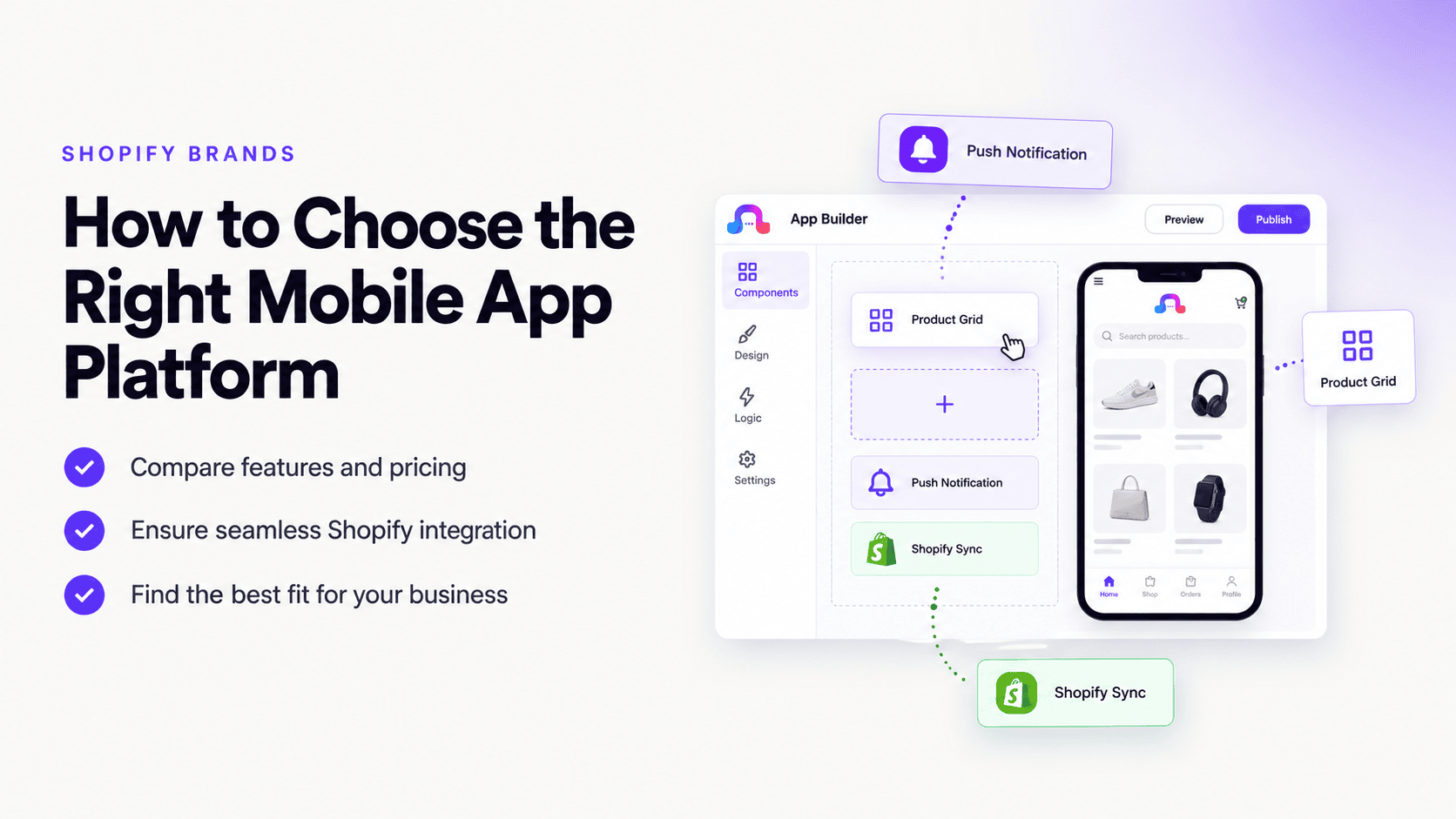
A Shopify store can be easy to launch, but turning that store into a high-quality mobile app is a different challenge.
A mobile app isn't simply a smaller version of your Shopify website.
A good ecommerce app needs to provide fast product discovery, smooth navigation, reliable checkout, personalized engagement, push notifications, customer accounts, and a mobile experience that feels natural on both Android and iOS.
That creates an important question for Shopify brands:
How do you choose the right mobile app platform for your Shopify store?
There are several ways to approach Shopify mobile app development. You can hire developers to build a custom application, use a Shopify-focused app builder, use a broader no-code mobile app platform, or choose a solution that combines Shopify integration with visual native app development.
The right option depends on your store size, catalog, customer base, budget, technical resources, marketing strategy, and long-term goals.
In this guide, we'll explain exactly what to look for.
Quick Answer: What Is the Best Mobile App Platform for Shopify?
The best mobile app platform for a Shopify brand is one that can reliably connect to your Shopify store while giving you enough control over the mobile experience, checkout, customer accounts, notifications, analytics, branding, app updates, and publishing.
For many Shopify brands, the most important criteria are:
- Reliable Shopify integration
- Native Android and iOS support
- Product and inventory synchronization
- A smooth mobile shopping experience
- Secure checkout
- Customer account support
- Push notifications
- Deep linking
- Analytics
- OTA or efficient app updates
- App Store and Google Play publishing
- Customization without unnecessary development work
Platforms such as AppNatively are designed to connect ecommerce stores with customizable native mobile experiences and large number of integrations, push notifications, OTA updates, and many more.
The best platform is ultimately the one that fits your Shopify store's architecture and growth strategy.
Why Shopify Brands Should Consider a Mobile App
Before comparing platforms, it is worth asking whether your Shopify store actually needs a mobile application.
For some businesses, a well-optimized mobile website is enough.
For others, an app can become an important customer retention and revenue channel.
A mobile app can provide capabilities that are difficult to replicate consistently through a browser.
A Shopify mobile app can help with:
- Faster repeat purchases
- Push notifications
- Personalized offers
- App-exclusive promotions
- Faster access to customer accounts
- Saved preferences
- Wishlist functionality
- Deep links
- Mobile-first navigation
- Loyalty programs
- Re-engagement campaigns
- Product discovery
- Abandoned-cart recovery
- Personalized shopping experiences
The key is that the app should provide additional value, not simply duplicate your website.
Shopify Mobile App vs. Mobile Website
One of the biggest mistakes Shopify merchants make is assuming that an app automatically provides a better experience.
It doesn't.
A poorly designed app can be worse than a good mobile website.
The real advantage comes from combining Shopify's ecommerce infrastructure with mobile-specific functionality.
| Capability | Mobile Website | Shopify Mobile App |
|---|---|---|
| Product browsing | ✓ | ✓ |
| Checkout | ✓ | ✓ |
| Customer accounts | ✓ | ✓ |
| Push notifications | Limited | ✓ |
| App icon on device | — | ✓ |
| Deep linking | Limited | ✓ |
| Mobile-specific navigation | Limited | ✓ |
| Personalized engagement | Limited | ✓ |
| App-based retention | Limited | ✓ |
| App Store discovery | — | ✓ |
| One-tap re-engagement | — | ✓ |
This is why Shopify brands should evaluate an app platform based on customer experience and retention, not just the ability to convert a website into an app.
What Is a Shopify Mobile App Platform?
A Shopify mobile app platform is a service or software platform that helps Shopify merchants create, customize, manage, and publish mobile applications connected to their Shopify store.
Depending on the platform, it may handle:
- Product synchronization
- Collections
- Customer accounts
- Cart
- Checkout
- Orders
- Inventory
- Push notifications
- App navigation
- Mobile UI
- Analytics
- App builds
- App Store submission
- Google Play submission
- App updates
- Deep links
The platform essentially acts as the bridge between your Shopify store and your mobile application.
10 Things to Check Before Choosing a Shopify Mobile App Platform
Not all Shopify app builders work the same way.
Here are the most important criteria to evaluate.
1. Shopify Integration
This should be your first checkpoint.
A platform may advertise itself as a Shopify app builder, but that doesn't tell you how deeply it integrates with Shopify.
Ask:
- Does it sync products automatically?
- Are collections supported?
- Are product variants supported?
- Is inventory synchronized?
- Are prices updated?
- Are product images synchronized?
- Are customer accounts supported?
- Are orders synchronized?
- Does the cart work correctly?
- Does checkout work with your Shopify setup?
A good integration should minimize manual duplication.
You don't want your Shopify store and mobile app to become two separate systems that need to be maintained independently.
The ideal architecture
Your Shopify store should remain the source of truth.
The mobile application should work as another customer-facing channel connected to that commerce infrastructure.
2. Native Android and iOS Support
If your customers use both Android and iPhone, make sure the platform supports both.
Don't assume that "mobile app" automatically means Android and iOS.
Ask:Fpush noti
- Is Android supported?
- Is iOS supported?
- Are both included in the plan?
- Are native builds generated?
- Can the apps be published to Google Play?
- Can they be published to the Apple App Store?
- Are separate builds required?
A platform that only solves half of your mobile strategy may create unnecessary complexity later.
3. Product and Inventory Synchronization
For ecommerce, synchronization is critical.
Imagine a customer sees a product in your mobile app showing:
In stock
They purchase it.
But the Shopify store has already sold out.
That creates a poor customer experience.
Your mobile app platform should therefore handle synchronization between your Shopify backend and the app experience as reliably as possible.
Look for support for:
- Products
- Variants
- Prices
- Images
- Categories
- Collections
- Inventory
- Product availability
This is one of the most important technical questions to ask before committing to any Shopify mobile app platform.
4. Checkout Experience
Checkout deserves special attention.
A beautiful app with a poor checkout experience won't help your ecommerce business.
Before selecting a platform, understand exactly how checkout works.
Ask:
Does the platform support my Shopify checkout configuration?
Also evaluate:
- Customer login
- Address selection
- Payment flow
- Discounts
- Shipping
- Taxes
- Order confirmation
- Checkout redirects
- Third-party payment compatibility
Your customers should not feel like they have suddenly left your app when they reach checkout.
5. Push Notifications
This is one of the biggest reasons Shopify brands build apps.
A browser customer may visit your store once.
An app gives you another way to bring that customer back.
Push notifications can be used for:
- New product launches
- Back-in-stock alerts
- Flash sales
- Limited-time offers
- Abandoned carts
- Order updates
- Personalized recommendations
- Seasonal campaigns
- Restock notifications
- Loyalty campaigns
But more notifications do not automatically mean better marketing.
The best Shopify apps use push notifications strategically.
Example
Instead of:
"SALE! BUY NOW!"
A better notification could be:
"Your saved item is back in stock."
The second message is relevant to the customer rather than simply promotional.
6. Mobile UX and Customization
Your Shopify website may already have a strong desktop and mobile design.
That doesn't mean it should be copied directly into your app.
An app should be designed around mobile behavior.
Look for control over:
- Home screen
- Navigation
- Product screens
- Search
- Filters
- Product cards
- Collections
- Account screens
- Cart
- Promotional banners
- Bottom navigation
- Icons
- Splash screen
- App branding
A platform with visual customization can be especially useful because you can iterate on the experience without rebuilding the entire app.
7. App Performance
Performance matters even more in ecommerce.
Customers are impatient.
Slow product pages, delayed navigation, or awkward transitions can increase friction.
When evaluating a Shopify mobile app platform, test:
- Initial loading
- Product page loading
- Collection navigation
- Search
- Filtering
- Cart
- Checkout
- Image loading
- Account login
- Network recovery
Don't judge performance only from a demo.
Connect a real store and test it.
8. App Updates and Maintenance
Your Shopify store will change.
Products will change.
Prices will change.
Promotions will change.
Your app will need to change too.
This is why you should understand the platform's update architecture before purchasing.
Ask:
- How are content changes synchronized?
- Can app changes be delivered without rebuilding?
- How often can you update the app?
- Do updates require App Store review?
- Does the platform support OTA updates?
- Who handles builds?
Platforms that provide OTA updates can reduce friction for certain types of changes.
AppNatively, for example, provides OTA updates as part of its mobile app platform, allowing supported changes to be delivered without requiring a complete new app-store release for every update.
9. Analytics
You can't improve what you can't measure.
Your Shopify store already provides ecommerce data.
Your app should add mobile-specific insights.
Useful metrics include:
- App installs
- Active users
- Sessions
- Product views
- Add-to-cart events
- Checkout starts
- Purchases
- Push notification opens
- Retention
- Conversion rate
- Revenue per user
The most valuable setup is one where Shopify ecommerce data and mobile engagement data can be analyzed together.
10. App Store and Google Play Publishing
Publishing an app involves more than pressing a button.
You may need:
- Developer accounts
- App certificates
- Signing credentials
- App icons
- Screenshots
- Privacy policies
- Store descriptions
- App metadata
- Compliance information
- Testing
- Review
A good platform should make the deployment process understandable.
Before choosing one, find out:
Who is responsible for what?
Does the platform:
- Generate the app?
- Generate the Android package?
- Generate the iOS build?
- Help with signing?
- Support store submission?
- Handle updates?
- Provide publishing guidance?
The clearer the process, the easier your long-term maintenance will be.
Shopify App Builder vs. Custom App Development
There are two primary ways to build a Shopify mobile app.
i. Custom Development
You hire developers to build the application specifically for your business.
Advantages
- Maximum control
- Custom architecture
- Custom integrations
- Complex business logic
- Custom backend functionality
Disadvantages
- Higher development cost
- Longer development time
- Requires technical resources
- Ongoing maintenance
- More complicated updates
Custom development makes sense for businesses with highly specialized requirements.
ii. Shopify Mobile App Builder
A Shopify mobile app builder provides prebuilt infrastructure for connecting your store to a mobile application.
Advantages
- Faster development
- Lower technical barrier
- Visual customization
- Prebuilt Shopify integration
- Easier maintenance
- Faster iteration
- App publishing workflows
Disadvantages
- Platform limitations
- Subscription costs
- Dependency on the platform
- Some advanced features may require workarounds
For many Shopify brands, the app builder approach provides a practical middle ground between a basic mobile website and a completely custom application.
How AppNatively Fits Shopify Brands
AppNatively takes a broader approach to Shopify mobile app development.
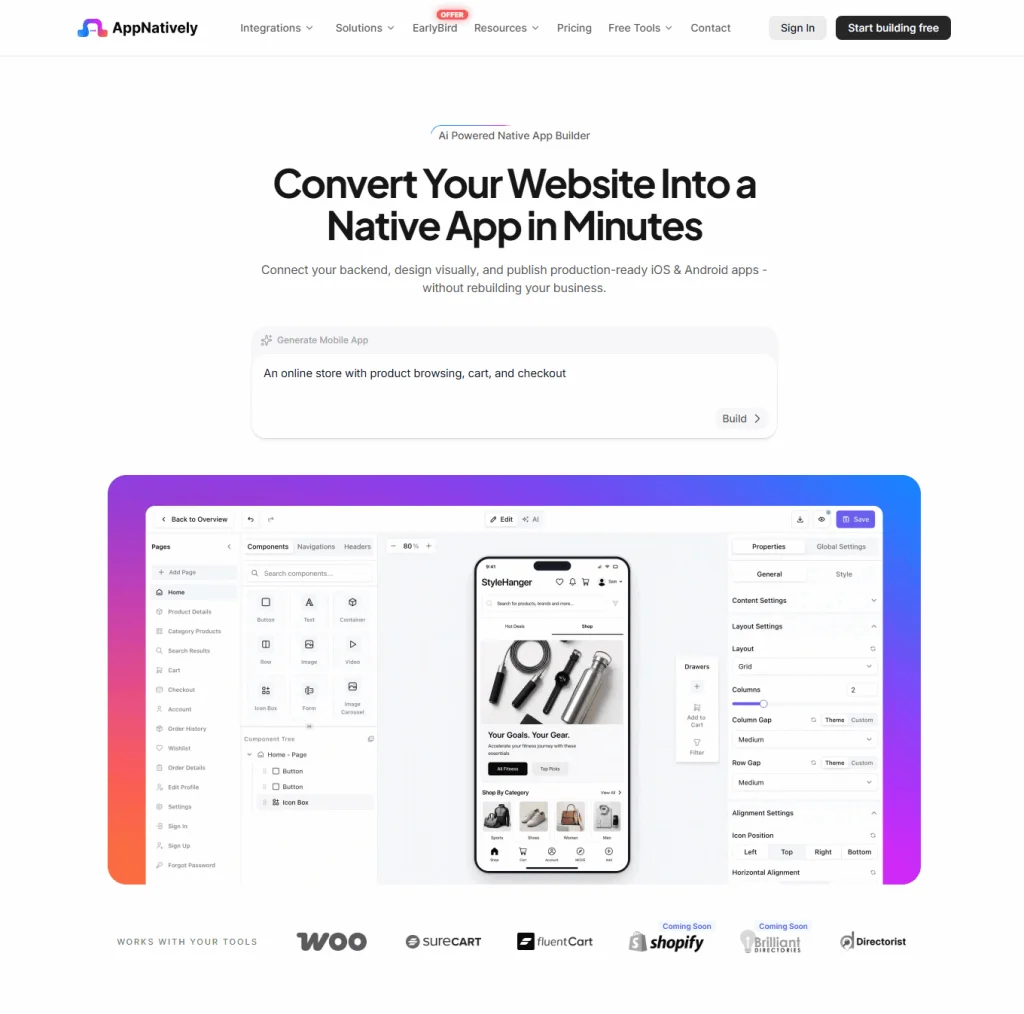
Instead of positioning the app as simply a Shopify storefront packaged into an app, the platform focuses on creating a customizable native mobile experience connected to the store.
This is particularly useful for Shopify brands that want to control the structure of their mobile experience.
AppNatively provides:
- Native Android apps
- Native iOS apps
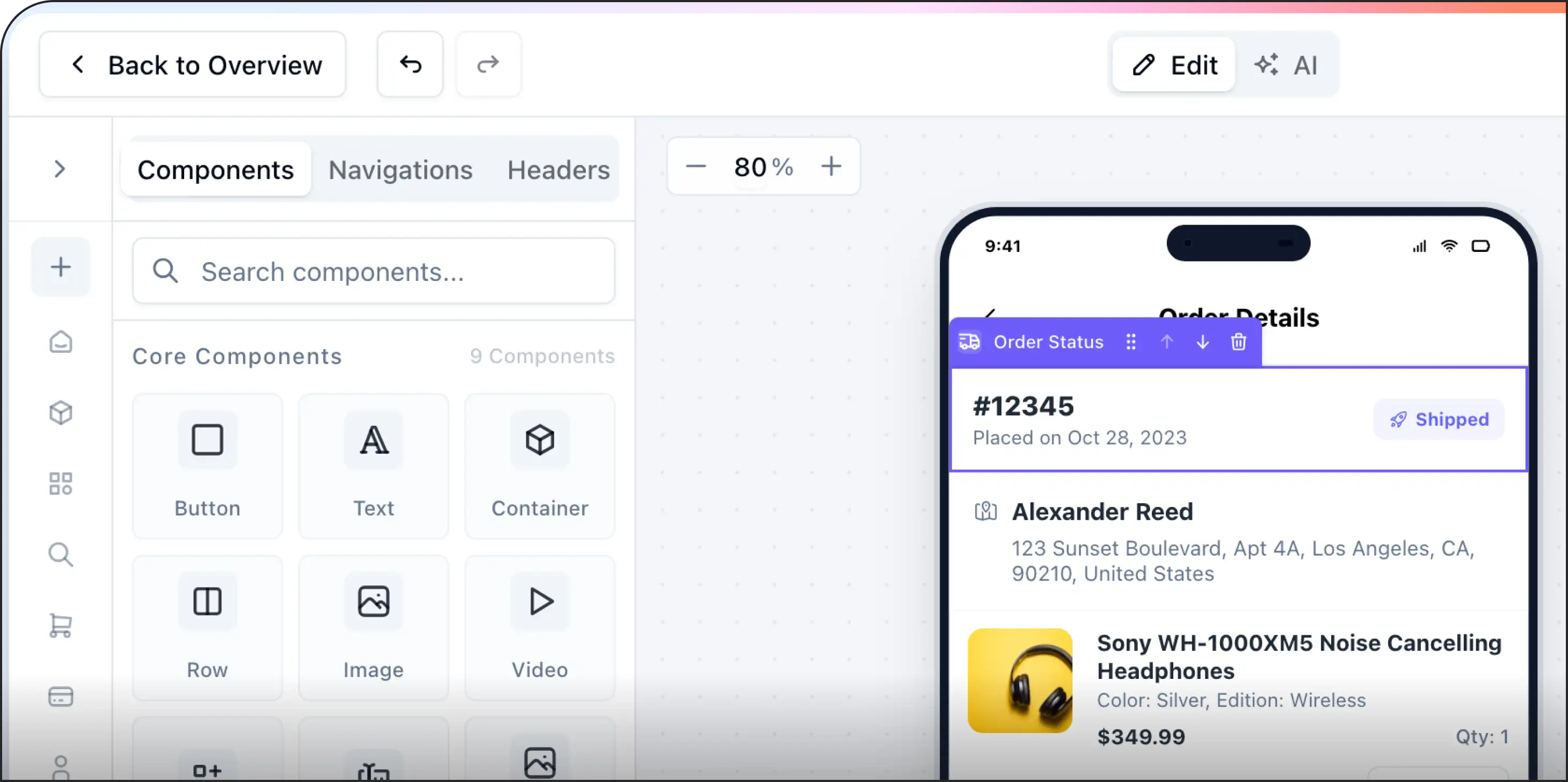
- Visual drag-and-drop app building
- Shopify integration
- Custom app screens
- Push notifications
- OTA updates
- Firebase integration
- App icons
- Splash screens
- Mobile previews
- Custom APIs
- GitHub integration
- Google Drive integration
- AI-assisted app building
- MCP server capabilities
The important distinction is that Shopify remains the commerce backend while AppNatively can be used to create the mobile experience around it.
That can be particularly useful for brands that want to go beyond a basic website-to-app conversion.
What Makes a Shopify Mobile App "Good"?
A good Shopify mobile app should accomplish three things:
1. Make shopping easier
Customers should be able to:
- Discover products
- Search
- Browse collections
- View product details
- Add products to their cart
- Checkout
with minimal friction.
2. Give customers a reason to return
This is where apps can have an advantage.
Use:
- Push notifications
- Personalized offers
- Loyalty programs
- Saved items
- Back-in-stock notifications
- New product alerts
3. Give the brand more control
The brand should be able to control:
- App branding
- Navigation
- Promotions
- Notifications
- Content
- Updates
- Analytics
without needing to rebuild the entire application every time something changes.
Questions to Ask a Shopify App Builder Before Buying
Before signing up, ask these questions.
Shopify integration
Does the platform support my Shopify store and current configuration?
Products
How frequently are products, prices, images, variants, and inventory synchronized?
Checkout
How does the mobile checkout work?
Accounts
Can existing Shopify customers log into the app?
Push notifications
Can I send targeted push notifications?
Design
How much control do I have over the app's UI?
Updates
Which changes require a new App Store or Google Play release?
Publishing
Can I publish under my own Apple and Google developer accounts?
Analytics
Can I measure app engagement and ecommerce conversions?
Pricing
What will I actually pay after the trial or introductory period?
These questions can prevent expensive surprises later.
Shopify Mobile App Platform Comparison Checklist
Feature | Why It Matters |
|---|---|
| Shopify integration | Keeps your store and app connected |
| Product sync | Prevents outdated product information |
| Inventory sync | Reduces stock-related issues |
| Customer accounts | Makes repeat purchases easier |
| Cart | Core ecommerce functionality |
| Checkout | Directly affects conversions |
| Push notifications | Enables re-engagement |
| Native Android | Reaches Android customers |
| Native iOS | Reaches iPhone customers |
| Visual builder | Reduces development dependency |
| Customization | Creates a stronger brand experience |
| Analytics | Measures app performance |
| Deep linking | Sends users directly to relevant content |
| OTA updates | Simplifies supported app updates |
| Store publishing | Gets the app into customers' hands |
| API support | Extends the app beyond standard integrations |
How Much Does a Shopify Mobile App Cost?
There isn't one universal price.
The total cost depends on the approach.
Option 1: Custom development
You pay for:
- UX/UI design
- Development
- Backend work
- Testing
- App publishing
- Maintenance
This offers maximum flexibility but generally requires more resources.
Option 2: Mobile app platform
You typically pay for:
- Platform access
- App-building capabilities
- Shopify integration
- Publishing
- Advanced features
- Support
Pricing models vary by provider.
The important thing is to calculate the total cost of ownership, not just the advertised monthly price.
How to Calculate ROI for a Shopify Mobile App
Don't treat a mobile app as another branding expense.
It should have a measurable business objective.
Consider:
Additional revenue
How many additional purchases could the app generate?
Repeat purchases
Do app users purchase more frequently?
Customer retention
Does the app bring customers back more often?
Push revenue
How much revenue comes from push campaigns?
Conversion rate
Do app users convert better than mobile web visitors?
Customer lifetime value
Do app customers have higher lifetime value?
A simple model is:
App ROI = Additional gross profit generated by app − App costs
You can then track the app's performance over time.
When Should a Shopify Brand Build an App?
Not every Shopify store needs one.
An app becomes more compelling when you have:
- Repeat customers
- Frequent purchases
- A strong customer base
- Regular promotions
- Product launches
- Loyalty programs
- Personalized offers
- Subscription products
- High mobile traffic
- A recognizable brand
- A need for direct customer communication
For a brand where most customers make one purchase and never return, an app may not be the first investment to make.
For a brand with strong repeat purchasing behavior, an app can become much more valuable.
A Practical Decision Framework
If you're comparing Shopify mobile app platforms, score each platform from 1 to 5 in these categories:
| Criteria | Weight |
|---|---|
| Shopify integration | 20% |
| Mobile UX customization | 15% |
| Android + iOS support | 15% |
| Ecommerce functionality | 15% |
| Push notifications | 10% |
| Updates and maintenance | 10% |
| Analytics | 5% |
| Publishing | 5% |
| Pricing | 5% |
Final Verdict: Choosing the Right Shopify Mobile App Platform
Choosing a mobile app platform for your Shopify brand isn't about finding the platform with the longest feature list.
It's about finding the platform that fits your commerce infrastructure, customer journey, marketing strategy, and growth plans.
If your priority is simplicity, a template-driven platform may be enough.
If your store has highly specialized requirements, custom development may make more sense.
If you want to connect Shopify with a customizable mobile experience without building the entire application from scratch, a modern Shopify mobile app builder can provide a practical middle ground.
AppNatively is particularly worth evaluating for Shopify brands that want native Android and iOS apps combined with visual drag-and-drop customization, Shopify connectivity, push notifications, OTA updates, Firebase, custom APIs, and other tools for managing the mobile experience.
The key is to test the platform with your actual Shopify store, not just a demo.
Connect your catalog.
Test product synchronization.
Test customer accounts.
Test cart and checkout.
Send a push notification.
Test the app on real Android and iOS devices.
Then ask the most important question:
Can this platform help my Shopify brand create a mobile experience that customers will actually want to use?
If the answer is yes, you've found a platform worth investing in.
Frequently asked questions
The best Shopify mobile app platform depends on your store's requirements. Look for strong Shopify integration, native Android and iOS support, product and inventory synchronization, checkout compatibility, push notifications, customization, analytics, and reliable app updates.
Yes. Shopify brands can use mobile app builders and development platforms to create Android and iOS applications connected to their Shopify stores.
Yes. No-code and low-code mobile app platforms can allow Shopify merchants to create applications without traditional mobile development.
Shopify provides the ecommerce infrastructure for your store, but merchants generally use a dedicated mobile app platform, development framework, or custom development team to create their customer-facing Android and iOS applications.
Yes. Many mobile app platforms support both Android and iOS. Always check whether both platforms are included in the plan you are considering.
Yes. Mobile applications can use push notifications to send customers product announcements, promotions, order updates, back-in-stock alerts, and other relevant messages.
Many Shopify app platforms provide product synchronization, but the exact behavior varies. Check how the platform handles products, variants, prices, inventory, images, collections, and updates before choosing one.
Not necessarily. A mobile website can be sufficient for many businesses. An app becomes more valuable when a brand wants direct engagement, push notifications, faster repeat purchases, loyalty features, and a persistent mobile presence.
The cost depends on whether you use a mobile app builder or custom development. Platform pricing can vary based on Android and iOS support, features, publishing, integrations, number of apps, and support.
Yes. The amount of customization depends on the platform. Some provide templates and predefined layouts, while others offer visual drag-and-drop control over screens and components.
Check Shopify integration, product synchronization, inventory, checkout, customer accounts, push notifications, Android and iOS support, customization, analytics, publishing, updates, APIs, pricing, and support.