
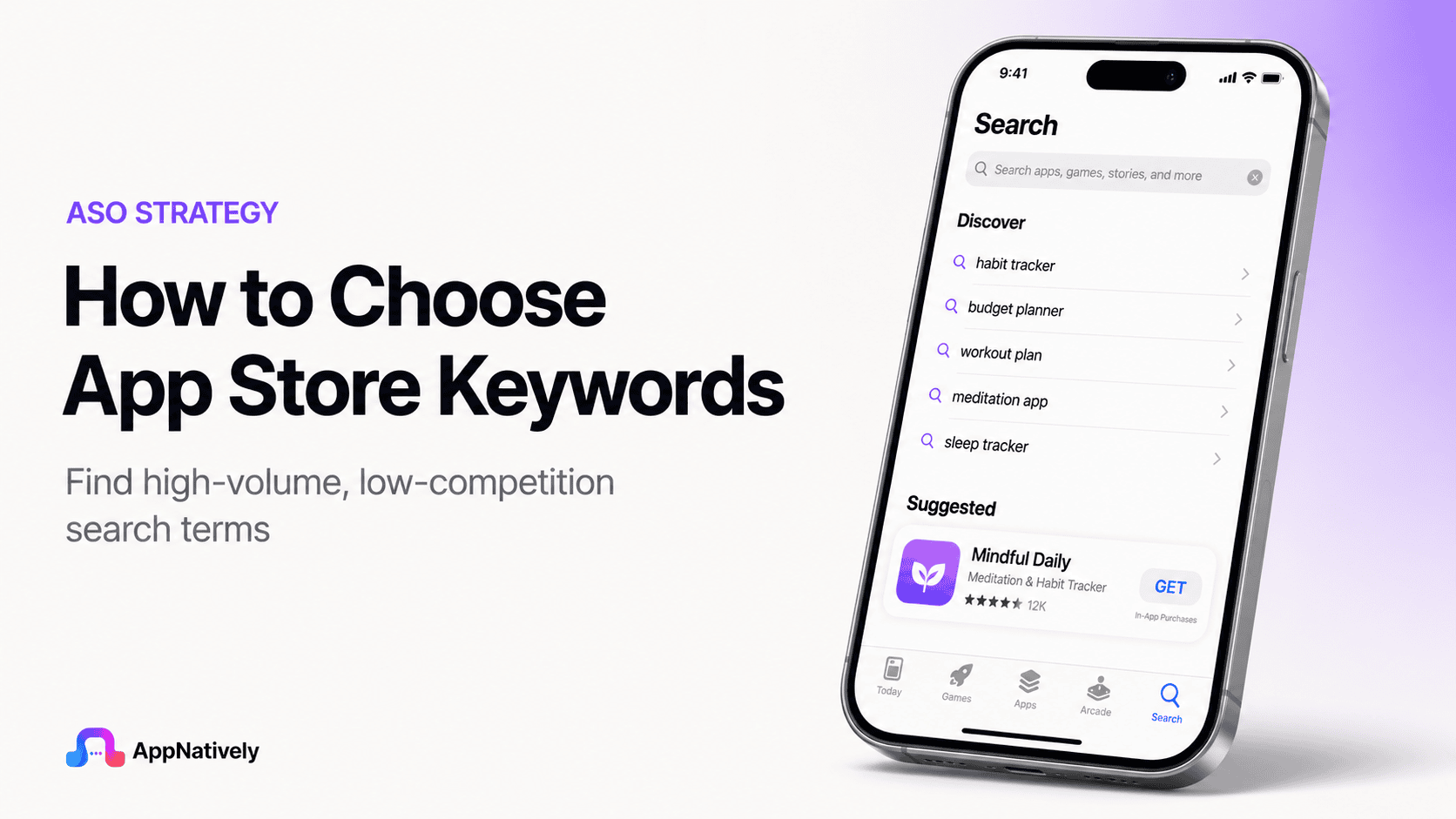
Choosing the right App Store keywords can determine whether your app gets discovered by the right users or disappears beneath thousands of competing apps.
A strong keyword strategy connects what people search for with what your app actually offers, helping you build visibility without relying entirely on paid acquisition.
The challenge is that App Store keyword research is not simply about finding high-volume terms. You need to evaluate relevance, search intent, competition, ranking potential, and user behavior before deciding which keywords deserve valuable space in your app metadata.
Why App Store Keywords Matter
When users search the App Store, they usually have a specific need in mind. They might search for a budgeting app, workout planner, hotel booking app, photo editor, or language-learning tool. Your keywords help connect those searches with your application.
For app publishers, this creates an important opportunity. Instead of trying to reach everyone, you can optimize your metadata around the terms used by people who are already looking for the type of solution your app provides.
The right keywords can improve app discoverability, qualified traffic, and organic acquisition. However, keywords alone do not guarantee downloads because ranking, conversion rate, ratings, reviews, retention, and overall app quality also influence performance.
How App Store Keywords Work
Apple provides several areas of App Store metadata that can contribute to discoverability, including the app name, subtitle, keyword field, and other product information.
The dedicated keyword field gives developers a limited amount of space to communicate additional search terms.
Apple currently provides 100 bytes for the keyword field, which means you cannot simply add every relevant phrase you discover during research. Every character needs to contribute something useful to your ASO strategy.
The limitation makes keyword selection more strategic. Instead of asking how many keywords you can add, ask which keywords have the strongest combination of relevance, intent, and ranking opportunity.
Search intent matters more than broad popularity
A keyword can have substantial search demand and still be a poor choice for your app. If the people searching that term are not looking for your specific solution, ranking for it may generate visibility without producing meaningful installs.
For example, a personal finance app might target “finance” because it appears highly relevant. However, terms such as “expense tracker,” “budget planner,” or “money manager” can communicate much stronger intent because users searching them have a clearer idea of what they want.
How to Choose App Store Keywords
The best way to choose App Store keywords is to start with your users, understand their problems, build a broad keyword list, evaluate each opportunity, and then narrow your selection based on relevance and competition.
This process gives you a stronger foundation than choosing keywords based on search volume alone.
i. Define your app’s core purpose
Before opening an ASO tool, describe your application in one clear sentence. Explain what the app does, who it serves, and what problem it solves without using complicated product language.
This exercise helps you identify the concepts that should form the foundation of your keyword research. If you cannot explain your app clearly, it becomes much harder to determine which search terms genuinely represent its value.
ii. Identify your target audience
Your ideal users may describe the same problem differently depending on their experience, location, age, profession, and expectations.
Understanding your audience therefore gives you valuable insight into the language they are likely to use when searching.
Think about what your users would type into the App Store if they had never heard of your brand. Their search behavior is usually more important than the terminology your marketing team prefers.
iii. Create a broad keyword list
Start by collecting words related to your app’s features, use cases, benefits, problems, audience, category, and outcomes. At this stage, do not remove keywords simply because they appear competitive or have limited demand.
For a workout application, your initial list might include workout, exercise, fitness, home workout, workout planner, exercise plan, gym workout, fitness routine, weight loss, strength training, and personal trainer.
The purpose of this stage is to create a keyword universe that you can evaluate later instead of prematurely limiting your options.
iv. Find the language users actually search
Your internal product terminology may not match the language your audience uses. A development team might describe an application as a “financial management platform,” while users may search for “budget tracker” or “expense tracker.”
Look beyond your own website and marketing materials. Customer reviews, support conversations, competitor reviews, Reddit discussions, social media comments, and app store search suggestions can reveal how people naturally describe their problems and desired solutions.
v. Analyze competitor keywords
Competitor research can show you how established apps position themselves and which concepts repeatedly appear across their metadata.
Review apps that serve the same audience and solve similar problems, then look for recurring themes in their titles, subtitles, descriptions, and positioning.
Do not copy competitor metadata. Instead, use competitor research to understand how the market communicates value and where potential opportunities may exist.
vi. Look for keyword gaps
A keyword gap appears when a relevant user need exists but competing applications are not strongly positioned around it.
These opportunities can be particularly valuable for newer apps that cannot immediately compete with established brands for highly competitive searches.
Suppose several photo editing apps focus heavily on “photo editor,” while your product has an advanced object-removal feature.
Keywords related to object removal may provide a more focused opportunity that aligns with your strongest differentiator.
vii. Prioritize relevance
Relevance should be the first filter for every App Store keyword. If a keyword does not accurately describe your application or a meaningful feature, remove it regardless of how attractive its search demand appears.
A highly relevant keyword gives you a better chance of attracting users who understand your product before they install it. This can create stronger alignment between search intent, product-page expectations, and user experience.
viii. Evaluate search volume
Search volume can help you understand how much potential demand exists for a keyword. However, high search volume should never automatically make a keyword your top priority.
Broad keywords can attract enormous audiences but often come with intense competition and weaker intent.
More specific terms may attract fewer searches while producing a more qualified audience that is substantially more valuable to your app.
ix. Assess keyword competition
Competition indicates how difficult it may be to gain meaningful visibility for a particular search term.
Established apps often have significant advantages because they have accumulated downloads, ratings, reviews, engagement, and brand recognition.
New apps should therefore avoid building their entire strategy around extremely competitive keywords.
A better approach is to combine a few ambitious terms with realistic, specific keywords that provide a stronger opportunity to gain traction.
x. Consider conversion potential
A keyword should ultimately contribute to your acquisition goals. If thousands of users search for a term but very few of those users are interested in your app, the keyword may have limited commercial value.
Consider what happens after someone discovers your app through a search. Does the keyword accurately describe the product? Does your screenshot communicate the expected feature? Does the app page give users a strong reason to install?
xi. Group related keywords
Keyword clustering helps you organize related terms around common user needs. Instead of viewing every keyword as an isolated opportunity, group them into themes that represent different aspects of your application.
For example, a meal-planning app could have clusters around meal planning, recipes, grocery lists, nutrition, and healthy eating. This structure makes it easier to understand which areas are central to your product and which represent secondary opportunities.
How to Measure App Store Keyword Opportunities
Choosing keywords becomes easier when you evaluate them using consistent criteria. Rather than relying on intuition, score potential terms based on relevance, intent, demand, competition, and business value.
A simple framework can help you compare opportunities before placing them into your App Store metadata.
Keyword relevance
Ask whether the keyword directly describes your application or one of its important features. A score of five should represent a keyword that perfectly matches what the app does and why users would download it.
Search intent
Determine whether someone searching the term is likely to want your specific solution. A keyword with strong intent usually provides more value than a broad category term that could represent dozens of different needs.
Search demand
Estimate whether enough people are searching for the keyword to make ranking worthwhile. Low-demand terms are not automatically bad, particularly when they represent highly qualified users, but extremely limited demand may restrict their value.
Competition level
Assess how difficult it may be to compete against existing apps. Highly competitive keywords can still be valuable, but newer applications may need a stronger balance between ambitious terms and less competitive opportunities.
Business value
Consider whether users arriving through the keyword are likely to become valuable customers. A keyword that attracts users who need your premium feature can potentially be more valuable than one that generates large volumes of low-intent traffic.
App Store Keyword Mistakes to Avoid
Keyword research can become ineffective when app publishers focus too heavily on rankings and not enough on relevance. Some common mistakes can also waste limited metadata space or create compliance problems.
Avoiding these mistakes can make your ASO strategy more sustainable and help your app attract users who genuinely need what you offer.
1. Targeting only high-volume keywords
High-volume keywords are attractive because they promise a larger potential audience. However, they are often the most competitive terms and can be too broad for a new application to rank effectively.
A better strategy is to build a balanced keyword portfolio that includes relevant high-demand terms alongside more specific searches with realistic ranking potential.
2. Using irrelevant keywords
Adding unrelated keywords simply because they appear popular can attract the wrong audience and create a poor experience. Apple also has guidelines against misleading or irrelevant metadata.
Your keyword strategy should always represent the actual functionality of your application. If the app does not deliver what the keyword promises, the keyword does not belong in your strategy.
3. Repeating the same keywords
Repeating the same term across your metadata does not automatically create a stronger ASO strategy. Apple provides limited keyword space, so unnecessary duplication can prevent you from targeting additional relevant concepts.
Use your available space strategically and avoid filling it with variations that add little incremental value.
4. Using competitor brand names
Using competitor names as keywords may seem like an easy way to capture existing search demand, but it can create policy concerns and does not build sustainable organic acquisition.
Instead of targeting another company’s brand, identify the generic feature, use case, or problem that makes the competitor relevant to your audience.
5. Chasing trending searches
A trending keyword can produce temporary attention, but that does not make it a suitable keyword for your app. If the term has no meaningful relationship with your product, the traffic it generates is unlikely to create long-term value.
Your keyword strategy should be built around consistent user needs, not temporary trends.
How To Optimize Your App Store Keyword Field
The App Store keyword field is extremely limited, so optimization requires careful planning. Apple recommends using commas to separate keywords and avoiding unnecessary spaces, duplicate terms, and terms that are already covered elsewhere in your searchable metadata.
Before publishing, review the entire keyword field rather than evaluating each term independently. Look for opportunities to remove redundant words and replace them with relevant concepts that you are not currently targeting.
Use individual keyword concepts strategically
Think about how individual words can work together to create multiple relevant combinations. Instead of entering every possible phrase, select complementary terms that can cover several related searches.
This approach can help you get more value from the limited character allowance while keeping the metadata concise and relevant.
Avoid unnecessary plural variations
You should not automatically use both singular and plural versions of every keyword. Evaluate whether the variation provides meaningful additional value before spending valuable keyword space on it.
Apple’s ASO guidance recommends making efficient use of the keyword field rather than filling it with redundant variations.
Remove words already covered elsewhere
If an important term already appears in your app name or another searchable metadata element, repeating it in the keyword field may waste valuable space.
Review your complete metadata before finalizing the keyword field. This gives you a better view of which concepts are already represented and which opportunities remain uncovered.
How To Research Long-Tail App Store Keywords
Long-tail keywords can be especially useful for apps competing against established products. These phrases are more specific and often reveal a clearer understanding of what the user wants.
For example, “fitness” is broad, while “home workout planner” communicates a specific use case. If your application specializes in that exact experience, the longer phrase may represent a stronger opportunity.
i. Start with feature-based searches
List your most important features and turn each one into potential search phrases. A note-taking application might explore concepts such as voice notes, meeting notes, task manager, digital notebook, and note organizer.
Feature-based searches can reveal valuable opportunities because users frequently search for the specific job they want an app to perform.
ii. Explore problem-based searches
Users do not always search for features. They may search for the problem they are trying to solve.
A productivity app could therefore explore searches related to focus, time management, daily planning, task organization, and productivity rather than relying only on feature names.
iii. Explore outcome-based searches
Another useful approach is to identify the outcome users want. A language-learning app could target concepts connected to speaking practice, vocabulary building, pronunciation, or learning a language faster.
Outcome-focused keywords can connect your app with users who understand the result they want even if they do not know what type of app provides it.
How Localization Affects App Store Keywords
If you publish your app internationally, keyword research should be adapted for each market.
Direct translation is often not enough because users may use different terminology, phrasing, and search behavior across languages.
A keyword that performs well in the United States may not be the best choice in another English-speaking market, and a translated phrase may sound unnatural to native users.
Research each target market separately
Treat every important market as its own keyword opportunity. Study local competitors, search behavior, terminology, and cultural differences before deciding which terms to use.
Localization should make your app easier for people to discover and understand, not simply convert your English metadata into another language.
App Store Keywords vs. Google Play Keywords
App Store keyword optimization and Google Play keyword optimization require different approaches.
Apple provides a dedicated keyword field with a 100-byte limit, while Google Play uses elements such as the app title, short description, and full description as part of its store listing optimization.
Google Play currently allows a 30-character app title, an 80-character short description, and a 4,000-character full description. Because the metadata structures differ, you should not simply copy your App Store keyword strategy into your Google Play listing.
Optimize each store independently
Start with the same customer research, but adapt the final keyword strategy to each platform. This allows you to take advantage of the specific metadata opportunities available on Apple and Google.
Your core positioning should remain consistent, but the way you express that positioning should reflect each platform’s requirements.
How To Build an App Store Keyword Strategy
A sustainable ASO strategy should not be created once and forgotten. Your market changes, competitors update their metadata, new features are released, and users may begin searching for your product differently over time.
The strongest approach combines initial research with continuous monitoring and refinement.
1. Build your initial keyword set
Start with a broad list based on your audience, features, problems, outcomes, competitors, and category. Then remove irrelevant and redundant terms before scoring the remaining opportunities.
This gives you a structured foundation rather than a random collection of keywords.
2. Select your priority keywords
Choose the terms that offer the strongest balance between relevance, intent, demand, competition, and business value. Your priority keywords should represent the core reasons someone would choose your app.
Avoid allocating your entire strategy to extremely competitive terms. Include realistic opportunities that give your application room to gain visibility.
3. Monitor ranking changes
Track how your most important keywords perform after publishing or updating your metadata. Look for consistent trends rather than reacting to every short-term ranking movement.
Ranking data becomes more useful when you compare it with impressions, product-page views, conversion rate, downloads, and retention.
4. Refresh your keyword strategy
Your keyword strategy should evolve as your application grows. New features can create new search opportunities, while declining relevance can make existing terms less valuable.
Review your strategy regularly and update it when there is a clear reason to do so rather than making frequent changes without a measurable objective.
A Practical App Store Keyword Example
Consider an app that helps small businesses create invoices, track expenses, and manage payments.
Its initial keyword research might include terms such as invoice, invoicing, billing, expense, receipt, payment, bookkeeping, accounting, finance, money manager, invoice maker, and expense tracker.
The next step would be to determine which concepts most closely match the application’s strongest features and target audience.
If invoice creation is the primary use case, invoice-related terms should receive greater priority than broad terms such as “finance.”
This approach creates a stronger connection between what users search, what the app promises, and what the product actually delivers.
Best Practices for App Store Keyword Research
The most effective keyword strategies share several characteristics. They focus on user language, prioritize relevance, account for competition, and evolve as new performance data becomes available.
For quick reference, these are the most important principles to follow:
- Start with your user’s problem
- Focus on highly relevant search intent
- Build a broad keyword list before narrowing it
- Research competitors without copying them
- Look for specific keyword gaps
- Balance search demand with competition
- Prioritize realistic opportunities for newer apps
- Use long-tail keywords when appropriate
- Avoid keyword stuffing and unnecessary repetition
- Do not target competitor brand names
- Localize keywords for important markets
- Monitor rankings and acquisition performance
- Update keywords when your product or audience changes
Final Thoughts
Choosing App Store keywords is a combination of user research, competitive analysis, product positioning, and ongoing optimization.
The objective is not to rank for every possible search but to become visible for searches that closely match what your application actually delivers.
Start with your audience and identify the language they use to describe their problems. Build a broad keyword universe, evaluate relevance and intent, study competition, and prioritize terms that offer realistic opportunities.
Then use Apple’s limited metadata space carefully without relying on repetition or irrelevant keywords.
Most importantly, remember that ASO does not end with keyword rankings. The users who discover your app still need a convincing product page, clear screenshots, strong reviews, and an experience that delivers on the promise made by your metadata.
When your keywords and product positioning work together, App Store search becomes more than a visibility channel. It becomes a sustainable way to connect your app with people who are already looking for the solution you provide.