
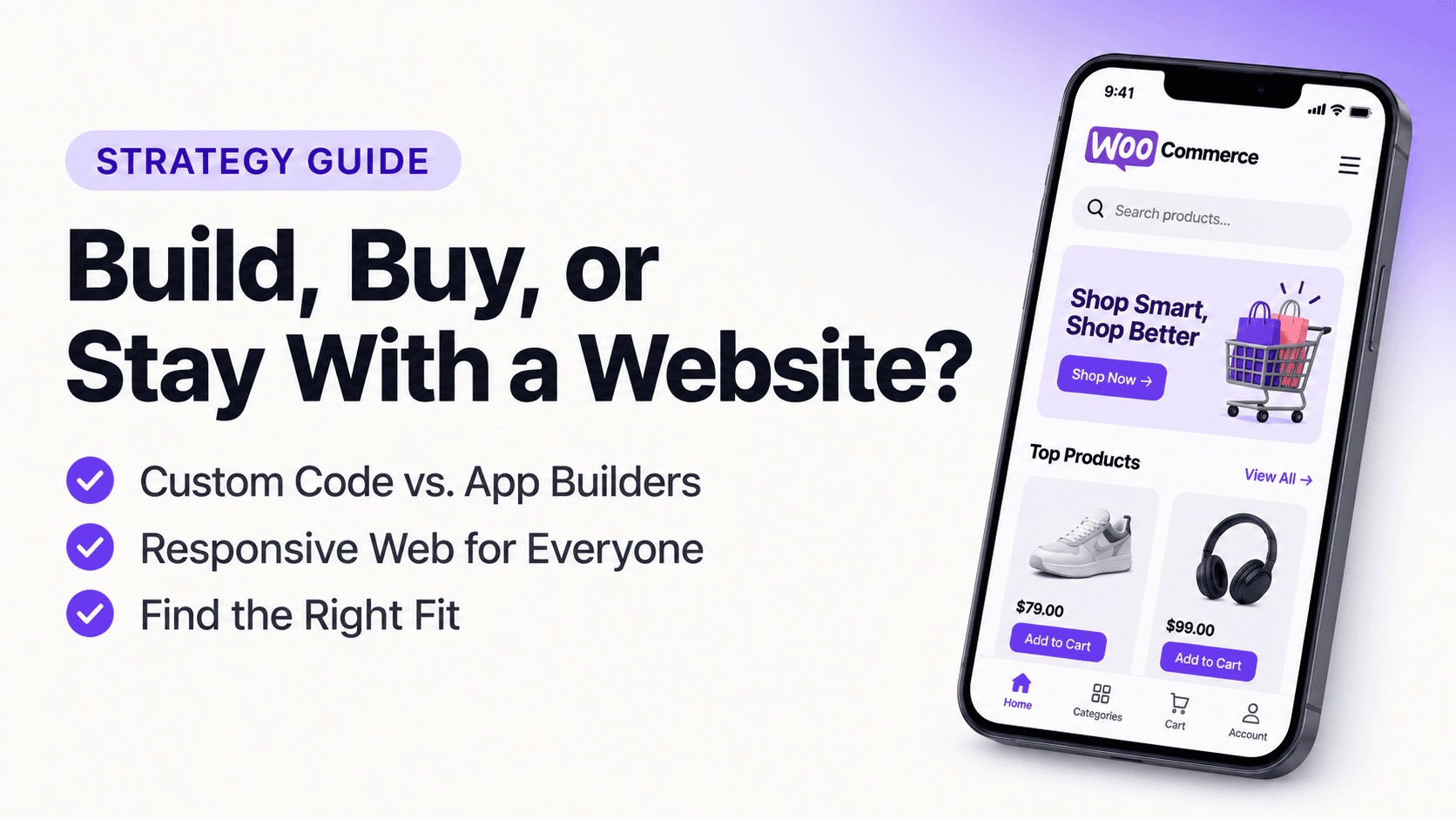
The Mobile App Dilemma for WooCommerce Stores: Build, Buy, or Stay With a Website?

Running a successful WooCommerce store is no longer just about having great products, competitive pricing, and a well-designed website. The shopping experience matters just as much as what you sell.
Customers browse products, compare prices, add items to their carts, and complete purchases from their smartphones. Your WooCommerce website already supports mobile visitors, but is a mobile-friendly website enough to deliver the experience customers expect?
That is where the mobile app dilemma begins.
Should you continue relying on your existing WooCommerce website? Should you invest in custom mobile app development? Or should you use a WooCommerce app builder to turn your existing store into a native Android and iOS application?
Each option has advantages, limitations, and different costs.
The challenge is not simply deciding whether your store needs an app. It is choosing an approach that makes business sense without creating unnecessary development expenses, maintenance work, or operational complexity.
In this blog post, we explore the mobile app dilemma for WooCommerce stores, compare the available approaches, and explain how to choose the solution that fits your business.
What Is the Mobile App Dilemma for WooCommerce Stores?
The mobile app dilemma is the decision WooCommerce store owners face when deciding whether to keep a mobile-responsive website, invest in a custom mobile app, or use an app-building platform.
A website is relatively easy to manage because WooCommerce already handles products, orders, payments, inventory, and customer accounts. However, a dedicated mobile app can provide additional ways to engage customers, improve accessibility, and encourage repeat purchases.
The dilemma comes from balancing three things:
- Customer experience: Can your existing website deliver the mobile shopping experience your customers expect?
- Business investment: Is developing and maintaining a mobile app worth the cost?
- Technical complexity: Can you build an app without duplicating your existing store infrastructure?
There is no universal answer. A small store with occasional visitors may not need a mobile app immediately. A growing eCommerce business with repeat customers may benefit from having a dedicated mobile shopping experience.
The important thing is understanding your options before making the investment.
Why WooCommerce Store Owners Are Considering Mobile Apps
Mobile commerce has changed how customers interact with online stores. Customers increasingly expect convenient shopping experiences that fit naturally into their daily routines.
A mobile-responsive website provides an essential starting point, but a dedicated app introduces additional capabilities.
Here are some of the reasons WooCommerce store owners consider building mobile apps.
1. Customers want faster access to their favorite stores
Customers do not always want to search for a website, enter its URL, or navigate through multiple browser tabs whenever they want to shop.
A mobile app places your store directly on their home screen.
They can open it with a single tap, browse products, check their accounts, and return to previous shopping activities.
For stores with repeat customers, this convenience can make a difference.
2. Push Notifications create another customer engagement channel
Email marketing remains important for eCommerce businesses, but it is not the only way to communicate with customers.
Native mobile apps can support push notifications for announcements, product launches, promotional campaigns, and other relevant updates.
For example, a WooCommerce store can use push notifications to:
- Announce new product arrivals.
- Notify customers about seasonal promotions.
- Share discount announcements.
- Remind customers about upcoming sales.
- Communicate important order-related updates, where supported by the integration.
Unlike email campaigns, push notifications appear directly on a customer's device.
However, customers must grant notification permission, and excessive messaging can lead to notification fatigue.
3. A dedicated app can strengthen brand recognition
Your website competes for attention with browser tabs, search results, social media platforms, and other online stores.
A mobile app gives your brand a dedicated presence on customers' devices.
Your app icon, splash screen, colors, and interface can create a more consistent brand experience.
For established WooCommerce stores, this can help build familiarity and make returning to the store more convenient.
4. Better opportunities to encourage repeat purchases
Some WooCommerce businesses depend heavily on returning customers.
Consider stores selling:
- Beauty and skincare products.
- Fashion and accessories.
- Grocery and household essentials.
- Health and lifestyle products.
- Pet supplies.
- Subscription-based products.
These customers may purchase repeatedly rather than making a single transaction.
A mobile app can provide a convenient way to revisit products, explore new arrivals, and receive relevant updates.
A mobile app does not automatically increase retention, but it gives businesses another channel to build ongoing customer relationships.
5. A more app-like shopping experience
A mobile app can offer a dedicated interface with native navigation, customized screens, product discovery components, and device-level capabilities.
Instead of simply opening a website inside a browser, customers interact with an application designed specifically for mobile devices.
The quality of that experience depends on the app's architecture, implementation, performance, and connection to the WooCommerce backend.
The Three Main Options: Website, Custom App, or WooCommerce App Builder?
When considering a mobile app, WooCommerce store owners generally have three options.
Each approach solves a different problem, and understanding the differences can help you avoid spending more than necessary.
Option 1: Continue using your mobile-responsive WooCommerce website
This is the simplest option.
Your WooCommerce website already works on smartphones, allowing customers to browse products, add items to their carts, and complete purchases through a mobile browser.
Advantages:
- No separate app development investment.
- Existing WooCommerce infrastructure remains unchanged.
- One website to manage and maintain.
- Accessible through search engines and shared links.
- Works across different devices and operating systems.
Limitations:
- Customers need to access your store through a browser.
- No dedicated app icon on their home screens.
- Native push notification capabilities are not automatically available.
- Mobile experience depends on your website's design and performance.
- Customers may have to repeat browser-based navigation when returning to your store.
Who should choose this option?
Stores that primarily acquire customers through organic search, social media, and paid advertising, and do not yet have enough repeat customers to justify a dedicated app, can continue with a mobile-responsive website.
There is nothing wrong with staying website-only if it meets your business requirements.
Option 2: Develop a custom native mobile app
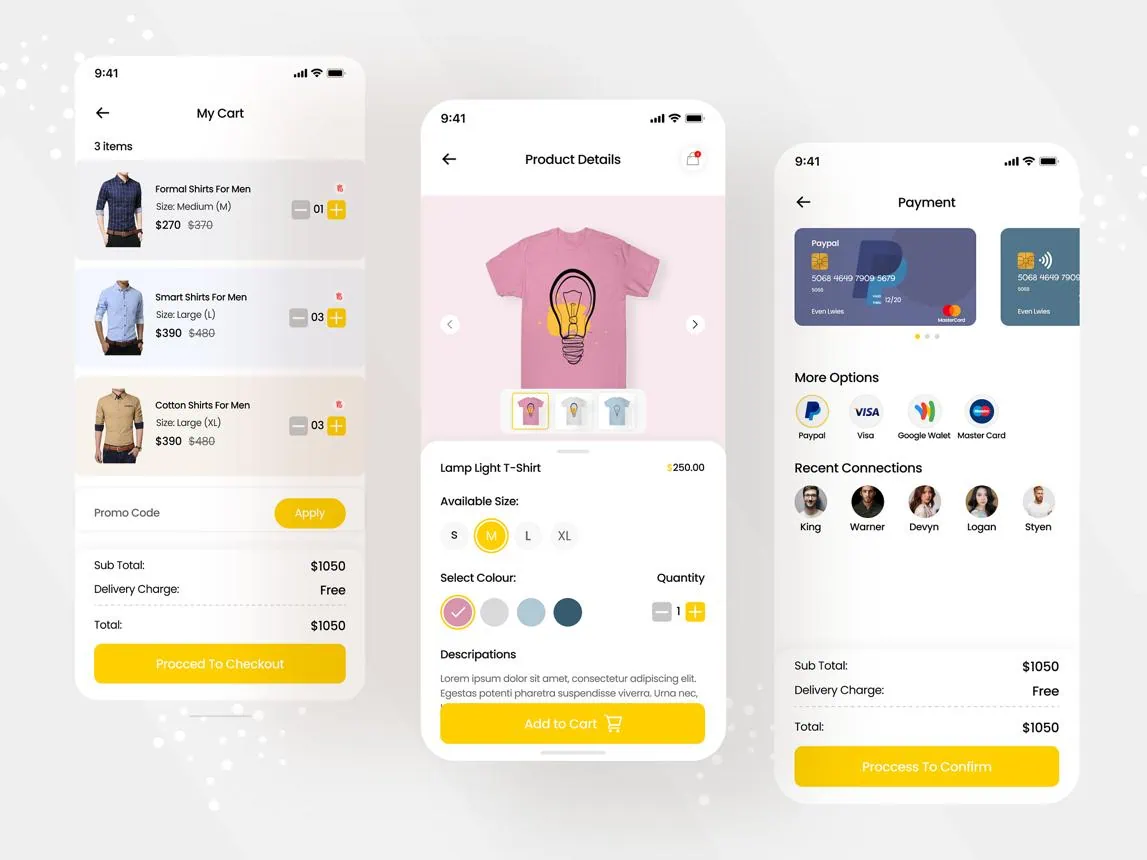
Custom app development gives you greater control over how your mobile application works and looks.
You can hire a development team to build separate Android and iOS applications that connect to your WooCommerce store.
A custom app can include:
- Custom shopping interfaces.
- Native navigation and interactions.
- Personalized product recommendations.
- Push notifications.
- Customer account management.
- Custom checkout experiences.
- Loyalty and rewards functionality.
- Advanced integrations with third-party services.
However, custom development comes with additional responsibilities.
Advantages:
- Greater flexibility over application functionality.
- More control over the user experience.
- Ability to implement complex business requirements.
- Custom integrations and workflows.
- Opportunities to build advanced mobile-specific features.
Limitations:
- Higher initial development costs.
- Longer development timelines.
- Separate Android and iOS development considerations.
- Ongoing maintenance and updates.
- Potential compatibility issues after WooCommerce or plugin updates.
- Dependence on developers for future changes.
The biggest challenge is not always building the application. It is maintaining a reliable connection between the app and your existing WooCommerce store.
For example, when you update product prices, stock availability, order statuses, or shipping methods, the application needs to reflect those changes correctly.
Who should choose this option?
Custom development is suitable for established eCommerce businesses with complex requirements, dedicated development budgets, and the resources to maintain their applications.
Option 3: Use a WooCommerce app builder
A WooCommerce app builder provides an alternative between maintaining a website-only experience and investing in fully custom development.
Instead of building everything from scratch, you use an app-building platform to create a mobile application that connects to your existing WooCommerce store.
Depending on the platform, you can customize screens, arrange components, configure navigation, and manage the application's appearance without developing every feature manually.
Advantages:
- Less development work than building from scratch.
- Faster application creation.
- Lower initial investment in many cases.
- Existing WooCommerce store remains the central management system.
- Easier interface customization.
- Access to app-specific capabilities such as push notifications.
- Less dependence on developers for routine design changes.
Limitations:
- Customization depends on the platform.
- Some builders rely on WebView technology.
- Advanced functionality may require custom integrations.
- Plugin compatibility varies between platforms.
- Pricing, feature limits, and publishing requirements differ.
Who should choose this option?
WooCommerce store owners who want a dedicated mobile application without managing a complete custom development project should consider this approach.
However, there is one important distinction: not every WooCommerce app builder creates a genuinely native application.
Some platforms simply display your website inside an application, while others render mobile interfaces using native components.
That difference deserves closer attention.
Native App vs. WebView App: Why the Difference Matters
One of the most important decisions when choosing a WooCommerce app builder is understanding how the application actually works.
The term "mobile app" can describe applications built using very different technologies.
WebView-based app
Displays website content inside an application container.
Native-rendered app
Uses native mobile interface components to render application screens.
What Is a WebView App?
A WebView application loads website content inside a mobile application.
Rather than creating a separate mobile interface, it essentially displays your existing website within an app container.
This approach can be convenient because much of your website's existing design and functionality can be reused.
However, the shopping experience remains heavily dependent on the website interface.
What Is a Native Mobile App?
A native mobile application uses mobile application technologies to create an interface designed for the operating system.
A native-rendered application can provide dedicated screens, navigation, interactive components, and device-level capabilities.
For WooCommerce stores, this creates an opportunity to build a mobile shopping experience that is not simply a copy of the website.
Native vs. WebView: Quick Comparison
| Criteria | WebView app | Native-rendered app |
|---|---|---|
| Interface | Website-based | Mobile components |
| Navigation | Often website-driven | App-specific |
| Customization | Depends on website | Depends on builder |
| Device integration | Varies | Native capabilities |
| Website dependency | High | Depends on architecture |
| User experience | Browser-like in many cases | Designed for mobile interaction |
| Development approach | Website reuse | Mobile interface development |
Important: Native rendering does not automatically guarantee better performance. Actual performance depends on implementation, network requests, backend responsiveness, and application optimization.
For WooCommerce store owners, the goal should be to choose an application architecture that delivers a convenient mobile experience while maintaining reliable access to store data.
How Does a WooCommerce Mobile App Connect to Your Existing Store?
This is where technical architecture becomes important.
A WooCommerce mobile app should not require you to manage two independent eCommerce businesses.
Ideally, your existing WooCommerce website should remain the central system for managing products, orders, inventory, customers, and store operations.
The application should communicate with that existing infrastructure.
WooCommerce provides APIs that allow external applications and services to interact with store data.
Its REST API supports operations involving products, orders, customers, coupons, and other store resources. The Store API provides customer-facing functionality such as product browsing, cart operations, and checkout.
Understanding the WooCommerce App Architecture
A typical integration involves three main components:
1. Your WooCommerce website
Your website remains responsible for managing:
- Products and product variations.
- Inventory and stock availability.
- Customer accounts.
- Orders and order statuses.
- Shipping and payment configurations.
- Existing WooCommerce extensions.
2. API connection
The API acts as the communication layer between your mobile application and WooCommerce.
It allows the application to request relevant store information and perform supported operations.
3. Your mobile application
The app presents store information through a mobile interface.
Customers can browse products, explore categories, add products to their carts, and complete purchases using supported integrations.
Do You Need a Separate Database for Your WooCommerce App?
Not necessarily.
A properly integrated WooCommerce application can use your existing store as its primary source of product, customer, and order data.
That means you do not need to manually manage two separate product catalogs or maintain an independent inventory system just because you have a mobile app.
However, the exact architecture depends on the app builder and its integration method.
Before choosing a platform, ask:
- Does the app connect directly to my WooCommerce website?
- Does it synchronize product and inventory information?
- How are orders created and updated?
- Does it support product variations?
- How does it handle payment gateways?
- What happens when I install or update WooCommerce plugins?
- Does the platform store or process customer information separately?
These questions can help you identify potential technical limitations before committing to a solution.
What Should a WooCommerce Mobile App Actually Include?
A mobile application should do more than display products.
It should make shopping convenient and provide useful reasons for customers to return.
Here are the features worth considering.
1. Product browsing and search
Product discovery is the foundation of an eCommerce application.
Customers should be able to:
- Browse product categories.
- Search for products.
- Filter and sort results.
- View product images and descriptions.
- Explore product variations.
- Check prices and availability.
The experience should be simple enough for customers to find what they want without unnecessary navigation.
2. Shopping cart and checkout
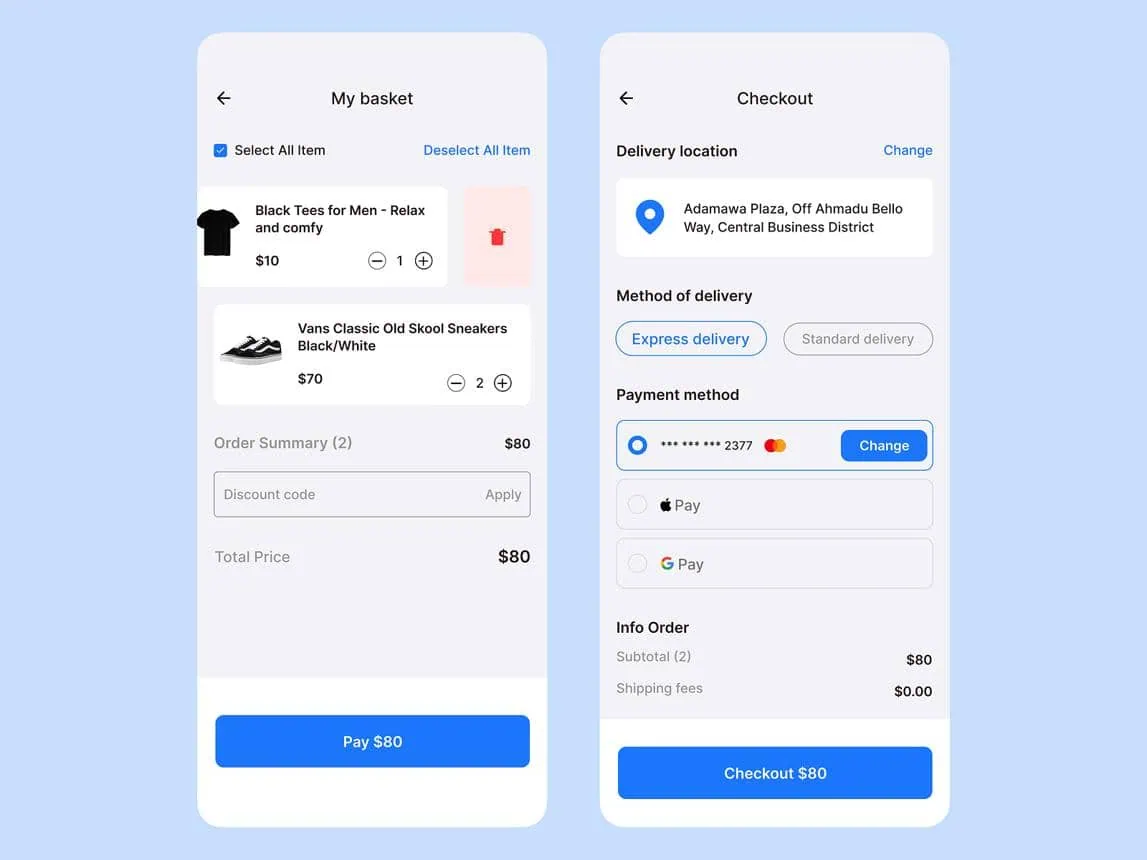
A shopping app is only useful if customers can complete purchases conveniently.
Important capabilities include:
- Add to cart.
- Update product quantities.
- Remove products.
- Apply discount coupons.
- Calculate shipping costs.
- Enter billing and shipping details.
- Complete payment through supported gateways.
Pay particular attention to payment gateway compatibility. A checkout experience that works on your website may require additional integration work in a separate mobile application.
3. Customer accounts and order history
Customers should be able to access their accounts without unnecessary friction.
Consider including:
- Customer login and registration.
- Profile management.
- Saved addresses.
- Previous orders.
- Order details.
- Order status updates.
A consistent account experience can make returning purchases more convenient.
4. Push notifications
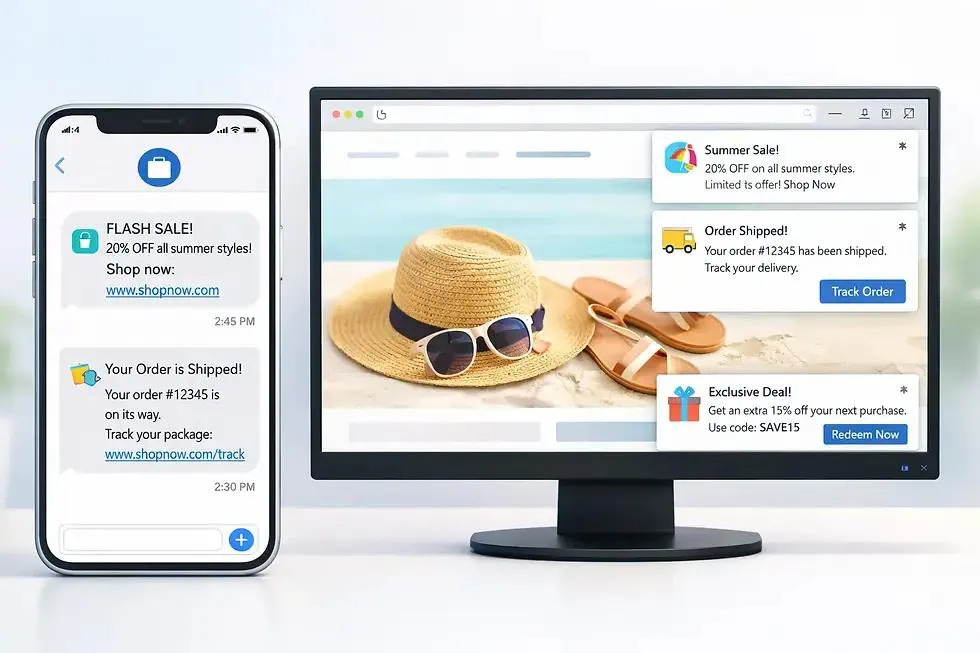
Push notifications can become an important communication channel for your store.
For example:
| Notification | Potential purpose |
|---|---|
| New arrivals | Introduce recently added products |
| Flash sales | Announce limited-time promotions |
| Discounts | Share relevant offers |
| Order updates | Keep customers informed |
| Restocked products | Notify interested customers |
The objective should be relevance rather than frequency.
5. Wishlist and saved products
Customers do not always purchase immediately.
A wishlist allows them to save products and return later.
This can be particularly useful for fashion, electronics, furniture, and other product categories where customers compare several options before purchasing.
6. Analytics and performance tracking
Building an app is only the beginning.
You need to understand how customers use it.
Consider tracking:
- App installations.
- Active users.
- Product views.
- Add-to-cart events.
- Checkout initiation.
- Completed purchases.
- Repeat purchases.
- Push notification engagement.
Analytics can help you identify friction points and improve the shopping experience over time.
The Real Cost of Building a WooCommerce Mobile App
Cost is one of the biggest reasons WooCommerce store owners hesitate to build a mobile application.
However, the actual investment depends on your development approach, application requirements, and long-term maintenance needs.
Here is how the three options compare.
| Cost factor | Website-only | Custom development | App builder |
|---|---|---|---|
| Initial investment | Existing website costs | Usually high | Varies by platform |
| Development time | Already available | Usually longer | Often shorter |
| Design changes | Website editor | Developer involvement | Depends on builder |
| Maintenance | Website maintenance | App and backend maintenance | Platform and backend maintenance |
| Custom functionality | Website plugins | High flexibility | Platform-dependent |
| Store publishing | Not applicable | Required | Usually supported |
Custom development: More control, more responsibility
With custom development, you pay for design, development, testing, integrations, and ongoing maintenance.
You may also need separate resources for Android and iOS development.
This approach makes sense when your business needs highly specialized functionality that existing platforms cannot provide.
App Builders: A More accessible starting point
An app builder can reduce the amount of development work required.
Instead of hiring a team to build every screen and component, you work with an existing platform.
However, do not compare platforms based only on their starting prices.
Check the full pricing structure, including:
- App-building limits.
- Number of supported apps.
- Push notification limits.
- OTA update availability.
- Integration restrictions.
- Publishing assistance.
- Ongoing subscription costs.
- Additional charges for advanced features.
The cheapest option is not necessarily the most cost-effective option.
How to Choose the Right WooCommerce App Builder
Not all app builders offer the same capabilities.
Before choosing one, evaluate the following criteria.
1. Native app architecture
Find out whether the platform builds native applications or wraps your website inside a WebView.
If you want a dedicated mobile interface, look for a platform that supports native-rendered components.
2. WooCommerce integration
Check whether the platform supports the WooCommerce functionality your store actually uses.
At a minimum, evaluate:
- Products and variations.
- Categories.
- Inventory.
- Customer accounts.
- Cart and checkout.
- Orders.
- Shipping and payments.
3. Design flexibility
Some builders offer predefined templates with limited customization.
Others provide drag-and-drop interfaces where you can create screens using individual components.
If your store has a distinct brand identity, design flexibility should be an important consideration.
4. Push notifications
Check whether the platform supports native push notifications and whether you can manage campaigns without complicated development work.
5. OTA Updates
Over-the-air (OTA) updates can allow supported application changes to reach users without requiring a complete app store release for every change.
Check exactly which changes are supported through OTA updates and which require a new store submission.
6. App store publishing
A good app-building solution should make the publishing process understandable.
Check whether you can publish through your own Apple Developer and Google Play Console accounts.
Also understand that app store approval is not guaranteed by an app builder. You remain responsible for meeting the relevant store policies and submission requirements.
7. Data security
Your app will interact with customer accounts, order information, and potentially sensitive transaction data.
Evaluate:
- API authentication.
- Secure communication.
- Customer data handling.
- Payment processing.
- Access permissions.
- Data storage policies.
Never expose WooCommerce API secrets inside a publicly distributed mobile application.
AppNatively: An Alternative for WooCommerce Store Owners
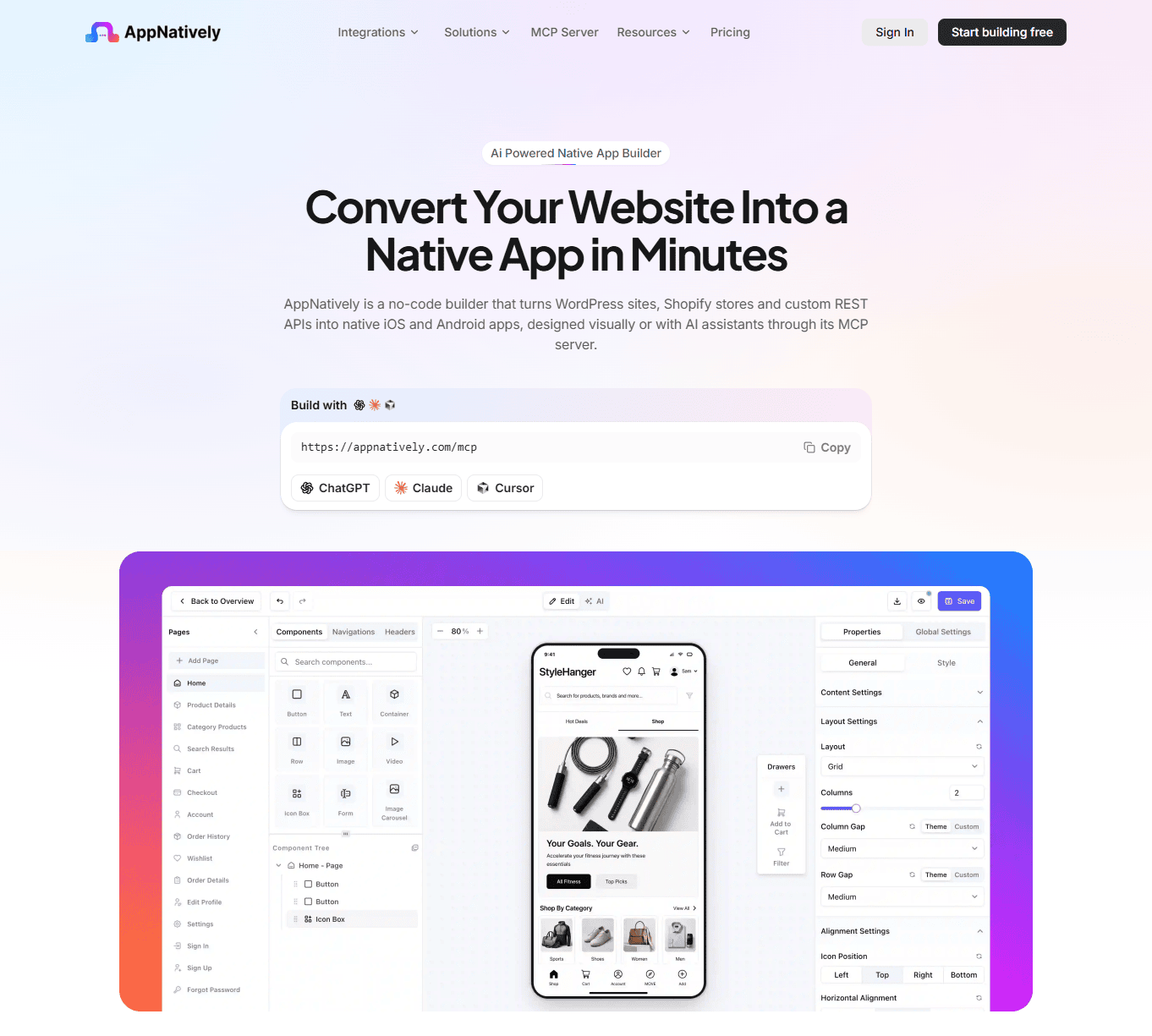
For WooCommerce store owners who want a native mobile application without starting a custom development project, AppNatively is one platform worth considering.
AppNatively takes a different approach from traditional website-to-app solutions.
Rather than simply displaying your website inside an application, it uses React Native to render mobile application interfaces through native components.
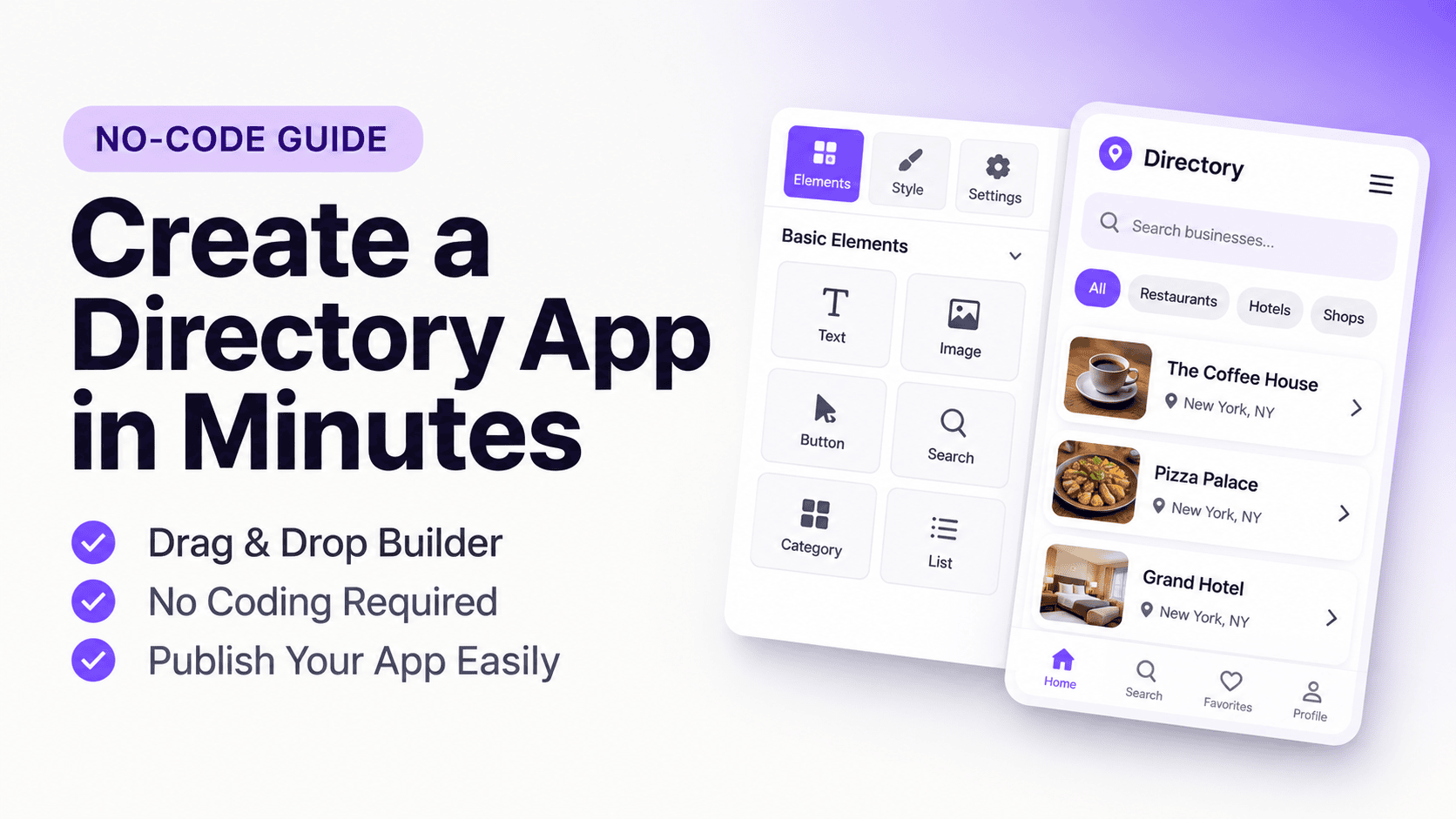
Its drag-and-drop builder lets users create and customize app screens, arrange components, configure navigation, and build a mobile shopping experience without manually developing every screen.
What makes AppNatively different?
Here are some of the capabilities worth highlighting:
- Native rendering: Build mobile interfaces using React Native components rather than relying on a WebView wrapper.
- Drag-and-drop editor: Customize application screens and layouts without building everything from scratch.
- WooCommerce integration: Connect your existing store to your mobile application.
- Custom screen design: Create application screens instead of being restricted to predefined templates.
- Push notifications: Communicate with app users through native push notifications.
- Over-the-air updates: Update supported app content and functionality without requiring a new store release for every change.
- App store publishing: Prepare applications for submission through your own Apple and Google developer accounts.
One important architectural advantage is that your existing website can remain the central system for managing your store. The app connects to your website's backend through APIs rather than requiring you to operate an entirely separate eCommerce store.
This approach can be particularly useful for WooCommerce businesses that want more control over their mobile experience while avoiding the cost and complexity of building an application entirely from scratch.
Explore AppNatively to learn more about its mobile app-building capabilities.
When Should a WooCommerce Store Build a Mobile App?
Not every WooCommerce store needs a mobile application immediately.
The decision should depend on your customers, business model, repeat purchase behavior, and available resources.
Here are some situations where building an app deserves serious consideration.
1. Your store has a growing base of returning customers
If customers regularly return to purchase products, a dedicated app can make accessing your store more convenient.
Instead of repeatedly navigating to your website, customers can open your application directly.
2. You want to build a direct customer engagement channel
If you rely heavily on email and social media to communicate with customers, a mobile app can introduce another channel through push notifications.
This can be useful for product launches, promotions, restock announcements, and order-related communication.
3. Your store sells products people purchase frequently
Businesses selling groceries, beauty products, fashion accessories, pet supplies, and household essentials may have more opportunities to encourage repeat purchases.
A mobile app can make those returning shopping sessions easier.
4. Your competitors already offer mobile apps
If competing businesses provide dedicated shopping apps, customers may begin expecting similar convenience from your brand.
An app can help you offer a comparable mobile experience, although the decision should still be based on customer demand rather than competitor activity alone.
5. You want more control over your mobile shopping experience
If your existing website feels difficult to navigate on mobile devices, a dedicated application gives you another opportunity to rethink product discovery, navigation, and checkout.
When Should You NOT Build a WooCommerce App?
There are also situations where staying with your website is the smarter decision.
Consider postponing app development if:
- Your store has very few returning customers.
- Most of your customers make one-time purchases.
- Your mobile website already meets customer expectations.
- You do not have the resources to maintain another customer-facing channel.
- Your business has not established consistent product demand.
- You have no clear strategy for encouraging app installations and engagement.
Remember, app installations alone do not generate revenue.
Customers need a reason to download your application and continue using it.
A well-designed website with a strong customer acquisition strategy can outperform an app that customers rarely open.
A Practical Decision Framework for WooCommerce Store Owners
Still unsure which direction to take?
Use this simple comparison to evaluate your situation.
| Your business situation | Recommended approach |
|---|---|
| New WooCommerce store | Mobile-responsive website |
| Limited repeat purchases | Website first |
| Growing repeat customer base | Consider an app builder |
| Established eCommerce brand | App builder or custom app |
| Complex mobile-specific requirements | Custom development |
| Limited development resources | App builder |
| Existing website meets all customer needs | Continue with website |
Five Questions to Ask Before Building Your App
- Do my customers purchase from my store repeatedly?
- Would a dedicated app make shopping more convenient?
- Can I provide useful reasons for customers to install it?
- Does my preferred platform support my existing WooCommerce functionality?
- Can I afford the ongoing costs of maintaining and promoting the application?
If you can answer these questions confidently, you are in a better position to make the right investment.
How to Turn Your WooCommerce Store Into a Mobile App: A Practical Roadmap
Once you decide to build an app, you need a clear implementation plan.
Here is a practical approach.
- Evaluate your existing WooCommerce website
Review your product catalog, payment gateways, shipping methods, customer accounts, and installed plugins. - Choose your app development approach
Decide between custom development and a WooCommerce-compatible app builder based on your budget and requirements. - Connect your WooCommerce store
Configure the API connection and verify that the application can retrieve the required store data. - Design your mobile shopping experience
Build the home screen, product listing pages, product details, navigation, cart, and checkout. - Test essential shopping functionality
Test product variations, inventory, customer login, checkout, payment gateways, order creation, and notifications. - Prepare your app for publication
Configure the app icon, splash screen, privacy information, screenshots, and store listing details. - Submit and monitor your application
Submit through your own developer accounts, respond to review feedback, and monitor customer engagement after launch.
The Future of Mobile Shopping for WooCommerce Businesses
The relationship between eCommerce websites and mobile applications will continue to evolve.
Customers increasingly expect consistent shopping experiences across different devices and channels.
For WooCommerce businesses, this means thinking beyond simply having a website or an app.
The more important question is how effectively both experiences support the customer journey.
Some potential areas of development include:
- AI-powered product discovery.
- Personalized shopping experiences.
- Smarter product recommendations.
- Loyalty and rewards programs.
- More convenient checkout experiences.
- Improved order tracking.
- Better integration between online and offline shopping.
However, businesses do not need to implement every emerging technology immediately.
Start with the features that solve actual customer problems, measure their impact, and expand your application as your business grows.
Final Verdict: Should You Build a Mobile App for Your WooCommerce Store?
The mobile app dilemma is not really about choosing between a website and an application. It is about deciding how you want customers to interact with your business as it grows.
A mobile-responsive website remains essential for attracting new customers, supporting organic search, and providing accessible shopping experiences.
A dedicated mobile app offers another opportunity to engage existing customers, simplify repeat shopping, and establish a stronger presence on their devices.
If your business has complex requirements and a dedicated development budget, custom development may be the right choice.
If you want to build a native mobile application without managing an extensive development project, a WooCommerce app builder can be a more accessible alternative.
The most important thing is to avoid investing in an application simply because everyone else is doing it.
Understand your customers, evaluate your requirements, and choose an approach that supports your long-term business goals.
Your WooCommerce website has already built the foundation of your online business. The next question is whether a dedicated mobile app can make that experience even better.
Frequently asked questions
No. A WooCommerce store does not necessarily need a mobile app to operate successfully. However, a dedicated application can benefit businesses with returning customers, frequent purchases, and a need for direct customer engagement through push notifications.
Yes. You can convert an existing WooCommerce website into a mobile application using custom development or a compatible WooCommerce app builder. Depending on the platform, the application can connect to your existing store through APIs and display products, categories, cart functionality, and checkout.
The best approach depends on your requirements and budget. Custom development offers greater flexibility, while a WooCommerce app builder can reduce development time and complexity. Choose a platform that supports your store's essential functionality and provides the mobile experience you want.
A mobile website runs in a browser and is accessed through a URL. A mobile application is installed on a device and can offer dedicated navigation, native interface components, and device-level capabilities such as push notifications. Both can support mobile shopping, but they provide different user experiences.
Yes. An app integrated with your WooCommerce backend can retrieve product information and inventory data from your existing store. This avoids maintaining two completely separate product catalogs. The exact synchronization behavior depends on the integration.
Not necessarily. Many WooCommerce app integrations use your existing WooCommerce website as their primary backend. The app communicates with the store through APIs, although some platforms may maintain additional data for application-specific functionality.
Yes. A properly integrated application can support shopping cart and checkout functionality, allowing customers to place orders through the app. Those orders can then be managed through your existing WooCommerce dashboard, subject to the integration and payment gateway configuration.
Neither approach is universally better. App builders are generally more accessible for businesses that want to reduce development work and costs. Custom development is more suitable when an application requires specialized functionality, complex integrations, or complete control over its architecture.
Yes. Native mobile applications can support push notifications for promotions, new arrivals, order updates, and other relevant communications. Customers generally need to grant notification permission, and the app must have the appropriate notification infrastructure configured.
The cost varies depending on the development approach, required features, integrations, and maintenance needs. Custom applications generally require a larger development investment, while app builders typically offer subscription-based or one-time pricing options. Always compare the total long-term cost rather than just the initial price.
Yes. You can submit a compatible WooCommerce application to both stores using your own developer accounts. You must meet Google's and Apple's applicable technical and review guidelines. Submission does not guarantee approval.
A native-rendered app can offer a more dedicated mobile interface, native components, and deeper device integration. A WebView app can be simpler to create by reusing website content. The better option depends on your desired experience, technical implementation, and business requirements.
Some app-building platforms support over-the-air updates for eligible changes. However, updates involving native code, permissions, or other restricted functionality may require a new application build and store review.
Look for a platform that supports native rendering, WooCommerce integration, drag-and-drop customization, push notifications, and a clear publishing process. AppNatively is one option worth evaluating if you want to create a customizable native mobile application connected to your existing website.