

How to Fix Common Issues in Drag-and-Drop App Builders (Step-by-Step Troubleshooting Guide)

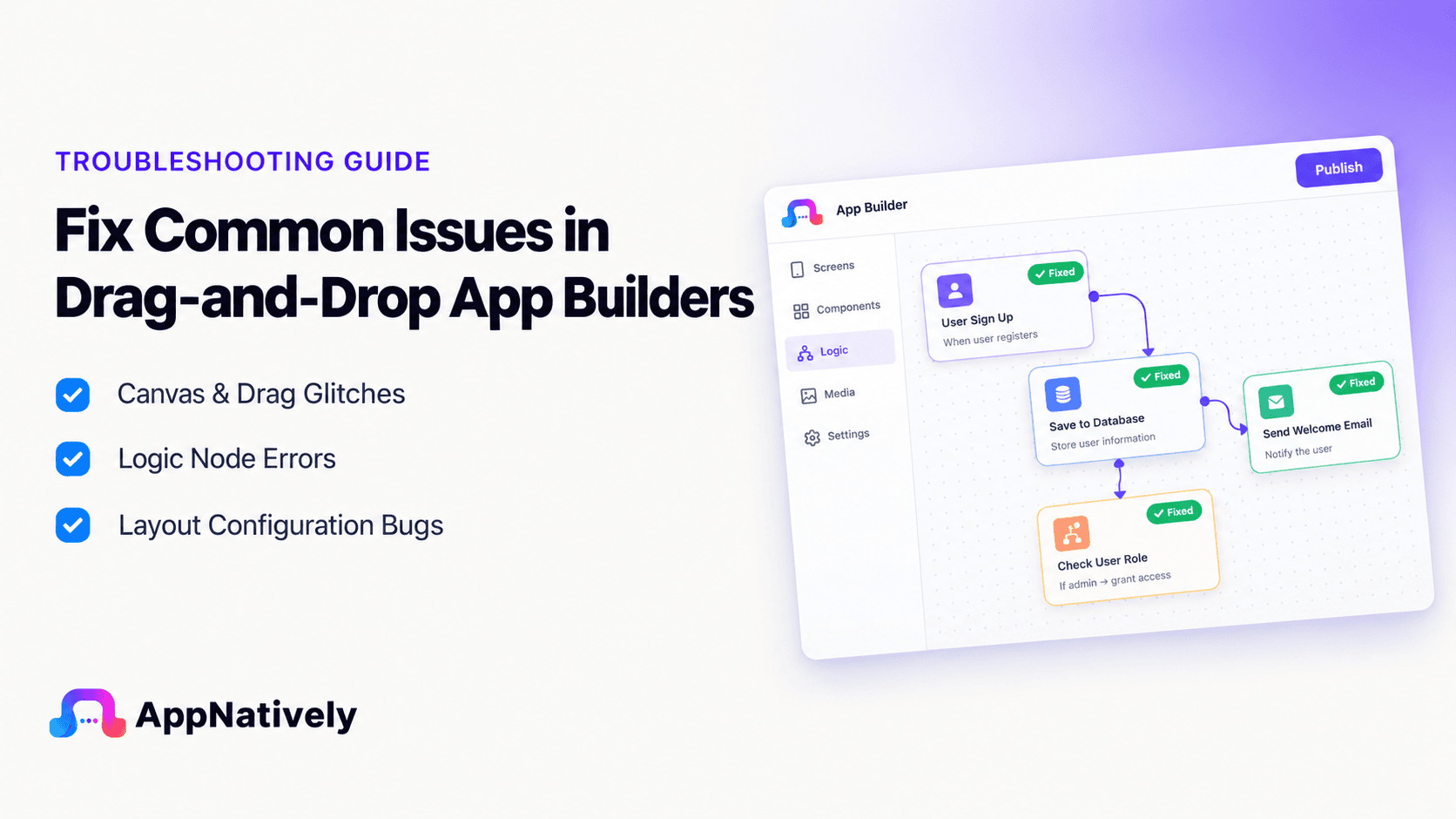
Drag-and-drop app builders often break due to simple configuration issues such as misconfigured workflows, incorrect data bindings, or hidden UI elements.
To fix these issues, you must first identify whether the problem is related to layout, logic, or data. Then systematically test each layer, starting from UI visibility, moving to event triggers, and finally checking database connections.
This step-by-step approach helps quickly resolve most issues without advanced technical knowledge.
Let’s dive into the full step-by-step guide.
Build your app instantly with drag & drop: Join the AppNatively Waitlist
How to Fix Common Issues in Drag-and-Drop App Builders (Complete Guide)
Drag-and-drop app builders like Bubble, FlutterFlow, Adalo, and Glide allow users to build apps without coding.
However, users often face issues where buttons stop working, workflows fail, or data does not appear correctly.
Let’s learn how to systematically fix common issues in drag-and-drop app builders using a structured troubleshooting method.
1. Broken Buttons Not Working (Click Issues)
Problem:
You click a button, but nothing happens.
Causes:
- Element is covered by another layer
- Click event is not assigned properly
- Workflow is missing or broken
- Conditions are blocking execution
Fix Steps:
- Check if another UI element is overlapping the button
- Ensure the button has an “On Click” event
- Add a simple test action (e.g., show alert)
- Remove conditions temporarily to test execution
- Confirm navigation target exists
2. Workflow Not Triggering
Problem:
Automation or workflow does not run after user action.
Causes:
- Trigger is incorrect (submit vs click mismatch)
- Conditions evaluate to false
- Required fields are empty
- Workflow is not published or active
Fix Steps:
- Verify the correct trigger type
- Check all workflow conditions
- Test workflow without conditions
- Ensure form validation is passing
- Review execution logs if available
3. Database Issues (Data Not Saving or Showing)
Problem:
Data does not save or does not appear in the app.
Causes:
- Incorrect field mapping
- Wrong collection or table selected
- Read/write permission restrictions
- Filters hiding data in UI
Fix Steps:
- Verify all input fields are correctly mapped
- Check database schema field names
- Confirm write permissions are enabled
- Remove UI filters temporarily
- Check if data exists but is not displayed
4. UI Not Updating or Showing Old Data
Problem:
Changes do not appear after updates.
Causes:
- Cached preview data
- Filters hiding updated records
- State not refreshed
- Incorrect data binding
Fix Steps:
- Refresh preview or clear cache
- Rebind data sources
- Remove filters temporarily
- Reload state variables
5. Workflow Runs but Fails Midway
Problem:
Workflow starts but stops before completing all steps.
Causes:
- One step fails silently (API, database, email)
- Invalid data in one action
- API keys or integrations missing
Fix Steps:
- Check execution logs
- Break workflow into smaller steps
- Test each step individually
- Validate external API configurations
Troubleshooting Checklist (Quick Summary)
- Check UI visibility first
- Confirm event trigger fires
- Inspect workflow logic step-by-step
- Validate database bindings
- Review filters and permissions
- Test each component separately
Why Most No-Code Apps Fail (Hidden Truth)
Most failures are not bugs.
They come from:
- Misconfigured workflows
- Incorrect assumptions about logic flow
- Hidden filters
- Missing bindings
- Overcomplicated conditions
No-code platforms fail when systems become too complex to track visually.
Build smarter apps without hidden workflow chaos—Join AppNatively waitlist now.
Conclusion
No-code apps don’t fail because the platforms are limited. They fail when small layers of complexity gradually build up, making the system harder to understand and manage.
What starts as a simple idea slowly turns into a layered system of workflows, conditions, filters, and data bindings that are no longer easy to visually track. At that point, even small mistakes like a hidden filter, a missing field mapping, or an overcomplicated condition can break the entire flow without showing obvious errors.
The key takeaway is simple: most issues are not technical failures, but design clarity problems. When logic becomes harder to understand than to build, debugging turns into guesswork instead of a structured process.
That’s why successful no-code builders focus on simplicity first. Clean workflows, clear data structures, and minimal conditional logic don’t just reduce bugs—they make scaling possible.
If your app feels harder to manage than it should, the solution usually isn’t adding more fixes. It’s stepping back and simplifying how everything connects.
And that’s where modern tools like AppNatively come in, helping you build systems that stay readable, predictable, and easier to maintain as they grow, so you spend less time untangling logic and more time actually shipping features.
Frequently Asked Questions (FAQs)
1. Why is my button not working in a drag-and-drop app builder?
Most likely due to missing click events, overlapping UI elements, or conditional logic blocking execution.
2. Why is my workflow not triggering in Bubble or FlutterFlow?
Common reasons include unmet conditions, incorrect triggers, or validation errors.
3. Why is my database not saving data?
This usually happens due to incorrect field mapping, permissions, or wrong data collection.
4. Why does my data not show even after saving?
Filters, incorrect queries, or UI state caching often hide the data.
5. How do I debug no-code app builders faster?
Break the system into UI, event, workflow, and data layers and test each independently.
6. Why does my workflow stop halfway?
A single failed step (API, database, or email action) usually breaks the chain.
Related posts
Can You Turn a Website Into a Mobile App? Here’s How It Works

AppNatively vs MobiLoud vs AppMySite: Which Mobile App Builder Is Best in 2026?
AppNatively vs Shopney vs Tapcart: Which Shopify App Builder Is Best in 2026?