
Best WooCommerce Mobile App Builders in 2027: Top 8 Compared

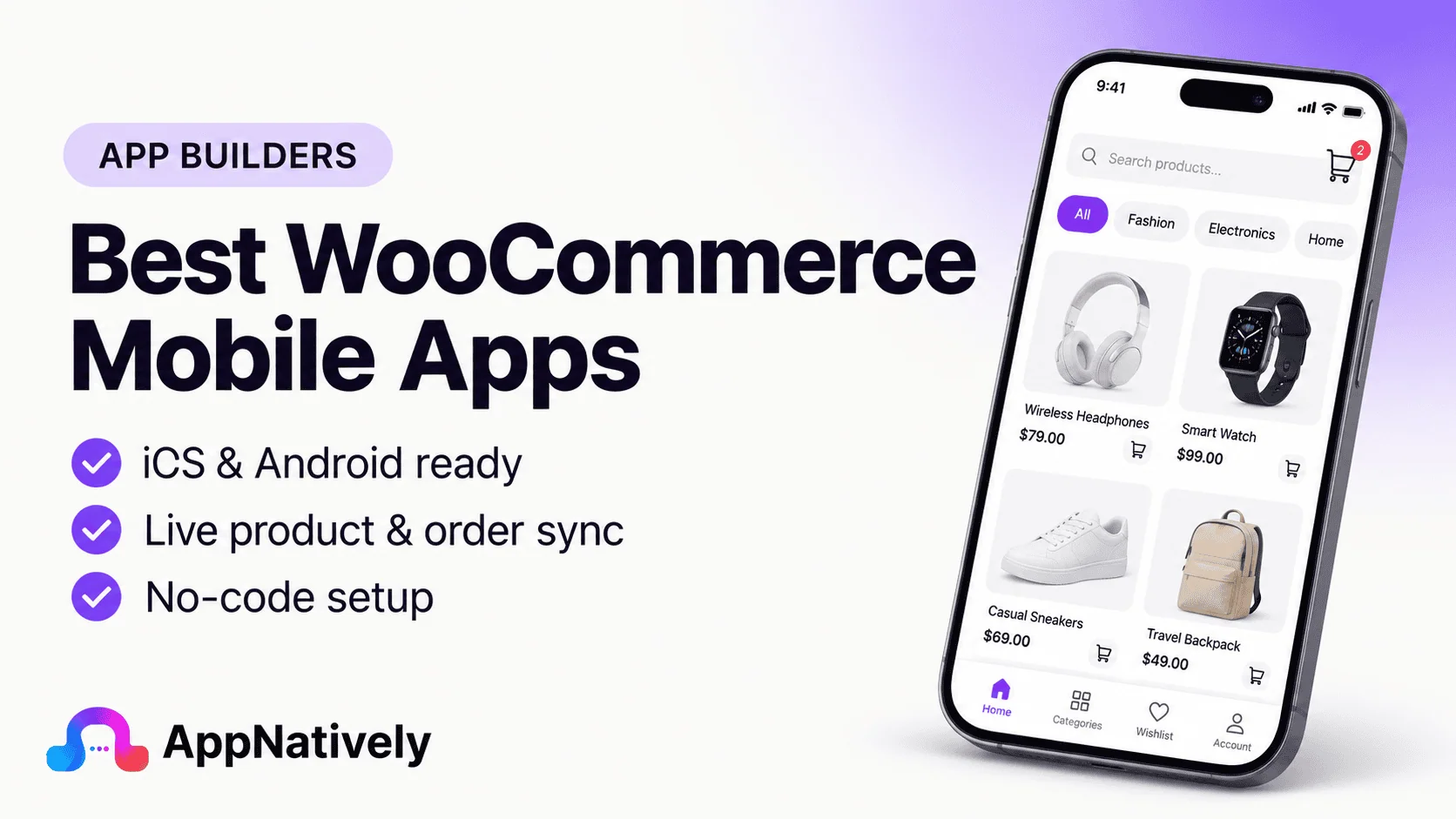
WooCommerce makes it easy to build and manage an online store with WordPress. However, providing a great mobile shopping experience through a website alone may not be enough for businesses looking to improve customer engagement, encourage repeat purchases, and build long-term customer relationships.
That's where a dedicated mobile app can make a difference.
A WooCommerce mobile app gives customers another way to browse products, manage their accounts, place orders, receive notifications, and interact with your store. Instead of relying entirely on mobile browsers, customers can access your brand directly from their smartphone home screens.
But building a mobile app from scratch can require considerable development time, technical expertise, and ongoing maintenance.
Fortunately, several WooCommerce mobile app builders make the process easier. These platforms connect your existing WooCommerce store to an Android and iOS app without requiring you to develop everything from the ground up.
Some of the best WooCommerce mobile app builders in 2027 include AppNatively, AppMySite, AppPresser, MobiLoud, ShopApper, WPMobile.App, GoodBarber, and FluxBuilder.
Each platform takes a different approach to mobile app development. Some focus on visual customization and native app experiences, while others prioritize website conversion, managed development, or ready-made ecommerce functionality.
In this blog post, we'll compare their features, WooCommerce integrations, customization capabilities, app development approaches, and suitability for different business requirements.
Quick Comparison: Best WooCommerce Mobile App Builders
If you want a quick overview, here's how the leading WooCommerce mobile app builders compare.
| App Builder | Best For | Development Approach | Platform Focus |
|---|---|---|---|
| AppNatively | Flexible native app building | AI-powered visual builder | WooCommerce, WordPress, Shopify, custom APIs |
| AppMySite | Simplified website-to-app conversion | No-code builder | WordPress and WooCommerce |
| AppPresser | WordPress-based applications | WordPress-focused builder | WooCommerce, LearnDash, BuddyBoss |
| MobiLoud | Fully managed app development | Done-for-you service | WooCommerce and other websites |
| ShopApper | Managed WooCommerce apps | Done-for-you development | WooCommerce |
| WPMobile.App | WordPress app conversion | WordPress plugin | WordPress and WooCommerce |
| GoodBarber | Design-focused app creation | No-code visual builder | Ecommerce and content applications |
| FluxBuilder | Developer-oriented customization | Flutter-based app builder | WooCommerce and ecommerce |
Note: These platforms have different pricing structures, feature availability, and publishing requirements. Verify current plan details directly with each provider before purchasing.
1. AppNatively: Best for Flexible Native WooCommerce App Building
Best for: WooCommerce store owners, developers, and agencies looking for a customizable native mobile app experience.
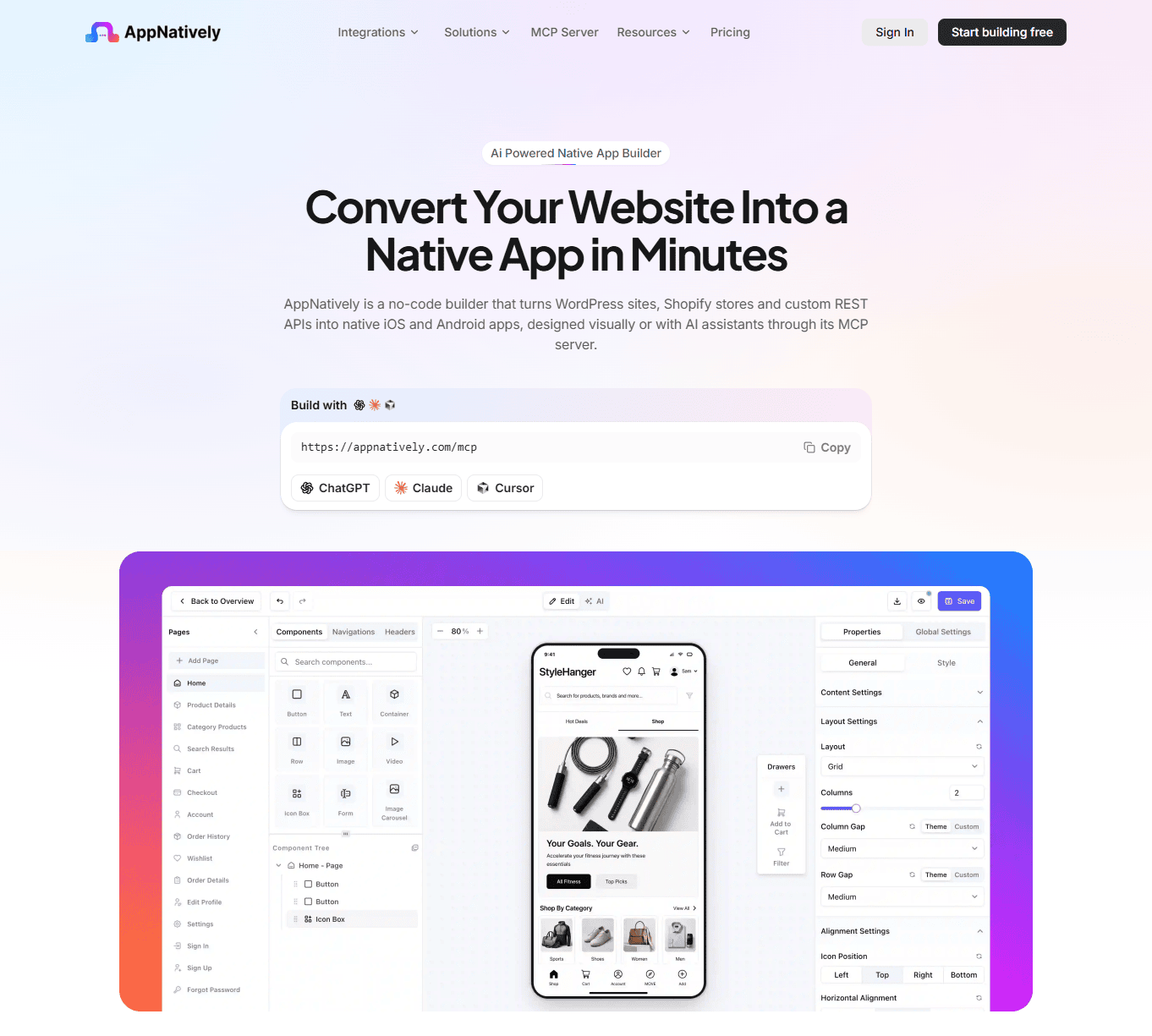
AppNatively is an AI-powered, drag-and-drop native app builder that helps businesses turn existing websites and ecommerce platforms into mobile applications.
Rather than simply placing a website inside an application, AppNatively allows users to build customized mobile interfaces using native components, visual controls, and API integrations.
For WooCommerce businesses, this approach provides flexibility to create a mobile shopping experience around an existing store without rebuilding the entire ecommerce backend.
You can connect your WooCommerce store, access its existing data, and design app screens according to your business requirements.
Key Features
- AI-assisted app building: Use AI assistance to speed up app creation and customization.
- Drag-and-drop editor: Design mobile screens using visual controls without building every component manually.
- Native app development: Build React Native-based mobile applications for Android and iOS.
- WooCommerce integration: Connect your existing WooCommerce store to your mobile application.
- Custom API integration: Connect additional website functionality and external services.
- Native components: Use customizable components to create shopping experiences that fit your brand.
- Unlimited push notifications: Reach customers through mobile notifications without relying entirely on email marketing.
- Over-the-air updates: Update supported app content and functionality without requiring a complete app-store release for every change.
- MCP server: Support AI-agent workflows through MCP integration.
- App-store submission: Prepare your application for submission through your own Apple Developer and Google Play developer accounts.
How AppNatively Works With WooCommerce
AppNatively connects your existing WooCommerce website to a mobile application through API communication.
Your WooCommerce store remains the primary system for managing products, inventory, orders, and customer information.
You don't need to migrate your entire ecommerce operation to another platform or create a separate product database.
Instead, you can build a mobile interface that communicates with your existing website while providing a more app-oriented user experience.
This separation allows store owners to maintain their existing ecommerce operations while developing a dedicated mobile experience.
Why Choose AppNatively?
AppNatively is particularly useful if you want more control over how your WooCommerce application looks and works.
Instead of being limited to a predefined ecommerce template, you can design screens, organize components, configure navigation, and connect custom APIs.
It is also suitable for businesses operating beyond WooCommerce. Its broader ecosystem includes WordPress, Shopify, FluentCart, SureCart, directory platforms, and custom API integrations.
This makes it an interesting option for agencies and entrepreneurs managing multiple web-based businesses.
Potential limitation: AppNatively is a visual app-building platform, so users who want a completely hands-off development experience may prefer a managed service. You are also responsible for submitting your app through your own developer accounts.
Verdict: AppNatively is a strong choice for businesses that want a customizable native mobile application, visual building capabilities, AI assistance, and flexibility beyond a conventional WooCommerce app template.
2. AppMySite: Best for Simplified WooCommerce App Conversion
Best for: Store owners who want a straightforward no-code solution for converting a WooCommerce website into a mobile application.
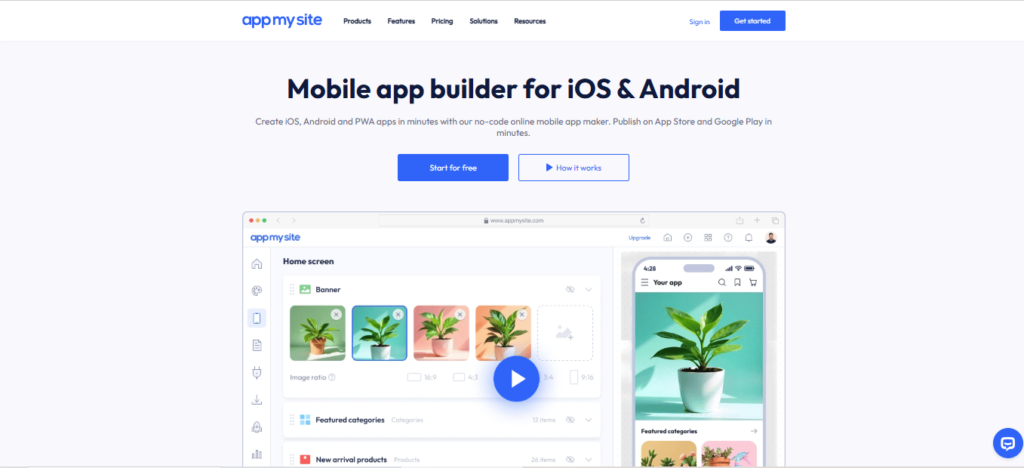
AppMySite is a no-code mobile app builder designed to help businesses convert existing websites into Android and iOS applications.
It supports WordPress and WooCommerce, allowing store owners to connect their websites and build mobile apps without extensive programming knowledge.
The platform provides a visual environment for configuring app screens, managing content, and customizing the shopping experience.
Key Features
- WooCommerce integration through a WordPress plugin.
- Product and category synchronization.
- Customizable mobile app screens.
- Product browsing and filtering.
- Cart and checkout functionality.
- Support for product variations.
- Customer account functionality.
- Android and iOS app creation.
- Push notification capabilities.
- App-store publishing support.
Why Choose AppMySite?
AppMySite is worth considering if you want a relatively straightforward way to convert an existing WooCommerce store into a mobile application.
Its WordPress integration makes it accessible to store owners who already manage their ecommerce business through WordPress.
It can be particularly useful for businesses that prioritize simplicity over extensive custom app development.
Potential limitation: Before selecting a plan, evaluate whether its available customization options and integration capabilities cover your specific WooCommerce plugins and business requirements.
Verdict: AppMySite is a practical option for WooCommerce merchants looking for a relatively simple website-to-app conversion workflow.
3. AppPresser: Best for WordPress-Based Mobile Applications
Best for: WordPress businesses that want mobile applications connected to WooCommerce, membership systems, learning platforms, and other WordPress functionality.
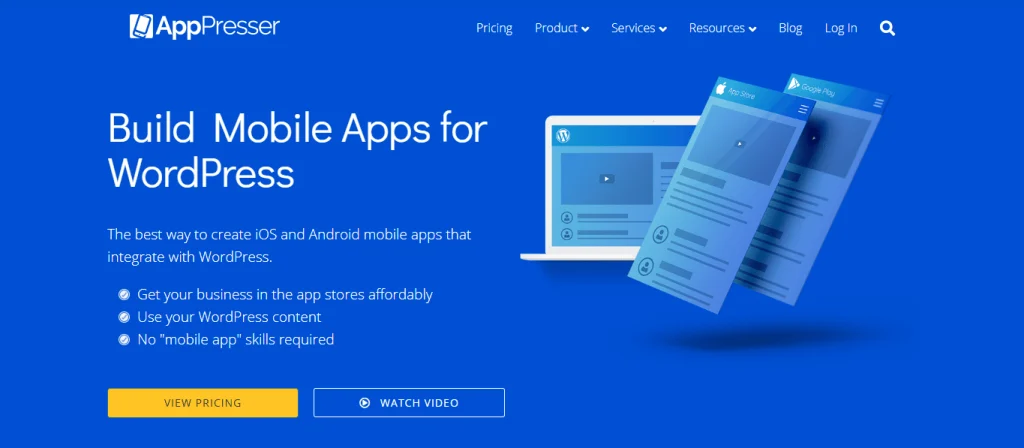
AppPresser is a WordPress-focused mobile app development platform that helps website owners create applications connected to their existing WordPress websites.
Unlike ecommerce-only solutions, AppPresser is designed around the broader WordPress ecosystem.
This makes it useful for businesses that combine online shopping with memberships, online courses, communities, and other website features.
Key Features
- WordPress website integration.
- WooCommerce integration through AppCommerce.
- Customizable application layouts.
- Push notifications.
- WordPress content integration.
- LearnDash compatibility.
- BuddyPress and BuddyBoss integrations.
- Customer login functionality.
- Android and iOS app development.
Why Choose AppPresser?
AppPresser is particularly interesting for businesses that rely heavily on WordPress plugins.
For example, an online education business could combine WooCommerce purchases, LearnDash courses, and membership functionality within a broader mobile application.
Similarly, businesses running community-driven WordPress websites may benefit from its ecosystem-focused approach.
Potential limitation: Its WordPress-first architecture may not be the ideal choice for businesses that want a more independent visual app-building environment or extensive integrations beyond WordPress.
Verdict: AppPresser is worth considering if your WooCommerce store is part of a larger WordPress-based business.
4. MobiLoud: Best for Fully Managed WooCommerce Mobile Apps
Best for: Established ecommerce businesses that want professional app development and ongoing technical assistance.
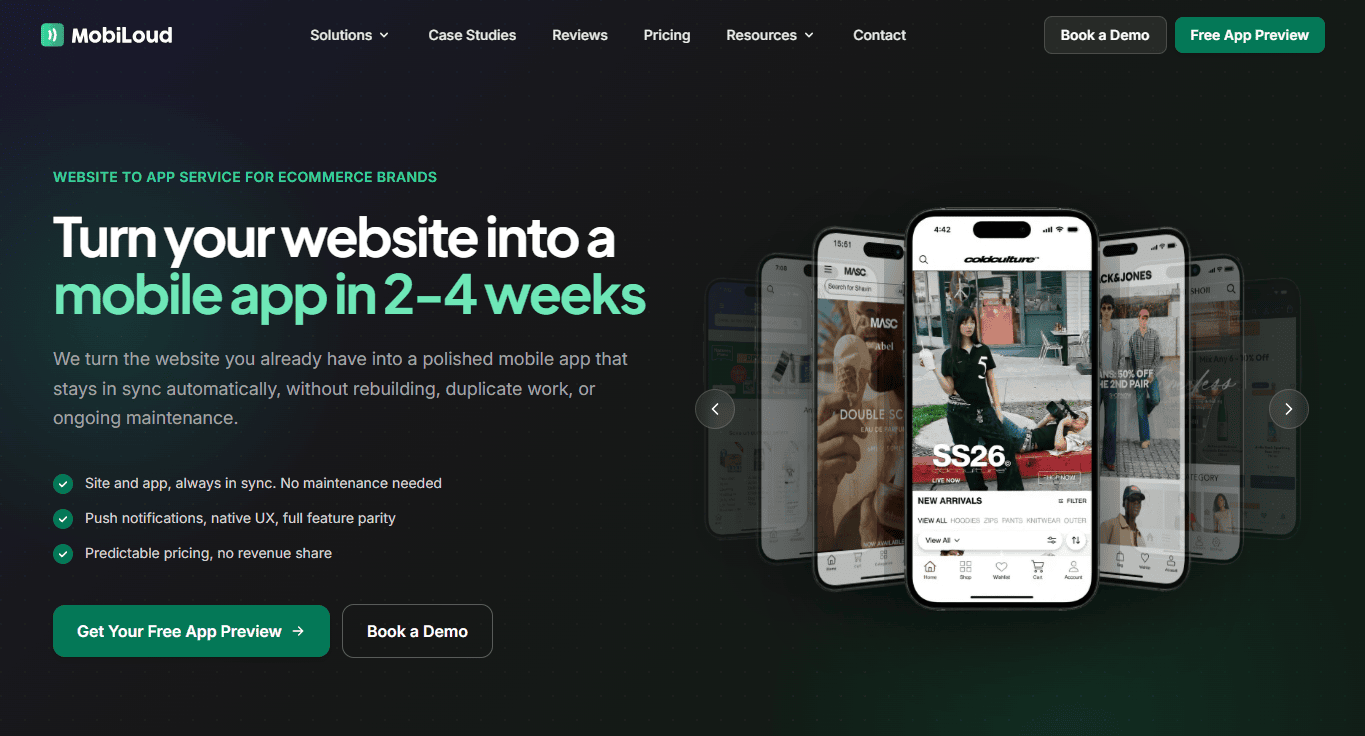
MobiLoud takes a different approach from traditional DIY mobile app builders.
Instead of requiring store owners to build and configure everything themselves, MobiLoud provides a managed service that helps businesses turn existing websites into mobile applications.
It supports WooCommerce and other ecommerce platforms, making it an option for brands that want to retain their existing website infrastructure.
Key Features
- Managed Android and iOS app development.
- WooCommerce website integration.
- Existing website functionality support.
- Push notifications.
- Native navigation and app interfaces.
- Ecommerce functionality.
- Analytics and integrations.
- App maintenance and ongoing support.
- App-store submission assistance.
Why Choose MobiLoud?
The biggest advantage of MobiLoud is its managed development approach.
Businesses that do not have an internal development team can work with its team to build and maintain their applications.
It can also be useful for established WooCommerce stores with customized websites, plugins, and existing ecommerce workflows that they want to preserve.
Potential limitation: Managed app development generally involves a higher financial commitment than self-service app builders. Businesses should also evaluate how much direct control they want over app customization and development.
Verdict: MobiLoud is a suitable option for established brands that prioritize hands-on development and ongoing technical support over building their applications independently.
5. ShopApper: Best for Done-for-You WooCommerce App Development
Best for: WooCommerce merchants who want someone else to handle much of the app-building process.
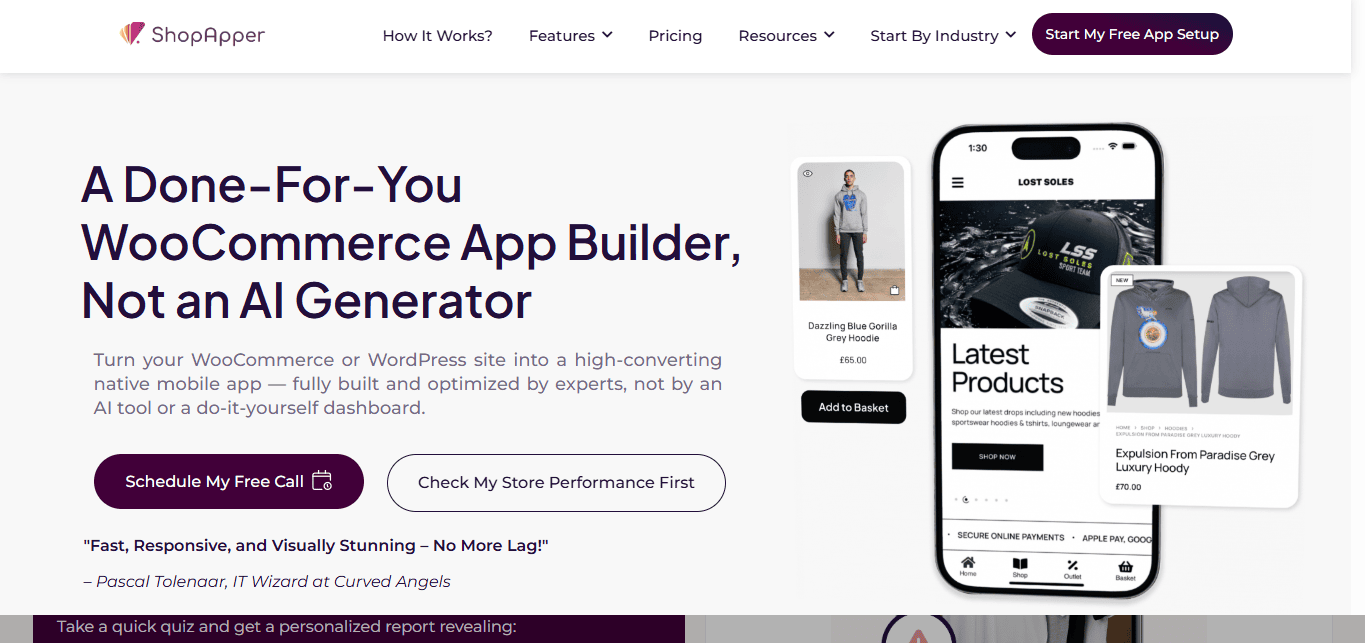
ShopApper is an ecommerce-focused mobile app development service that helps businesses turn their online stores into mobile applications.
Its approach emphasizes managed development rather than requiring merchants to configure every part of the application themselves.
Key Features
- WooCommerce integration.
- Product and order synchronization.
- Android and iOS applications.
- Push notifications.
- Mobile shopping functionality.
- In-app checkout capabilities.
- App publishing assistance.
- Technical support.
Why Choose ShopApper?
ShopApper may be a good fit for small and medium-sized ecommerce businesses that prefer a done-for-you development experience.
Instead of spending time designing every screen and configuring individual components, merchants can work with the provider to get their applications developed.
This can be especially useful for store owners who have limited technical knowledge or development resources.
Potential limitation: A managed approach may offer less direct control over the building process than a fully visual, self-service app builder.
Verdict: Consider ShopApper if you want a WooCommerce mobile app developed with hands-on assistance rather than managing the entire process yourself.
6. WPMobile.App: Best for WordPress Plugin-Based App Conversion
Best for: WordPress and WooCommerce website owners looking for a plugin-based approach to mobile app creation.
WPMobile.App is a WordPress plugin that helps website owners create mobile applications connected to their existing WordPress websites.
Its approach is centered on making website-to-app conversion accessible through the WordPress environment.
WooCommerce store owners can use it to bring their existing website content and ecommerce experience into a mobile application.
Key Features
- WordPress plugin integration.
- WooCommerce compatibility.
- Android and iOS application support.
- Website content synchronization.
- Push notifications.
- Application customization.
- WordPress dashboard management.
- App publishing options.
Why Choose WPMobile.App?
One of its main advantages is its WordPress-oriented workflow.
Store owners who are comfortable managing plugins and configuring their websites may find this approach convenient.
It is also worth evaluating if you prefer a plugin-based solution over a separate visual app-building platform.
Potential limitation: Evaluate how the app handles your specific WooCommerce theme, plugins, checkout, and customized website functionality before committing.
Verdict: WPMobile.App is worth exploring for merchants who prefer managing their mobile app integration from within WordPress.
7. GoodBarber: Best for Design-Focused Mobile Applications
Best for: Businesses that prioritize visual design, structured app navigation, and a no-code app-building experience.
GoodBarber is a no-code app development platform that helps businesses create mobile applications without building everything from scratch.
It offers tools for creating ecommerce and content-based applications, with integration options for connecting online stores.
WooCommerce businesses should evaluate its available ecommerce connectors and compatibility with their existing store setup.
Key Features
- No-code visual app builder.
- Customizable application design.
- Android and iOS app support.
- Ecommerce functionality.
- Product catalog management.
- Push notifications.
- App navigation customization.
- Content management capabilities.
- Integration options.
Why Choose GoodBarber?
GoodBarber is an interesting option for businesses that prioritize the visual presentation of their mobile applications.
Its design-focused approach can help create applications with structured navigation and branded layouts.
It may also be suitable for businesses that want to develop applications beyond traditional ecommerce.
Potential limitation: Check the depth of its WooCommerce integration and whether your store's existing checkout, customer accounts, and plugins are supported by the available connectors.
Verdict: GoodBarber is worth considering if visual app design and a structured no-code building experience are among your main priorities.
8. FluxBuilder: Best for Developer-Oriented WooCommerce App Customization
Best for: Developers, agencies, and technical teams looking for more control over Flutter-based ecommerce applications.
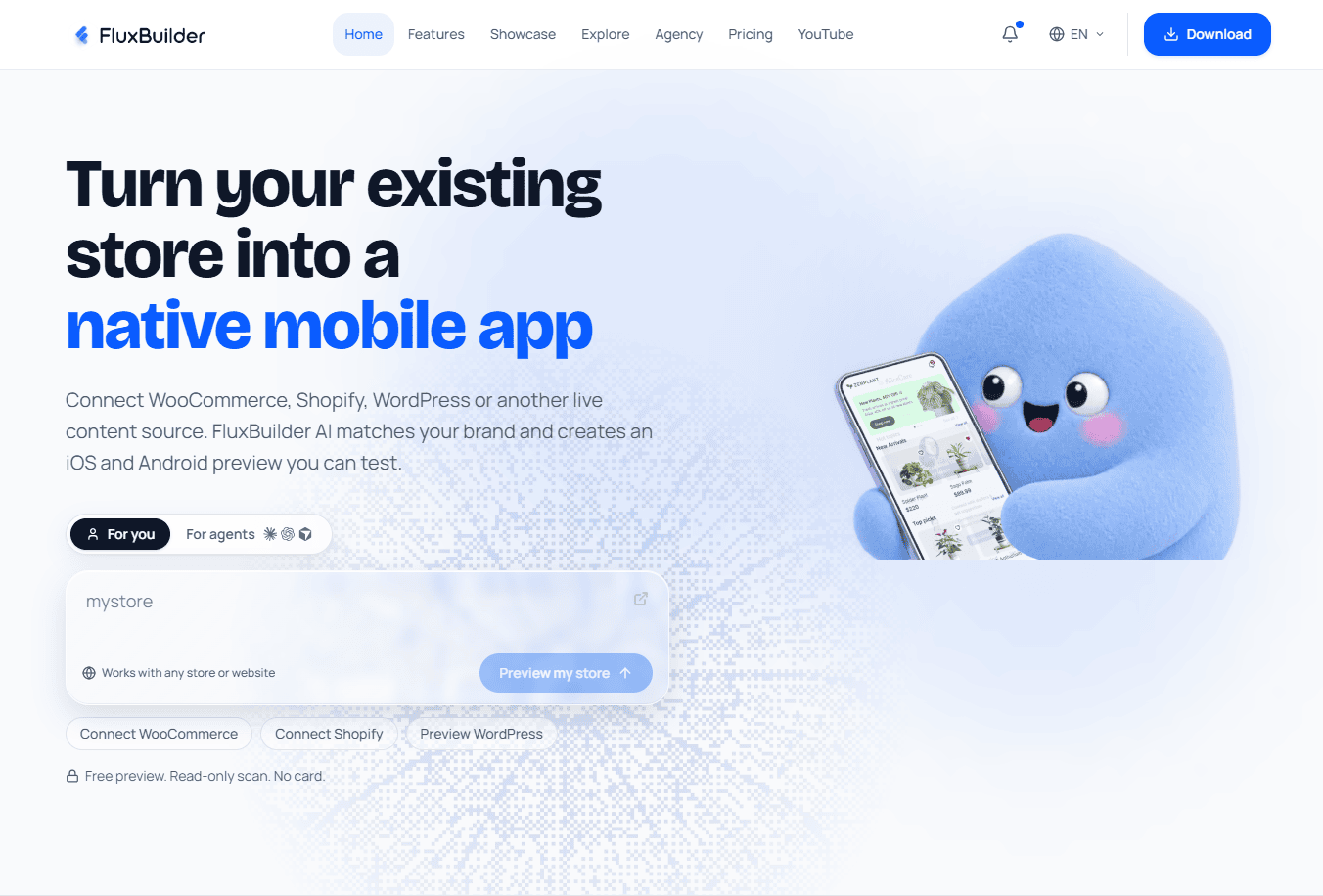
FluxBuilder is an app-building platform associated with Flutter-based mobile application development.
It offers a different approach from conventional website-to-app conversion tools by focusing on customizable mobile application projects.
For WooCommerce businesses, its ecommerce integration options can help developers create applications connected to existing store data.
Key Features
- Flutter-based mobile app development.
- Customizable application layouts.
- WooCommerce integration options.
- Ecommerce-focused components.
- Android and iOS support.
- Source-code-oriented development workflows.
- Customization opportunities.
- Developer-oriented controls.
Why Choose FluxBuilder?
FluxBuilder can be useful for agencies and developers who want more control over the application's structure and customization.
It is worth exploring if your project requires a more developer-oriented approach rather than a purely visual website-to-app conversion process.
Potential limitation: Technical customization may require Flutter knowledge or developer assistance. Evaluate the ongoing maintenance and compatibility requirements before choosing this approach.
Verdict: FluxBuilder is an option for technical teams that want greater control over Flutter-based ecommerce applications.
How to Choose the Best WooCommerce Mobile App Builder
Choosing a WooCommerce mobile app builder involves more than comparing prices or counting features.
The right platform should support your store's existing functionality, provide a suitable mobile experience, and allow your business to grow without unnecessary technical complications.
Here are the most important factors to evaluate.
1. Native App vs. WebView: Understand the Difference
One of the first things to investigate is how the platform actually builds its mobile applications.
Not every application created from a website follows the same development approach.
There are three common approaches:
Native applications: These use platform-specific or cross-platform native technologies to deliver an application experience with native components and device capabilities.
WebView applications: These display website content inside an application container. Much of the experience continues to rely on the website.
Hybrid approaches: These combine web technologies and native functionality, depending on the platform's architecture.
A native app can provide more flexibility for designing mobile-specific navigation, interactions, and components.
However, the label alone does not guarantee quality. You should evaluate the actual architecture, performance, user experience, and integration capabilities.
2. WooCommerce Integration Depth
A good WooCommerce mobile app builder should connect with the essential parts of your ecommerce operation.
Check whether it supports:
- Product synchronization.
- Product variations.
- Categories and attributes.
- Inventory updates.
- Shopping cart functionality.
- Customer accounts.
- Order history.
- Coupons and discounts.
- Checkout and payment gateways.
- Shipping and tax configurations.
More importantly, verify whether the platform supports your existing WooCommerce extensions and customized checkout workflows.
3. Customization and Design Flexibility
Your mobile app should reflect your brand rather than look like a generic ecommerce application.
Look for platforms that allow you to customize:
- Homepage layouts.
- Product listing screens.
- Product detail pages.
- Navigation menus.
- Category sections.
- Promotional banners.
- App icons and splash screens.
- User account screens.
If your business needs a unique mobile shopping experience, prioritize builders that provide greater control over individual components.
4. Push Notifications and Customer Engagement
Push notifications are among the most valuable features of a dedicated mobile application.
They allow businesses to communicate with customers even when they are not actively browsing the store.
Useful notification campaigns include:
- New product announcements.
- Flash sales.
- Discount campaigns.
- Abandoned cart reminders.
- Order status updates.
- Back-in-stock alerts.
- Personalized promotional messages.
Before choosing a platform, investigate whether notifications are unlimited, whether advanced targeting is available, and whether additional usage fees apply.
5. App Store Publishing Support
Creating an application is only one part of the process. You also need to publish it on the Apple App Store and Google Play.
Check whether the platform provides:
- Android app build files.
- iOS app build support.
- App icon and splash screen configuration.
- App signing assistance.
- Store listing preparation.
- App submission guidance.
- Ongoing update support.
Remember that Apple and Google have their own review guidelines. No app builder can guarantee approval simply because an application has been generated.
Also consider whether you will publish through your own developer accounts or whether the provider offers a managed publishing arrangement.
6. Pricing and Long-Term Costs
A low starting price does not necessarily mean a lower total cost.
Some platforms use monthly subscriptions, others charge one-time licensing fees, and managed services may involve setup or recurring development costs.
Consider the following expenses:
- Monthly or annual subscription.
- Initial setup fees.
- iOS and Android support.
- App publishing assistance.
- Push notification costs.
- Additional integrations.
- Maintenance and updates.
- Developer account fees.
Compare the total cost over at least 12 months rather than looking only at the advertised starting price.
7. API and Third-Party Integrations
WooCommerce stores often depend on multiple plugins and external services.
Your mobile app builder should ideally support the integrations your business already uses.
For example:
- Payment gateways.
- Shipping providers.
- CRM platforms.
- Marketing automation tools.
- Analytics platforms.
- Customer support systems.
- Custom WordPress plugins.
- Third-party REST APIs.
If your store uses custom functionality, API flexibility becomes especially important.
Which WooCommerce Mobile App Builder Is Best for Your Business?
There is no universal winner for every WooCommerce store. The best choice depends on your technical resources, customization requirements, budget, and preferred development approach.
Here is a quick recommendation based on different business needs.
| Your Requirement | Recommended Platform |
|---|---|
| AI-assisted native app building | AppNatively |
| Flexible visual app customization | AppNatively |
| Straightforward WooCommerce conversion | AppMySite |
| WordPress ecosystem integration | AppPresser |
| Fully managed app development | MobiLoud |
| Done-for-you WooCommerce app | ShopApper |
| WordPress plugin-based conversion | WPMobile.App |
| Design-focused app building | GoodBarber |
| Developer-oriented Flutter customization | FluxBuilder |
Best for Small WooCommerce Businesses
Small businesses often need an affordable way to establish a mobile presence without hiring a dedicated development team.
A self-service builder such as AppNatively or AppMySite can be a practical starting point.
Compare the available plans, supported features, and total cost before making a decision.
Best for Growing Ecommerce Brands
Growing ecommerce businesses often need more than basic product synchronization.
They may require customized homepages, advanced navigation, marketing integrations, push notifications, and additional API functionality.
AppNatively is worth considering for businesses that want greater flexibility when designing and expanding their mobile experience.
Best for Agencies and Developers
Agencies managing multiple WooCommerce clients should consider scalability, customization, and the ability to connect different websites.
AppNatively and FluxBuilder are worth evaluating for their different visual and developer-oriented approaches.
Best for Businesses Without Technical Teams
If you do not want to manage the development process yourself, managed services such as MobiLoud and ShopApper may be more suitable.
They provide a more hands-on approach to building and launching mobile applications.
How to Convert Your WooCommerce Store Into a Mobile App
You do not necessarily need to develop a mobile application from scratch to bring your WooCommerce business to Android and iOS.
Using a suitable app builder, you can connect your existing ecommerce website and build a dedicated mobile experience.
Here is a simplified workflow.
Step 1: Choose a WooCommerce App Builder
Start by identifying your requirements.
Decide whether you need a fully customizable native app, a simple website-to-app conversion, or a managed development service.
Compare the available platforms based on integration depth, customization, pricing, and publishing support.
Step 2: Connect Your WooCommerce Store
Follow the provider's integration process to connect your existing store.
Depending on the platform, this may involve a WordPress plugin, API credentials, or a direct API connection.
Make sure you understand what permissions the integration requires and how customer and order data are handled.
Step 3: Design Your Mobile App
Customize the application according to your business requirements.
Consider creating dedicated screens for:
- Home.
- Product categories.
- Product listings.
- Product details.
- Shopping cart.
- Checkout.
- Customer accounts.
- Order history.
- Offers and promotions.
Focus on simple navigation and a consistent shopping experience.
Step 4: Configure Ecommerce Functionality
Test your product catalog, product variations, cart, checkout, payment methods, shipping, and customer account features.
Make sure your existing WooCommerce setup behaves correctly within the application.
Step 5: Test Your Application
Before publishing, test the application on real Android and iOS devices.
Pay particular attention to:
- Screen responsiveness.
- Navigation.
- Product synchronization.
- Checkout functionality.
- Payment processing.
- Login and registration.
- Push notifications.
- Performance and stability.
Step 6: Publish Your App
Prepare your application for submission to the Apple App Store and Google Play.
Follow the relevant developer guidelines, prepare your store listings, and submit the application for review.
Once approved, your customers can download and install your branded mobile application.
Why Should WooCommerce Stores Have a Mobile App?
A mobile application is not automatically necessary for every ecommerce business. However, it can provide several advantages when customers regularly return to your store.
1. Improve Customer Accessibility
Customers can access your store directly from their smartphone home screens.
They do not need to remember your website address or search for your store every time they want to shop.
2. Build Stronger Customer Engagement
Push notifications create another communication channel between your business and customers.
You can announce offers, introduce new products, and share important updates.
3. Encourage Repeat Purchases
A convenient mobile shopping experience can make it easier for existing customers to return, browse products, and complete purchases.
4. Create a More Personalized Shopping Experience
A dedicated application can provide customized navigation, account screens, product recommendations, and other mobile-specific experiences, depending on the platform's capabilities.
5. Strengthen Brand Recognition
Having your brand icon on customers' smartphone home screens can help make your business more recognizable and accessible.
6. Reduce Dependence on Browser-Based Engagement
A mobile app provides additional opportunities to engage customers outside their normal website browsing sessions.
However, an app should complement a well-performing mobile website, not replace the importance of website optimization, SEO, and other customer acquisition channels.
Final Verdict: Which WooCommerce Mobile App Builder Should You Choose?
Choosing the best WooCommerce mobile app builder ultimately comes down to how much control, customization, and technical assistance your business needs.
If you want a simple way to convert your WooCommerce website into a mobile application, AppMySite is worth exploring.
If your business relies heavily on WordPress plugins, memberships, or learning management systems, AppPresser may be a suitable choice.
If you prefer a fully managed development experience, MobiLoud and ShopApper deserve consideration.
For developers who want a Flutter-oriented workflow, FluxBuilder offers another approach.
However, if you want to build a customizable native mobile app with AI assistance, a visual drag-and-drop editor, custom API integrations, and flexibility beyond traditional WooCommerce app conversion, AppNatively is a strong option.
You can connect your existing WooCommerce store, build a dedicated mobile experience, customize screens, and prepare your application for Android and iOS without rebuilding your entire ecommerce backend.
Ultimately, the best app builder is the one that fits your current store architecture, customer experience goals, budget, and long-term business requirements.
Ready to turn your WooCommerce store into a native mobile app? Explore AppNatively and start building your mobile shopping experience.
Frequently asked questions
AppNatively, AppMySite, AppPresser, MobiLoud, and ShopApper are among the platforms worth considering.
The best choice depends on your requirements. AppNatively is particularly suitable for businesses seeking flexible native app building with AI assistance and visual customization. AppMySite is an option for straightforward website-to-app conversion, while MobiLoud is suited to businesses that prefer managed development.
Yes. You can use a WooCommerce mobile app builder to connect your existing store and create applications for Android and iOS.
Depending on the platform, you can synchronize products, configure shopping functionality, customize app screens, and prepare your application for app-store submission.
No. Several platforms offer no-code or low-code development environments.
AppNatively, AppMySite, and GoodBarber provide visual app-building workflows that help users create mobile applications without writing the entire application code themselves.
Advanced customizations and integrations may still require technical knowledge.
Some platforms offer free plans, trials, or limited demonstrations. However, publishing and maintaining a complete Android and iOS application may require a paid subscription or license.
Check the pricing structure carefully, including platform access, app publishing, integrations, and ongoing maintenance.
Many WooCommerce app builders support product synchronization through APIs or WordPress integrations.
Depending on the platform, product information, categories, variations, inventory, and other store data can synchronize with the application.
However, the synchronization method and update frequency vary between providers.
Yes. WooCommerce mobile applications can support product browsing, shopping carts, and checkout functionality.
The exact checkout experience depends on how the app builder integrates with WooCommerce and your existing payment gateways.
Always test your payment and checkout workflows before launching.
A native app can offer more flexibility for mobile-specific navigation, interactions, and device capabilities.
A WebView app can be easier to build when your priority is displaying an existing mobile website inside an application.
Neither approach is automatically better for every business. Your decision should depend on the required functionality, performance, customization, and long-term development plans.
It depends on the app builder and the functionality provided by each plugin.
Some WooCommerce plugins work through existing APIs or website-based functionality, while others require additional integration or custom development.
Check compatibility with important features such as subscriptions, bookings, memberships, payment gateways, and shipping extensions before choosing a platform.
Not necessarily.
Many WooCommerce app builders connect to your existing store and use it as the primary backend.
This means your products, orders, customers, and inventory can remain managed through your existing WooCommerce installation.
The exact architecture depends on the app builder.
Yes. Many WooCommerce app builders support push notifications.
Depending on the platform, you can send promotional messages, product announcements, order updates, and other customer notifications.
Advanced targeting and automation capabilities vary.
The cost depends on the development approach.
Self-service app builders generally use subscriptions or licenses, while managed services may charge setup fees and recurring service costs.
Custom development can require a substantially larger investment because developers must design, build, test, and maintain the application.
You should also account for Apple and Google developer account fees.
Yes. Many app builders support preparing applications for both stores.
However, you must follow Apple's App Review Guidelines and Google Play's policies. App-store approval is not guaranteed, and publishing arrangements vary by provider.
A WooCommerce app builder provides an existing platform, visual editor, integrations, and development tools to simplify app creation.
Custom app development involves building an application specifically for your business, generally requiring a development team and a larger budget.
App builders can reduce development complexity, while custom development provides greater control over the underlying architecture.
Agencies should prioritize customization, multi-project management, API integrations, scalability, and the ability to maintain multiple client applications.
AppNatively and developer-oriented solutions such as FluxBuilder are worth evaluating, depending on the agency's preferred workflow and technical requirements.
Some platforms support over-the-air updates for eligible changes.
These updates can help modify supported app content or functionality without requiring a new app-store release every time.
However, changes involving native code, permissions, or other store-controlled elements may still require a new application build and review.
Related posts