


People install apps instead of using websites because apps offer faster access, a more convenient user experience, personalized interactions, push notifications, and better integration with smartphone features.
Unlike websites, mobile apps can provide a dedicated environment where users can access frequently used services directly from their home screens without repeatedly opening a browser or entering a URL.
However, this does not mean mobile apps are always better than websites. Websites are easier to discover, share, and access without installation. Mobile apps become more valuable when users interact with a business, platform, or service regularly and need a more seamless experience.
For businesses, the decision to build a mobile app is not simply about having another digital channel. It is about making their services easier to access, improving customer engagement, and creating a more consistent experience for returning users.
Quick Answer: Why Do People Prefer Mobile Apps Over Websites?
People install mobile apps instead of using websites for several reasons:
- Faster access: Users can open an app directly from their smartphone home screen.
- Better user experience: Apps offer interfaces designed specifically for mobile interactions.
- Push notifications: Users can receive updates, reminders, offers, and important alerts.
- Personalization: Apps can provide more personalized content and experiences based on user activity and preferences.
- Offline functionality: Some app features and previously downloaded content remain accessible without an internet connection.
- Device integration: Apps can use smartphone features such as cameras, GPS, biometrics, and other device capabilities.
- Convenience: Users can access frequently used services without repeatedly navigating through a browser.
- Consistent engagement: App icons, notifications, and familiar interfaces make it easier for users to return.
The main reason is convenience. People are more likely to install an app when they expect to use a service repeatedly and the app makes those interactions easier.
1. Faster and Easier Access
Convenience is one of the biggest reasons people install mobile apps.
Think about how you access an online shopping store. When using a website, you generally need to open a browser, enter the website address or search for the business, and navigate to the desired page.
With a mobile app, the process is much simpler.
Users tap an app icon on their home screen and immediately enter a dedicated environment designed for that service.
This reduces the number of steps required to access frequently used features.
For example:
- A customer can open a shopping app to check an order.
- A student can open a learning app to continue a lesson.
- A cricket fan can open a sports app to check live scores.
- A customer can open a banking app to review transactions.
The benefit becomes more noticeable when users perform the same actions regularly.
Why it matters for businesses: Reducing friction makes it easier for returning customers to interact with your services. An app gives your business a permanent, easily accessible presence on users' smartphones.
2. A Better Mobile User Experience
A website can be mobile-friendly and still offer a different experience from a dedicated mobile application.
Mobile apps are designed around smartphone interaction patterns. They can provide dedicated navigation, touch-friendly controls, app-specific layouts, and smoother transitions between frequently used screens.
For example, a mobile shopping app can organize its interface around:
- Product categories
- Search and filtering
- Shopping carts
- Wishlists
- Order tracking
- Customer accounts
Users do not need to navigate through a traditional website layout every time they want to perform an action.
The experience can be more focused on what users actually need.
Research also provides evidence that usability can differ between platforms. A 2025 study published through IEEE Xplore compared Amazon's mobile app and website using 20 participants performing ecommerce tasks. The study reported faster task completion and more favorable usability ratings for the app in its testing environment.
However, the results should not be interpreted as proof that every mobile app outperforms every website. Design quality, performance, and the complexity of the task all matter.
Why it matters for businesses: A well-designed app can make important customer actions easier, reduce unnecessary navigation, and create a more consistent mobile experience.
3. Push Notifications Keep Users Informed
Push notifications are another major reason people install mobile applications.
Unlike traditional websites, mobile apps can send notifications directly to a user's device, subject to notification permissions and platform settings.
These notifications can inform users about important activities without requiring them to open the app first.
For example:
| Business type | Example push notifications |
|---|---|
| Ecommerce | Order confirmations, shipping updates, discounts |
| Education | New lessons, assignment reminders, course updates |
| Sports | Live scores, match results, tournament updates |
| Booking | Appointment reminders, booking confirmations |
| Restaurants | Order updates, special offers, delivery notifications |
| Membership platforms | Account updates, new content, announcements |
Consider an ecommerce business.
A customer places an order and leaves the website. Later, the business needs to communicate that the order has been shipped.
With an app, the business can send a push notification directly to the customer's smartphone.
This creates an additional communication channel beyond email and website visits.
However, push notifications work best when they are relevant and timely. Sending too many promotional notifications can frustrate users and encourage them to disable notifications or uninstall the app.
Why it matters for businesses: Push notifications help businesses communicate with existing customers, share important updates, and encourage users to return.
4. Personalized Experiences
People appreciate experiences that reflect their interests, preferences, and previous interactions.
Mobile applications can make personalization more accessible by maintaining user preferences, account information, and interaction history.
For example, a shopping app might show:
- Previously viewed products
- Personalized product recommendations
- Saved shopping lists
- Recently purchased items
- Relevant promotional offers
A learning app might remember a student's progress and recommend the next lesson.
A sports application might allow users to follow their favorite teams, competitions, and players.
Instead of presenting the same experience to everyone, an app can organize content around individual user preferences.
Of course, personalization is not exclusive to mobile apps. Modern websites can also offer personalized experiences through user accounts, cookies, and server-side data.
The difference is that an app provides a dedicated environment for maintaining and using those preferences across repeated interactions.
Why it matters for businesses: Personalized experiences can make services more relevant, improve customer satisfaction, and encourage repeat engagement.
5. Access to Smartphone Features
Websites operate within the capabilities and permissions of a browser. Mobile applications can integrate more directly with smartphone hardware and operating system features.
Depending on the platform and permissions, an app can access features such as:
- Camera
- GPS and location services
- Biometric authentication
- Device storage
- Contacts
- Microphone
- Native sharing capabilities
- Background processing
These integrations can improve how people interact with digital services.
For example:
Ecommerce: Customers can use their smartphone camera to scan products or upload photos.
Food delivery: Location services can help customers share delivery locations and track orders.
Banking: Biometric authentication can make account access more convenient.
Sports: Users can receive match notifications and access interactive sports experiences.
Booking: Customers can use location services to discover nearby service providers.
Not every application needs all these features. The important point is that apps can provide more direct access to device capabilities when the functionality requires it.
Why it matters for businesses: Device integration can turn a basic mobile experience into a more interactive and useful service.
6. Offline Access and Better Availability
Another reason people install apps is the ability to access certain features without a continuous internet connection.
Traditional websites generally require an active connection to retrieve and display their content. However, mobile apps can store information locally on a device.
This allows some app functionality to remain available offline.
Examples include:
- Reading previously downloaded articles.
- Accessing saved documents.
- Reviewing downloaded learning materials.
- Viewing cached information.
- Drafting content before reconnecting to the internet.
For example, a student traveling through an area with poor connectivity might still be able to review downloaded lessons through an educational app.
Similarly, a user might access previously loaded information even when their connection becomes temporarily unavailable.
It is important to understand that offline functionality depends on how an app is developed. An app that relies on live server data, such as real-time stock prices or live match scores, still needs an internet connection for those updates.
Progressive web apps can also support offline functionality through technologies such as service workers and caching.
Why it matters for businesses: Offline capabilities can improve accessibility and reliability when users have inconsistent internet connections.
7. Apps Create Familiar and Consistent Experiences
When users regularly interact with a service, familiarity becomes important.
They learn where specific features are located, how navigation works, and how to complete common tasks.
A mobile app can maintain a consistent interface across repeated visits, helping users become comfortable with the platform.
For example, a customer who frequently orders from an ecommerce store may already know where to find:
- Product categories
- Search
- Shopping cart
- Account settings
- Order history
They do not need to rediscover the website's navigation every time they visit.
This familiarity can reduce the effort required to complete common tasks.
A dedicated app icon also provides a recognizable visual connection between the business and the user's device.
Why it matters for businesses: Consistency can make recurring interactions easier and help establish a stronger relationship between customers and a brand.
8. Apps Encourage Repeat Engagement
Websites are excellent for attracting new visitors through search engines, social media, referrals, and advertising.
However, bringing existing visitors back repeatedly can require additional effort.
Users may need to remember the website address, search for the business again, or find an old browser tab.
Mobile apps provide another way to encourage repeat engagement.
An app icon remains visible on the user's device, while notifications can remind users about relevant activities and updates.
Consider a few examples:
- A sports fan opens a cricket app to follow a live match.
- A customer opens a shopping app to check a new collection.
- A student opens a learning app to continue a course.
- A restaurant customer opens an app to reorder a previous meal.
These are recurring activities where quick access and a familiar experience are valuable.
However, installing an app does not automatically guarantee engagement or retention.
Users will keep an app only when it continues to provide value. A poorly designed app with irrelevant notifications or unnecessary features can quickly lose users.
Why it matters for businesses: A useful app creates another opportunity to build recurring customer interactions rather than relying entirely on website visits.
9. More Focused and Distraction-Free Navigation
Traditional websites often contain multiple elements designed for browsing and discovery.
These may include:
- Header navigation
- Sidebars
- Footer links
- Promotional banners
- Multiple content sections
- Desktop-oriented layouts
These elements can be useful for website visitors, but they are not always necessary when someone wants to complete a specific task on a smartphone.
Mobile apps can prioritize the most important actions and organize them through dedicated navigation patterns.
For example, a banking app might focus on account balances, transactions, transfers, and payments.
A sports app might prioritize live matches, scores, fixtures, and player statistics.
An ecommerce app might emphasize product discovery, search, cart management, and checkout.
The objective is not to remove useful information. It is to make the most important functionality easier to reach.
Why it matters for businesses: A focused interface helps users complete tasks without unnecessary navigation.
10. Apps Provide a More Direct Relationship With Customers
A website is an important digital asset, but users generally access it through a browser.
A mobile app gives a business another direct point of contact on the customer's smartphone.
That relationship can include:
- A recognizable app icon.
- Personalized account experiences.
- Relevant push notifications.
- Saved preferences.
- Easier access to frequently used features.
- Dedicated customer communication.
For businesses that depend on recurring customer activity, these interactions can be valuable.
For example, a membership platform can use its app to provide access to member-only content, account information, updates, and other services.
An ecommerce business can make product discovery, purchasing, and order tracking more accessible.
A directory platform can help users discover businesses, browse listings, save favorites, and contact service providers.
The value comes from making the service more convenient, not simply from having an app listed in an app store.
Mobile App vs. Website: Why Do Users Choose One Over the Other?
Mobile apps and websites serve different purposes. Understanding these differences helps explain why people install apps even when the same business already has a website.
| Comparison factor | Mobile app | Mobile website |
|---|---|---|
| Access | Home screen icon | Browser |
| Installation | Usually required | Not required |
| User experience | Dedicated mobile interface | Browser-based interface |
| Push notifications | Supported with permission | Support varies by browser and platform |
| Offline access | Possible through local storage and caching | Possible with PWA technologies and caching |
| Device integration | Broader native integration | Browser-permitted device access |
| Personalization | Can maintain app-specific preferences | Can personalize through accounts and web technologies |
| Discoverability | App stores and other channels | Search engines and direct links |
| Updates | App updates and supported OTA mechanisms | Website changes can be deployed directly |
| Sharing | Links and app-specific sharing | Direct URLs are easy to share |
| First-time access | Requires installation in most cases | Immediate browser access |
The biggest difference is not that apps can do everything websites cannot.
Modern websites are highly capable. Progressive web apps, for example, can provide installable experiences, offline support, and certain notification capabilities.
The difference is how each platform delivers the experience and fits into the user's daily routine.
Why Do Some People Still Prefer Websites Over Apps?
Although mobile apps offer several advantages, not everyone wants to install an application for every service they use.
There are practical reasons why people continue to prefer mobile websites.
1. No installation required
Users can access a website immediately without downloading anything.
This is especially useful when someone wants to find information, read an article, compare products, or complete a one-time task.
2. Saves device storage
Installing too many applications can consume valuable smartphone storage.
This can be particularly important for people using entry-level smartphones with limited storage capacity.
A 2024 study published in Mobile Media & Communication explored why some smartphone users rely on mobile browsers instead of standalone apps. It identified practical and socioeconomic factors, including limited storage on less expensive devices.
3. Easier to discover through search engines
Websites can be indexed by search engines, allowing people to discover products, services, and information without knowing a brand beforehand.
A person searching for a product or service can find a relevant website and access it directly.
4. Easier to share
A website URL can be shared through messaging apps, email, social media, or other communication channels.
Recipients can open the link without necessarily installing an application.
5. Better for occasional activities
Not every business needs a dedicated app.
If users visit a website only once or twice a year, installing an application may not provide enough additional value.
For example, someone looking up a company's contact details or reading a single blog post probably does not need its mobile app.
The takeaway: Websites are ideal for accessibility and discovery, while mobile apps are particularly valuable for recurring interactions and dedicated experiences.
When Should a Business Build a Mobile App?
A business should consider building a mobile app when its customers frequently interact with its services and would benefit from a dedicated mobile experience.
However, an app is not the right investment for every business.
Here are some situations where a mobile app can make a meaningful difference.
i. Ecommerce businesses
Online stores can benefit from mobile apps because customers frequently browse products, check prices, manage wishlists, place orders, and track deliveries.
A dedicated app can simplify these recurring activities.
Useful features include:
- Product browsing and filtering.
- Shopping cart and checkout.
- Customer accounts.
- Order tracking.
- Push notifications.
- Personalized product recommendations.
ii. Directory and listing websites
Business directories, local service platforms, and listing websites often involve repeated searches and interactions.
Users may want to:
- Find nearby businesses.
- Browse categorized listings.
- Filter search results.
- View businesses on a map.
- Save favorite listings.
- Contact service providers.
A mobile app can make these activities more accessible, especially when users frequently search for local services.
iii. Educational and LMS platforms
Learning platforms depend on recurring student engagement.
A mobile app can make it easier for students to access courses, continue lessons, receive reminders, and track learning progress.
iv. Booking and appointment platforms
Booking businesses can use mobile apps to make reservations and appointment management more convenient.
Useful functionality includes booking management, availability updates, reminders, and account information.
v. Sports and community platforms
Sports applications and community platforms often depend on frequent interactions.
For example, a cricket platform may provide:
- Live match scores.
- Tournament updates.
- Player statistics.
- Match schedules.
- Live streaming.
- Team information.
- Auction updates.
- Push notifications.
These features are particularly valuable when users want to follow ongoing activities.
Do Businesses Need Both a Website and a Mobile App?
Yes. For many businesses, maintaining both a website and a mobile app is a practical approach.
They serve different stages of the customer journey.
A website helps people discover a business, understand its services, compare products, and access information.
A mobile app makes it easier for existing customers to return, interact with the service, and complete recurring activities.
Consider an ecommerce business:
- A potential customer searches Google for a product.
- They discover the business through its website.
- They browse the product catalog and make their first purchase.
- They decide to install the mobile app for easier future shopping.
- They receive relevant order updates and product notifications.
- They return to the app when they want to purchase again.
In this example, the website supports discovery and acquisition, while the app supports convenient repeat interactions.
Neither platform needs to replace the other.
The most effective strategy is to make both experiences useful and consistent.
How Can Businesses Turn Their Existing Websites Into Mobile Apps?
One common misconception is that businesses must rebuild their entire digital infrastructure to launch a mobile application.
That is not always necessary.
Website-to-app solutions allow businesses to create mobile apps that connect with their existing websites and systems.
Instead of rebuilding product catalogs, customer accounts, listings, or other website functionality from scratch, businesses can use their existing website infrastructure as the foundation for their mobile experience.
For example, a WooCommerce store can retain its existing product management and order management system while providing customers with a dedicated mobile app.
Similarly, a directory website can connect its existing listing data and functionality to a mobile application.
There are several approaches to achieving this:
1. Custom mobile app development
Businesses can hire developers to build applications specifically for their requirements.
This provides flexibility but can involve significant development time, cost, and ongoing maintenance.
2. WebView-based app solutions
Some platforms convert websites into applications by displaying website content inside a native application container.
This approach can simplify initial development, but the experience may remain heavily dependent on the website's mobile layout and browser-based functionality.
3. Native website-to-app builders
Native website-to-app builders provide another approach.
They allow businesses to create dedicated iOS and Android applications connected to their existing website infrastructure.
Depending on the platform, businesses can customize app screens, navigation, components, and functionality without building everything from scratch.
This approach can be particularly useful for businesses that already have a functioning website and want to extend their services to mobile app users.
How AppNatively Helps Businesses Turn Websites Into Native Mobile Apps
For businesses that already operate websites, building a mobile app does not necessarily mean starting from zero.
AppNatively is an AI-powered, drag-and-drop native app builder that helps businesses turn their existing websites into native iOS and Android applications.
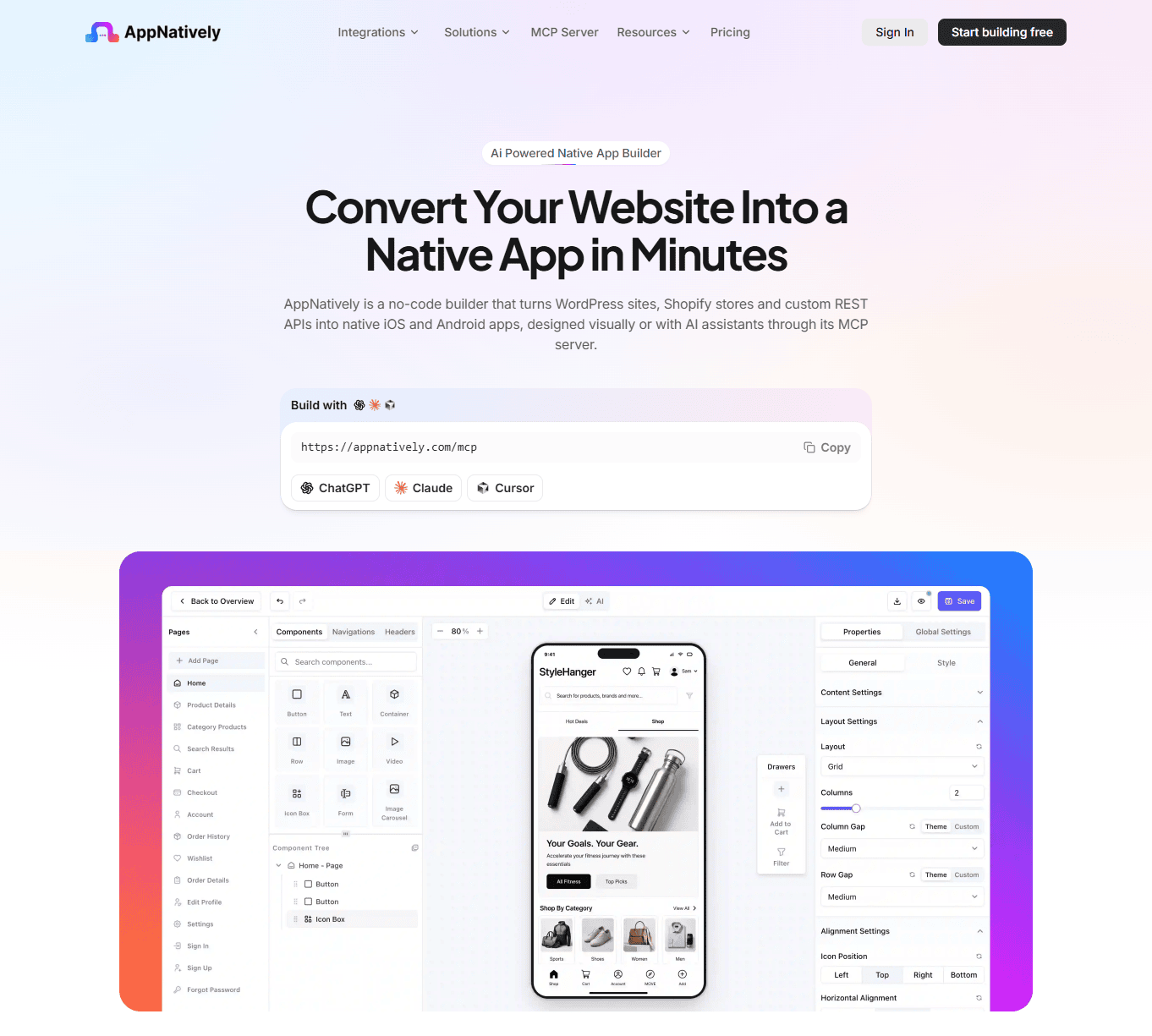
Instead of developing an entirely separate backend, AppNatively connects the mobile app to the existing website through direct API requests to the website's server.
This means businesses can continue managing their existing website while providing customers with a dedicated mobile application.
Here are some of the capabilities that make this approach useful:
Drag-and-Drop app customization
Businesses can customize their mobile app interfaces using a visual drag-and-drop builder.
They can arrange screens, add components, configure navigation, and create an experience that reflects their brand and business requirements.
AI-Assisted app building
AI assistance helps users build and customize their applications more efficiently.
It can also help audit app configurations and guide users through relevant development tasks.
Native iOS and Android applications
AppNatively builds applications using React Native rather than simply presenting the website inside a WebView.
This provides a native mobile application foundation for businesses looking to deliver a dedicated smartphone experience.
Push Notifications and OTA Updates
Businesses can send push notifications to users and deliver supported over-the-air updates without requiring a complete app release for every eligible change.
Existing website infrastructure
Businesses can continue using their existing website management systems and databases.
For example, WooCommerce store owners can retain their existing product and order management workflows while extending their business to mobile applications.
AppNatively also supports integrations and use cases across ecommerce, directories, booking platforms, and other website-based businesses.
If you want to explore how it works, visit AppNatively.
The goal is straightforward: make it easier for businesses to offer customers a dedicated native mobile experience without rebuilding their entire website infrastructure.
Final Thoughts: Apps Make Digital Experiences More Convenient
People install apps because they want convenient access to the services they use regularly.
Faster access, dedicated mobile experiences, push notifications, personalization, device integration, and offline functionality all contribute to the appeal of mobile applications.
However, websites remain essential for discovery, accessibility, and reaching new audiences.
For businesses, the question should not be whether mobile apps are universally better than websites. Instead, it should be whether a dedicated mobile experience would make their services more useful and accessible to customers.
If customers regularly visit your website, browse your products, manage bookings, or interact with your platform, a mobile app may be a valuable next step.
And with modern website-to-app builders such as AppNatively, businesses can extend their existing websites to native mobile applications without rebuilding their entire digital infrastructure.
Frequently asked questions
People install apps because they offer convenient home screen access, dedicated mobile experiences, push notifications, personalization, device integration, and the ability to access certain features offline. Apps are especially useful for services people use frequently.
Not always. Mobile apps are often better for recurring interactions, personalized experiences, device integration, and push notifications. Websites are better for instant access, search engine discovery, and sharing information. The right choice depends on the user's needs and the business's objectives.
Apps provide direct access through a home screen icon, dedicated navigation, saved preferences, and app-specific functionality. Users do not need to open a browser and navigate to a website every time they want to use a service.
Mobile apps can provide faster perceived performance because they can store resources and data locally, reducing the need to reload everything from a server. However, actual performance depends on app architecture, device capabilities, network conditions, and website optimization. A well-optimized website can also be very fast.
Some mobile apps support offline access through locally stored information, downloaded content, and caching. However, features that require real-time server communication, such as live updates and online payments, generally need an internet connection.
Businesses want customers to download their apps because apps provide an additional channel for customer engagement, push notifications, personalized experiences, convenient access, and recurring interactions.
Mobile apps can support customer retention by making recurring interactions easier and providing useful notifications and personalized experiences. However, installing an app alone does not guarantee retention. The app must deliver ongoing value and a good user experience.
Yes. Businesses can use website-to-app builders to create mobile applications connected to their existing websites. Depending on the solution, they can retain their existing website infrastructure while providing dedicated iOS and Android experiences.
A native app can offer deeper integration with smartphone features, native interface components, and platform-specific functionality. A WebView app primarily displays web content inside an application container. The better option depends on the required functionality and user experience.
Not necessarily. A responsive website may be sufficient for businesses whose customers mainly visit occasionally to read information or complete simple tasks. A mobile app becomes more valuable when customers interact with the business regularly and benefit from dedicated features, notifications, and convenient access.
You can use a no-code or low-code mobile app builder. Website-to-app platforms such as AppNatively allow businesses to create native iOS and Android apps using visual customization tools and existing website infrastructure, reducing the need for traditional mobile development.
No. A website remains accessible through a mobile or desktop browser. A mobile app is an additional way to access a business's services, not a replacement for its website.
Related posts
AppNatively vs Tapcart vs MobiLoud vs Shopney: Which Shopify Mobile App Builder Is Best in 2026?

Website vs Mobile App: What’s the Difference?

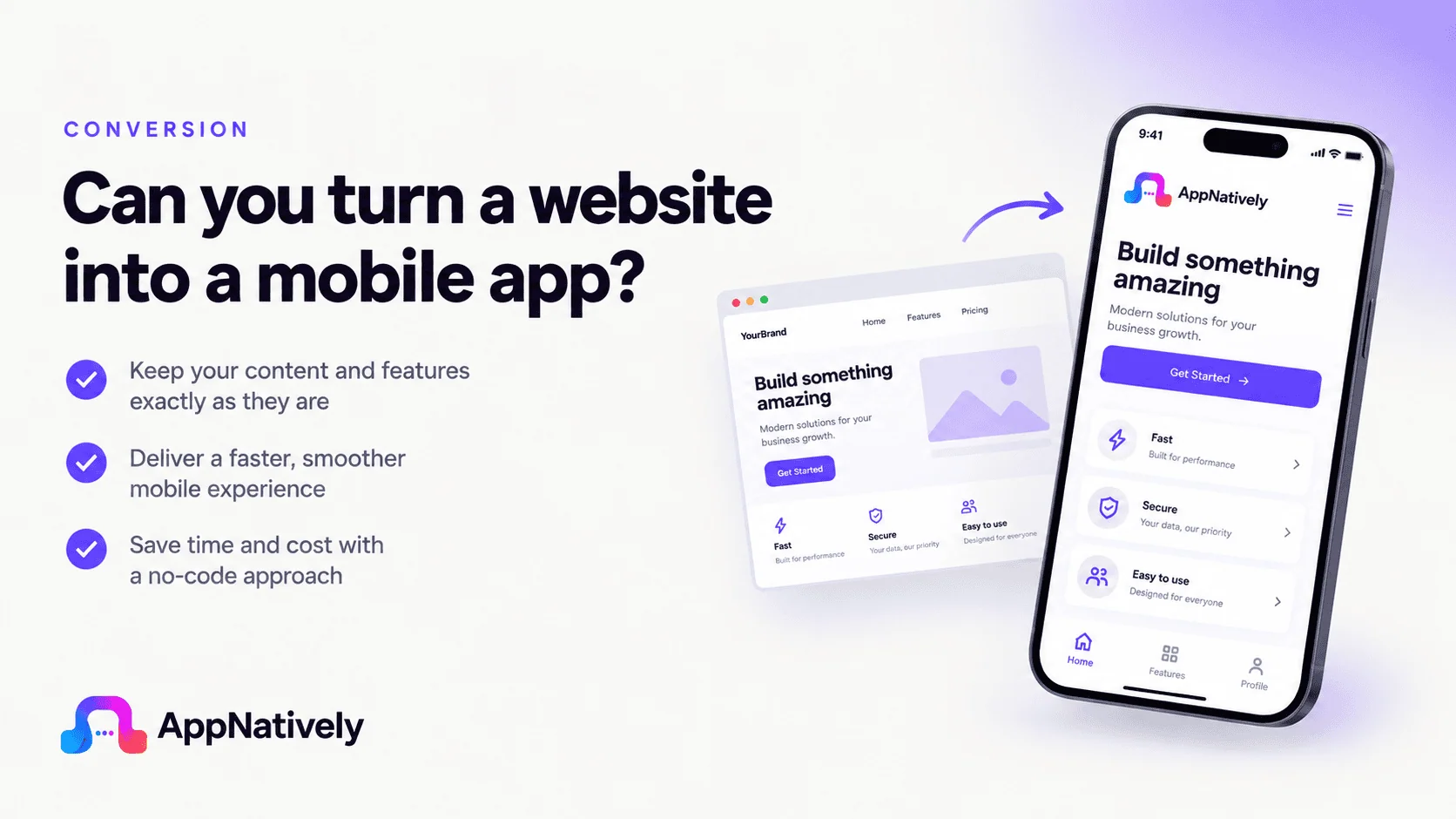
Can You Turn a Website Into a Mobile App? Here’s How It Works




