

Can You Turn a Website Into a Mobile App? Here’s How It Works

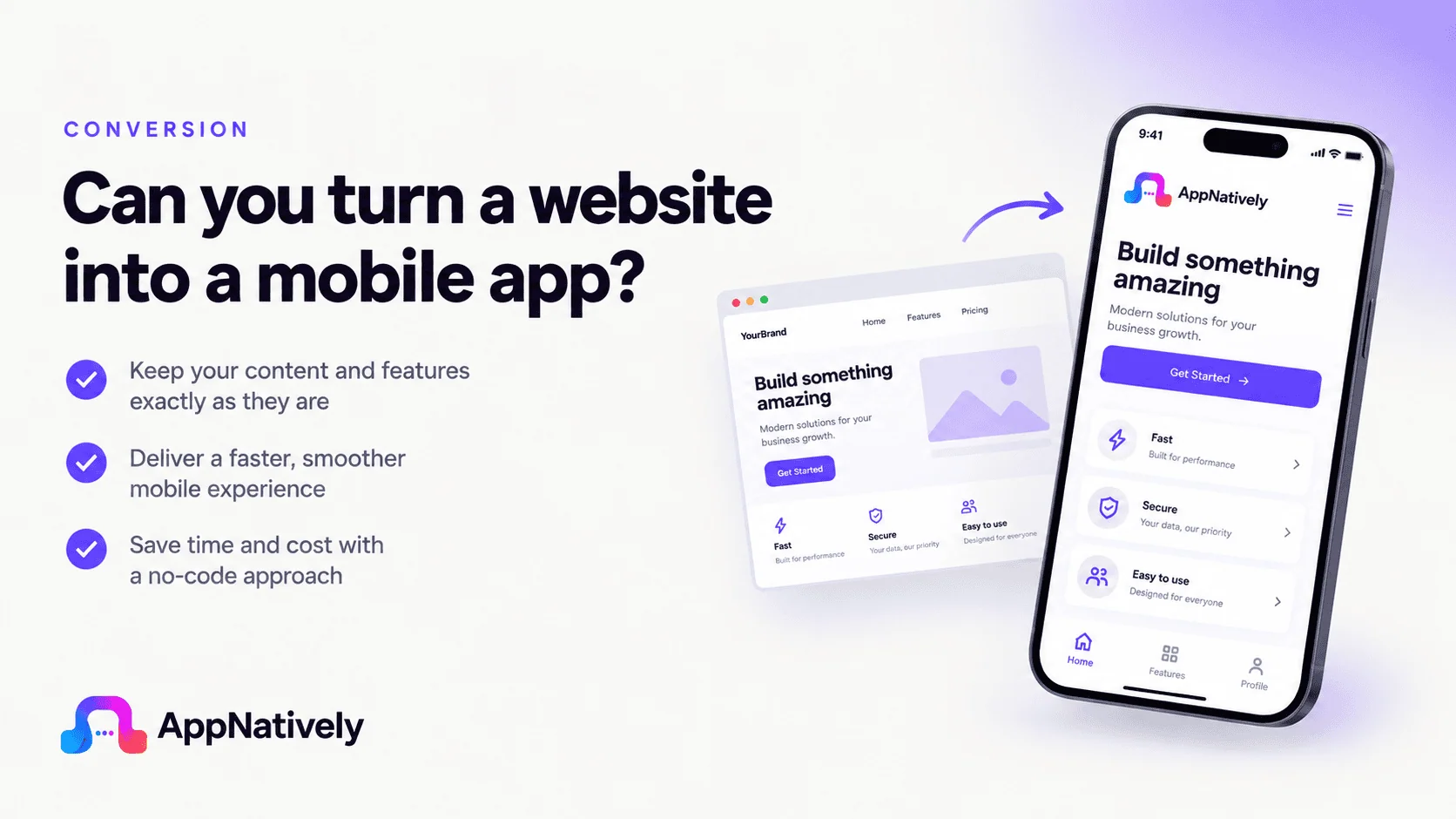
Yes, you can turn a website into a mobile app for iOS and Android. The important question is not whether it is technically possible, but how the website is converted into an app.
A website can be connected to a mobile app in several ways. The simplest approach is to place the website inside a WebView. More advanced approaches create a mobile interface that connects to the website's existing backend through APIs. The second approach can provide a more app-like experience, with native navigation, mobile components, push notifications, device features, and app-specific customization.
In this blog post, we'll explain exactly how the process works, what happens to your website data, the difference between WebView and native apps, what you need before starting, how app builders simplify the process, and what you should know before submitting the app to Apple and Google.
Quick Answer: Can You Turn a Website Into an App?
Yes. A website can be turned into an iOS and Android mobile app without rebuilding the entire website from scratch.
The process generally looks like this:
Existing website → Connect website data/API → Build mobile interface → Customize app → Test → Submit to App Store and Google Play
Your website can continue handling things such as:
- Products
- Blog posts
- User accounts
- Listings
- Orders
- Bookings
- Courses
- Payments
- Customer information
- Content management
The mobile app becomes another interface through which users interact with the same underlying website or backend.
However, the technical implementation matters.
A simple WebView essentially displays the website inside an app. A native or native-rendered approach can instead create dedicated mobile screens and components while connecting to the existing website's backend.
Apple specifically says apps should provide functionality and a user experience beyond a repackaged website. Google Play also requires meaningful functionality and an adequate mobile-app experience. (Source)
What Does "Turn a Website Into an App" Actually Mean?
When people say "convert my website into an app," they can mean several different things.
There are three common approaches.
1. WebView app
A WebView places a web browser inside the mobile application.
The basic structure looks like:
Mobile app → WebView → Website
When someone opens the app, the app loads the website inside an embedded browser environment.
This can be relatively quick to implement, but it has limitations.
2. Hybrid or web-to-native approach
A hybrid application can use existing web technologies while adding native capabilities through a mobile framework.
For example:
Mobile app → Hybrid layer → Website/API
This can provide access to features such as notifications, device functionality, and app-specific navigation.
3. Native mobile app connected to the existing website
This is a more app-focused architecture.
The structure can look like:
iOS/Android app → API request → Existing website/server/database
Instead of displaying the website itself, the mobile app uses dedicated mobile components to display information retrieved from the existing system.
This means your website can remain the primary content and management system while the app provides a separate mobile experience.
How Does Website-to-App Conversion Work?
Let's break the process down step by step.
Step 1: Your website already exists
You do not necessarily need to build a new website.
For example, suppose you already have a WooCommerce store.
Your website might contain:
- 500 products
- Product categories
- Customer accounts
- Shopping cart
- Checkout
- Orders
- Coupons
- Payment integrations
Instead of rebuilding all of that from scratch for mobile, an app can connect to the systems your website already uses.
The same concept applies to:
- WordPress websites
- WooCommerce stores
- Directory websites
- Booking platforms
- LMS websites
- Membership websites
- Restaurant websites
- Shopify stores
- Custom web applications
Step 2: Connect the app to your website
This is one of the most important parts of the process.
The app needs a way to retrieve information from your existing website.
That connection can happen through an API.
For example:
App requests products → Website API → Product data → App displays products
Or:
App requests listings → Website API → Listing data → App displays listings
The app does not necessarily need its own separate database containing copies of everything on your website.
Depending on the architecture, the website can remain the source of truth.
Example: WooCommerce
Imagine your website has:
example.com
And contains 1,000 products.
The mobile app can request product information from the existing system.
A simplified flow could look like:
Customer opens app
        ↓
App requests product data
        ↓
Website/API processes request
        ↓
Product information returned
        ↓
App displays products
When you update a product on the website, the mobile application can retrieve the updated information through the connection.
This is one of the biggest advantages of connecting an app to an existing backend instead of maintaining two completely separate systems.
Step 3: Build the mobile interface
This is where the website and mobile app start to look very different.
A website might have:
- Header
- Navigation menu
- Sidebar
- Desktop grids
- Large banners
- Footer
A mobile app can use:
- Bottom navigation
- Mobile cards
- Native-style lists
- Search screens
- Filter components
- Product screens
- Listing screens
- Account screens
- Mobile checkout flows
The content can come from the same website, while the presentation is designed specifically for mobile.
This distinction is important.
The website is the backend/content source. The app is the mobile interface.
Step 4: Customize the app
A good website-to-app solution should not simply copy every website element onto a phone.
You should decide which parts of your website matter most to mobile users.
For an eCommerce store, that might include:
- Home
- Categories
- Product search
- Product details
- Cart
- Checkout
- Orders
- Account
For a directory:
- Categories
- Search
- Filters
- Listings
- Maps
- Listing details
- Favorites
- User profile
For an LMS:
- Courses
- Lessons
- Progress
- Quizzes
- Account
- Notifications
The mobile experience should prioritize the actions users perform most frequently.
Step 5: Add mobile-specific features
This is where a mobile application can become significantly more useful than simply opening your website in a browser.
Depending on your platform and implementation, you can add features such as:
- Push notifications
- Deep links
- Native navigation
- Camera access
- Location
- Maps
- File uploads
- Share functionality
- Biometric authentication
- Mobile analytics
- App-specific navigation
- Device integrations
For example, an online store could send:
"Your order has shipped."
A booking platform could send:
"Your appointment is tomorrow at 10:00 AM."
A directory could notify users about:
"A new business has been added to your favorite category."
The website remains important, but the mobile app creates additional ways to reach users.
Website vs Mobile App: What's the Difference?
A responsive website and a mobile app are not the same thing.
| Feature | Responsive Website | Mobile App |
|---|---|---|
| Works in browser | Yes | Not required |
| App Store presence | No | Yes |
| Google Play presence | No | Yes |
| Push notifications | Limited depending on implementation | Yes |
| Native device features | Limited | Stronger |
| Home-screen icon | Usually no | Yes |
| Mobile-specific navigation | Possible | Yes |
| Offline capabilities | Possible | More flexible |
| App-specific UX | Limited | Strong |
| Updates | Website updates instantly | App updates may require app updates, depending on the change |
| Installation | Browser-based | Installed on device |
A responsive website is still extremely valuable.
The question is whether your business would benefit from giving customers a dedicated mobile experience.
Is a Website-to-App Conversion the Same as a WebView App?
No.
This is one of the most important distinctions to understand.
A WebView app essentially embeds web content inside an application.
For example:
App
 └── WebView
      └── Your website
The website is doing most of the presentation.
A more native approach can look like:
Mobile app
 ├── Native/mobile UI
 ├── Navigation
 ├── Mobile components
 └── API connection
          ↓
     Existing website
          ↓
       Database
The second model gives developers much more control over the mobile interface.
WebViews themselves are legitimate technology. For example, Cloudflare documents WebView as a way to embed web content inside a native application. Cloudflare Docs
The problem is not simply the presence of web technology.
The bigger issue is whether the resulting application provides a meaningful mobile experience.
Why App Store Approval Matters
Turning a website into an app is only part of the job.
You also need to consider distribution.
For iPhone and iPad, that means the Apple App Store.
For Android, that generally means Google Play.
And neither platform guarantees approval simply because an application technically works.
Apple's Minimum Functionality Requirement
Apple's current App Review Guidelines state that apps should provide features, content, and UI that elevate the experience beyond a repackaged website.
Apple's guideline 4.2 specifically addresses minimum functionality and says an app should be useful, unique, or sufficiently app-like. Apple Developer
Apple also has a specific provision for commercialized template or app-generation services. The guidelines say such services should allow clients to create customized, innovative apps and that clients should submit their own apps rather than having the service submit apps on their behalf. Apple Developer
That makes the implementation and submission process important.
Google Play Requirements
Google Play similarly requires applications to provide meaningful functionality and an adequate mobile experience.
Google states that apps with limited functionality or content are not allowed, and apps should provide a stable, responsive, and engaging user experience. Google Help
So the goal shouldn't be:
"Put my website inside an APK."
A better goal is:
"Create a useful mobile application powered by my existing website."
What Happens to Your Website Data?
This is another common question.
You do not necessarily need to move your entire website into a new database.
The exact architecture depends on the technology used to build the app.
In an API-connected architecture, the existing website can continue managing its data.
For example:
             ┌──────────────┐
             │   Website    │
             └──────┬───────┘
                    │
                 API/data
                    │
          ┌─────────┴─────────┐
          │                   │
   ┌──────▼──────┐     ┌──────▼──────┐
   │ iOS App     │     │ Android App │
   └─────────────┘     └─────────────┘
Both mobile platforms can use the same underlying website ecosystem.
This can be particularly useful for businesses that already have a mature website with customers, products, listings, courses, or bookings.
Can You Turn a WordPress Website Into an App?
Yes.
WordPress is one of the most common starting points for a website-to-app project.
A WordPress website may already contain:
- Pages
- Posts
- Users
- Custom post types
- Taxonomies
- Plugins
- WooCommerce products
- Directory listings
- Courses
- Bookings
- Membership data
The challenge is connecting the functionality you actually need to the mobile application.
For example:
WordPress blog
The app could display:
- Posts
- Categories
- Authors
- Featured images
- Search
- Related content
WooCommerce
The app could provide:
- Product catalog
- Categories
- Product details
- Cart
- Customer accounts
- Orders
Directory website
The app could provide:
- Listings
- Categories
- Search
- Filters
- Maps
- Reviews
- User profiles
The exact functionality depends on the WordPress plugins and APIs involved.
Can You Turn a WooCommerce Website Into an App?
Yes, and WooCommerce is particularly well suited to a mobile app strategy because the website already handles much of the commerce infrastructure.
A typical architecture can look like:
WooCommerce Website
       ↓
Products + Customers + Orders
       ↓
API / integration layer
       ↓
Mobile application
       ↓
iOS + Android
The app can focus on making shopping easier.
For example:
Home → Category → Product → Cart → Checkout → Order
Instead of forcing mobile users to navigate a desktop-oriented website, you can design these flows specifically for a phone.
Can You Turn a Shopify Store Into an App?
Yes.
Shopify merchants can also create mobile applications connected to their commerce infrastructure.
The same general concept applies:
Shopify store → Data/integration layer → Mobile interface
The app can be designed around the shopping experience rather than simply displaying the Shopify storefront in a mobile browser.
Common mobile app features include:
- Product browsing
- Search
- Categories
- Cart
- Customer accounts
- Order information
- Push notifications
- Promotions
- Deep links
The available functionality depends on the integration and APIs being used.
Can You Turn a Directory Website Into an App?
Absolutely.
Directory websites are actually a strong use case for mobile apps because users often search for information while they are physically away from a desktop.
Imagine a local business directory.
A mobile user might want to:
- Open the app
- Search for restaurants
- Filter by location
- View nearby businesses
- Open a listing
- Check photos and reviews
- Get directions
- Contact the business
A mobile interface can make this workflow much more natural.
For directory platforms, mobile-specific features such as maps, filters, location-based discovery, favorites, and push notifications can become important parts of the experience.
Can You Turn a Booking Website Into an App?
Yes.
Booking websites can benefit from apps because users frequently need to interact with bookings after making the initial reservation.
A booking app could provide:
- Search
- Availability
- Booking
- Confirmation
- User accounts
- Upcoming bookings
- Cancellation
- Reminders
- Push notifications
For example:
Search
  ↓
Choose service
  ↓
Select date
  ↓
Select time
  ↓
Book
  ↓
Confirmation
  ↓
Reminder notification
The website can continue managing the booking infrastructure while the app provides a convenient mobile interface.
How Much of the Website Needs to Be Rebuilt?
Usually, much less than people assume.
You generally do not need to recreate your entire business from scratch.
Instead, you identify the website functionality that should be available inside the app.
Think of it as creating a second customer-facing interface.
Your existing system can continue handling:
- Data
- Users
- Products
- Orders
- Content
- Listings
- Bookings
- Business rules
The mobile application focuses on presenting that functionality in a mobile-friendly way.
However, some features may require additional development or integration.
What Do You Need Before Converting a Website Into an App?
Before starting, check these areas.
1. A working website
Your website should already function correctly.
An app will not automatically fix a broken website backend.
2. API or integration support
You need a way for the app to communicate with your website.
Depending on your platform, that could involve:
- REST APIs
- GraphQL
- Platform APIs
- Plugin APIs
- Custom endpoints
- Authentication systems
3. Mobile-friendly functionality
Identify the website features your mobile users actually need.
You may not want to put every website feature inside the app.
4. App design
Decide:
- Navigation
- Colors
- Typography
- Icons
- Screens
- User flows
- Mobile components
5. Apple Developer account
If you want to publish on Apple's App Store, you'll need the appropriate Apple developer setup.
6. Google Play developer account
For Google Play distribution, you'll need the appropriate Google Play developer setup.
7. App assets
You'll generally need things such as:
- App icon
- Screenshots
- App description
- Privacy information
- Store metadata
Apple also requires accurate app information and screenshots that show the app in use. Apple Developer
Do You Need to Know How to Code?
Not necessarily.
There are two traditional approaches.
Traditional development
You hire or work with developers who build the application using technologies such as:
- React Native
- Flutter
- Swift
- Kotlin
- Other mobile frameworks
This provides extensive control but requires technical resources.
No-code or low-code app builders
An app builder can abstract much of the technical work.
Instead of writing the application from scratch, you can:
- Connect your website
- Select the data or integrations
- Build screens
- Drag and drop components
- Configure navigation
- Customize the design
- Test the application
- Prepare the app for submission
This can significantly reduce the amount of mobile development work required.
How App Builders Change the Process
Traditional development might look like:
Idea
 ↓
Find developers
 ↓
Write requirements
 ↓
Design UI
 ↓
Develop iOS
 ↓
Develop Android
 ↓
Connect backend
 ↓
Test
 ↓
Fix bugs
 ↓
Prepare store assets
 ↓
Submit
An app builder can simplify the process to:
Website
 ↓
Connect website
 ↓
Build screens
 ↓
Customize
 ↓
Test
 ↓
Prepare submission
The technical complexity does not disappear entirely.
It is simply moved into the platform.
That distinction matters when choosing an app builder.
What about AppNatively?
One example of this approach is AppNatively.
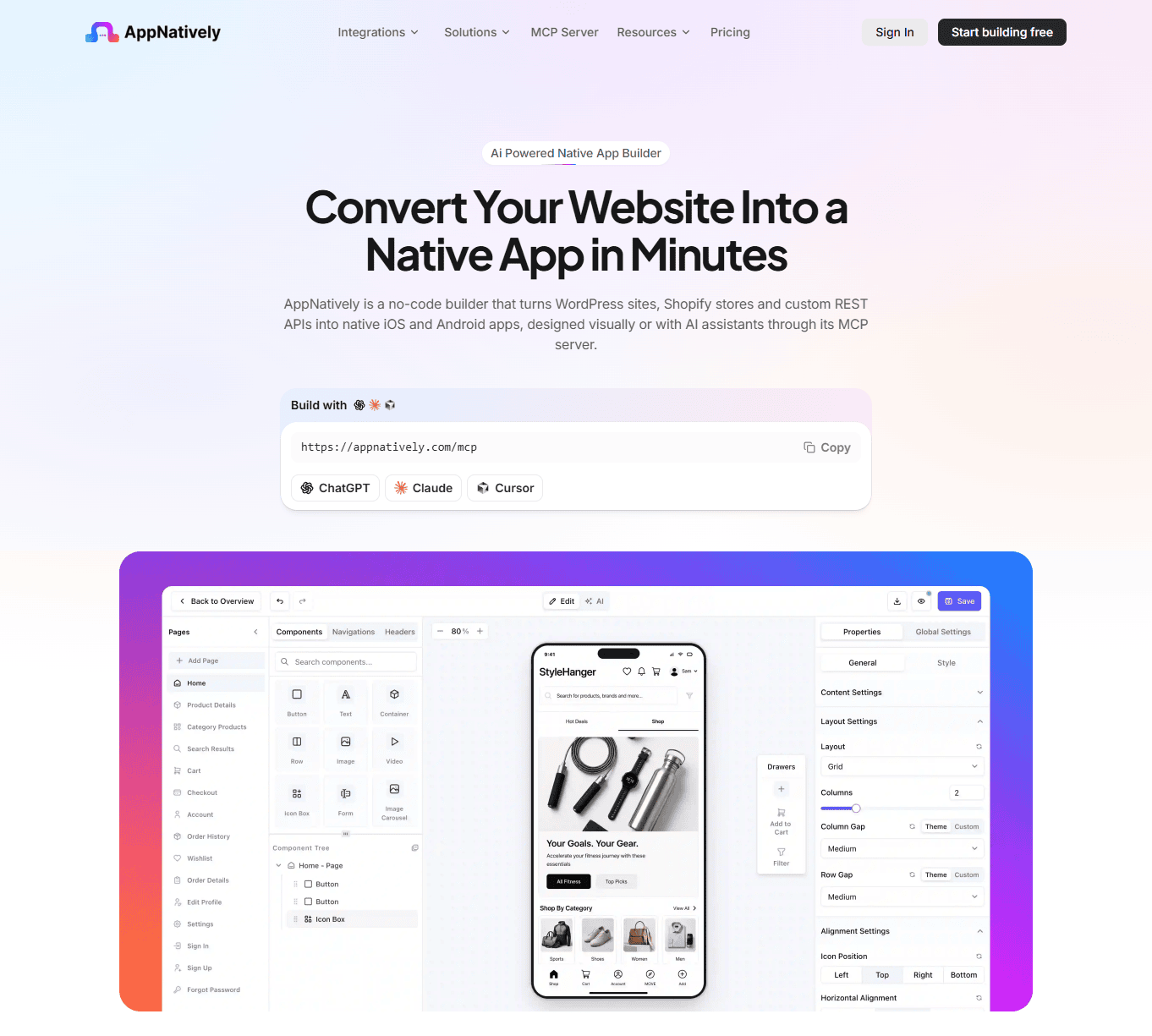
AppNatively is designed around turning existing websites into customizable native mobile applications rather than simply wrapping the website in a WebView.
The platform uses a drag-and-drop approach for building mobile screens and can connect the app to the existing website's data and management system through API requests.
The basic concept is:
Your existing website
        ↓
Existing database / management system
        ↓
Direct API connection
        ↓
AppNatively mobile app
        ↓
iOS + Android
The website remains the system managing your content and data, while the mobile app provides a dedicated mobile interface.
AppNatively also supports features such as push notifications, OTA updates, app icons, splash screens, Firebase integration, GitHub integration, Google Drive integration, Shopify integration, custom APIs, and more.
This approach can be especially useful for businesses that already have a website but don't want to start their entire digital infrastructure again just to launch mobile apps.
Website-to-App Conversion: What Happens Behind the Scenes?
Here's a simplified technical example.
Suppose your website has a product:
Product:
Wireless Headphones
Price:
$79
Image:
headphones.jpg
Stock:
24
The mobile app needs that information.
The app sends a request:
1GET /products/123The server processes the request and returns information such as:
{
  "name": "Wireless Headphones",
  "price": 79,
  "stock": 24
}
The mobile application then converts that information into a mobile UI:
┌─────────────────────────┐
│       Product           │
│                         │
│      [Product Image]    │
│                         │
│   Wireless Headphones   │
│         $79             │
│                         │
│      [ Add to Cart ]    │
└─────────────────────────┘
The user sees a mobile interface.
The underlying product information still comes from the website's system.
Does the App Need a Separate Database?
Not necessarily.
This depends on the architecture.
Some applications maintain their own backend.
Others connect directly to an existing backend or API.
For many website-to-app projects, using the existing website infrastructure can reduce duplication.
For example:
Existing website database
          ↑
          │
       Website
          ↑
          │
       API layer
       ↙     ↘
    iOS       Android
The exact implementation depends on your platform, security requirements, authentication model, and integrations.
Will Changes on My Website Appear in the App?
Often, yes, depending on how the app is built.
If the mobile app retrieves content dynamically from your existing backend, changes to that content can become available through the API without rebuilding the entire application.
For example, if you change:
Product price: $99 → $89
the app can retrieve the updated price from the backend.
But there is an important distinction.
Content changes
These can often be delivered dynamically.
Application changes
Changes to the actual app's code, navigation, native functionality, or certain UI elements may require an app update.
Some app platforms also support over-the-air updates for certain changes, which can reduce the need for traditional store releases.
Can You Add Push Notifications?
Yes.
Push notifications are one of the biggest reasons businesses create dedicated mobile apps.
A website can tell users about something when they visit.
An app can proactively notify them.
For example:
eCommerce
Your order has shipped.
Directory
12 new businesses were added near you.
Booking
Your appointment is tomorrow.
LMS
Your new course lesson is available.
News
Breaking news: New article published.
This can create a direct communication channel between your business and your users.
Can the App Work Without the Website?
This depends on how the application is architected.
If the app relies heavily on your website's backend, it will generally need connectivity to retrieve current information.
However, mobile applications can cache certain data and implement offline functionality where appropriate.
A native mobile app can also store some information locally.
The key question is:
Which parts of the experience need live website data, and which parts can work locally?
For an eCommerce store, current inventory and order information usually need live data.
For a content app, previously downloaded articles might be available offline.
How Long Does It Take to Turn a Website Into an App?
There is no universal timeline.
The answer depends on:
- Website complexity
- Number of screens
- Number of integrations
- Authentication
- Payments
- Custom functionality
- Native features
- App design
- Testing
- App Store requirements
A basic content website can be relatively straightforward.
A large marketplace with:
- Payments
- User accounts
- Messaging
- Maps
- Reviews
- Orders
- Notifications
- Complex search
will require considerably more work.
The advantage of modern app builders is that they can reduce the amount of custom development required for common use cases.
How Much Does It Cost to Turn a Website Into an App?
The cost can range from relatively low to very high.
DIY app builder
Usually the lowest-cost option.
You pay for the platform and handle much of the configuration yourself.
Freelancer
Costs increase because you're paying someone to design, develop, test, and potentially maintain the application.
Development agency
Usually the most expensive option, but it can make sense for highly customized applications.
The actual cost depends more on complexity than the fact that you already have a website.
A five-screen content app and a 50-screen marketplace should not be expected to cost the same.
Website-to-App Conversion Checklist
Before starting your project, use this checklist.
Website
- Website is live
- Website works correctly on mobile
- Backend is stable
- Required APIs are available
- Authentication works
- Required plugins support integration
App
- App name selected
- App icon created
- Screens planned
- Navigation designed
- Mobile user flows defined
- Push notification strategy planned
- Required native functionality identified
Testing
- iOS tested
- Android tested
- Login tested
- API requests tested
- Images tested
- Forms tested
- Checkout tested if applicable
- Push notifications tested
- Deep links tested if applicable
Store submission
- Apple Developer account
- Google Play developer account
- Screenshots
- App description
- Privacy information
- App metadata
- Demo/test account if required
- Review notes prepared
Apple specifically recommends testing for crashes and bugs, providing complete metadata, ensuring backend services are available during review, and giving reviewers appropriate access to account-based functionality. Apple Developer
Common Mistakes When Turning a Website Into an App
Mistake 1: Simply wrapping the website
A website inside a WebView is not automatically a good mobile app.
The experience should be designed around mobile users.
Mistake 2: Copying every website feature
You don't necessarily need every website feature in the app.
Prioritize what users actually need.
Mistake 3: Ignoring app-store guidelines
Technical functionality alone doesn't guarantee approval.
Apple and Google both have requirements around functionality, quality, and user experience. Apple Developer
Mistake 4: Building a completely separate backend unnecessarily
If your existing website already manages products, users, orders, listings, or content, investigate whether the app can safely use that existing infrastructure.
Mistake 5: Treating iOS and Android as identical
The core functionality can be shared, but platform-specific behavior, design conventions, permissions, and store requirements still matter.
Mistake 6: Forgetting maintenance
Launching the app is not the end.
You will need to consider:
- OS updates
- API changes
- Security
- Bug fixes
- Store requirements
- Performance
- User feedback
- New features
Native App vs WebView: Which Should You Choose?
Here's the simple comparison.
| Factor | WebView | Native/Natively Rendered App |
|---|---|---|
| Uses website content | Yes | Yes |
| Development complexity | Lower | Higher |
| Mobile-specific UI | Limited | Strong |
| Native UX | Limited | Strong |
| Device features | Limited depending on implementation | Stronger |
| App-like navigation | Limited | Strong |
| Customization | Moderate | High |
| Performance potential | Depends on website | Better suited to dedicated mobile UX |
| App Store positioning | Can require careful consideration | Better suited to app-specific experiences |
| Best for | Simple web access | Dedicated mobile experiences |
There isn't one solution that is correct for every website.
The right choice depends on what your users need from the app.
What Is the Best Way to Turn a Website Into an App?
For most businesses, the best approach is to start with the existing website infrastructure and build a purpose-built mobile experience around it.
The process should look like:
1. Analyze your website
          ↓
2. Identify important mobile features
          ↓
3. Choose WebView, hybrid, or native approach
          ↓
4. Connect the app to your existing backend/API
          ↓
5. Build mobile screens
          ↓
6. Add mobile-specific functionality
          ↓
7. Test on iOS and Android
          ↓
8. Prepare store assets
          ↓
9. Submit to Apple and Google
          ↓
10. Maintain and improve the app
The key idea is that you don't necessarily need to rebuild your entire website to create a mobile app.
Your existing website can continue doing what it already does well.
The app becomes another, more mobile-focused way for customers to access your business.
Final Takeaway
Yes, you can turn a website into a mobile app.
But the most important decision is how you do it.
A basic WebView can put your website inside an app, but a purpose-built mobile application can go much further. It can connect to your existing website infrastructure while providing dedicated navigation, mobile components, push notifications, maps, device functionality, and a more app-focused experience.
For businesses with an established website, this means you don't necessarily have to choose between your website and an app.
You can use both:
Website for your broader web presence and management system.
Mobile app for a dedicated iOS and Android experience.
And with modern app builders, the process no longer has to start with months of custom mobile development. The right platform can handle much of the technical foundation while you focus on the screens, functionality, branding, and customer experience.
The real question is therefore no longer "Can I turn my website into an app?"
It is:
"What should my mobile app do better than my website?"
That question leads to a much better app.
Frequently asked questions
Technically, many websites can be adapted into mobile applications, but not every website is equally suitable. The website should have a stable backend, usable mobile functionality, and a way for the app to access the required data.
Yes. WordPress websites can be connected to mobile applications through APIs and integrations, depending on the plugins and functionality being used.
Yes. A WooCommerce store can power a mobile shopping application using its existing product, customer, order, and commerce infrastructure.
No. A properly designed integration can allow the existing website to remain in place while the app provides a separate mobile interface.
No. A WebView displays web content inside an application. A native or natively rendered application can provide dedicated mobile screens and use native mobile capabilities.
It can, depending on the integration architecture. Many applications connect to an existing backend through APIs instead of creating an entirely separate database.
Yes, provided the app meets Apple's current requirements. Apple specifically requires apps to provide sufficient functionality and not simply be repackaged websites.
Yes, provided it meets Google Play's requirements for functionality, stability, content, and user experience.
Yes. Push notifications are a common mobile app feature, although the exact implementation depends on the platform and technical setup.
Often, yes. The app can be integrated with an existing authentication system, although the exact implementation depends on your website and API architecture.
Not necessarily. No-code and low-code app builders can handle much of the technical implementation. Complex websites or custom functionality may still require developers.
Related posts
AppNatively vs MobiLoud vs AppMySite: Which Mobile App Builder Is Best in 2026?

AppNatively vs Shopney vs Tapcart: Which Shopify App Builder Is Best in 2026?

AppNatively vs AppMySite vs AppPresser: Which One Delivers the Best Mobile App Experience?