AppNatively vs AppMySite vs AppPresser: Which One Delivers the Best Mobile App Experience?

Turning a website into a mobile app no longer requires hiring a development team, learning Swift or Kotlin, or waiting months for a custom application.
Modern app builders have made the process considerably easier.
But there is an important distinction between creating a mobile app and creating a great mobile app experience.
That distinction becomes especially important when comparing AppNatively vs AppMySite vs AppPresser.
All three platforms can help businesses create mobile apps without traditional development. However, they approach app building differently.
AppNatively focuses on highly customizable native mobile experiences, visual app building, AI-assisted development, API connectivity, MCP-powered workflows, OTA updates, and flexible native components. AppMySite focuses on simplifying website-to-app conversion across WordPress, WooCommerce, Shopify, and custom app projects. AppPresser takes a WordPress-first approach and is particularly strong for websites using WooCommerce, LearnDash, BuddyPress, BuddyBoss, memberships, and other WordPress plugins.
So, which one is actually best?
For businesses that want the most flexible and modern approach to creating a customized native mobile experience, AppNatively has the strongest overall proposition. AppMySite is an excellent choice for straightforward ecommerce and website-to-app projects, while AppPresser is especially compelling for complex WordPress ecosystems.
Let's break down the differences.
Quick Answer: AppNatively vs AppMySite vs AppPresser
If you only need the short answer, here it is:
| Category | AppNatively | AppMySite | AppPresser |
|---|---|---|---|
| Overall native app experience | Excellent | Excellent | Excellent |
| Visual customization | Excellent | Excellent | Excellent |
| AI app building | Excellent | Excellent | Limited compared with the other two |
| AI agent integration | Excellent | Strong | Limited |
| WordPress | Excellent | Excellent | Excellent |
| WooCommerce | Excellent | Excellent | Excellent |
| Shopify | Excellent | Excellent | Not its primary focus |
| Custom REST APIs | Excellent | Strong | More WordPress-centric |
| Directory apps | Excellent | Good | Good |
| LearnDash | Good | Good | Excellent |
| BuddyPress/BuddyBoss | Good | Good | Excellent |
| OTA updates | Excellent | Strong | Strong |
| Push notifications | Excellent | Excellent | Excellent |
| Real-time device preview | Excellent | Excellent | Excellent |
| App-store publishing | Excellent | Excellent | Excellent |
| Flexibility beyond predefined use cases | Excellent | Strong | Strong |
| Best for | Custom native experiences | Website/ecommerce conversion | Complex WordPress ecosystems |
These are editorial assessments based on the platforms' published capabilities, not independent performance benchmarks.
What Is the Difference Between AppNatively, AppMySite, and AppPresser?
The simplest way to understand the three platforms is to look at their core philosophy.
i. AppNatively: Build the mobile experience
AppNatively positions itself as an AI-powered native app builder that can connect WordPress sites, Shopify stores, directories, and custom REST APIs to native iOS and Android applications.
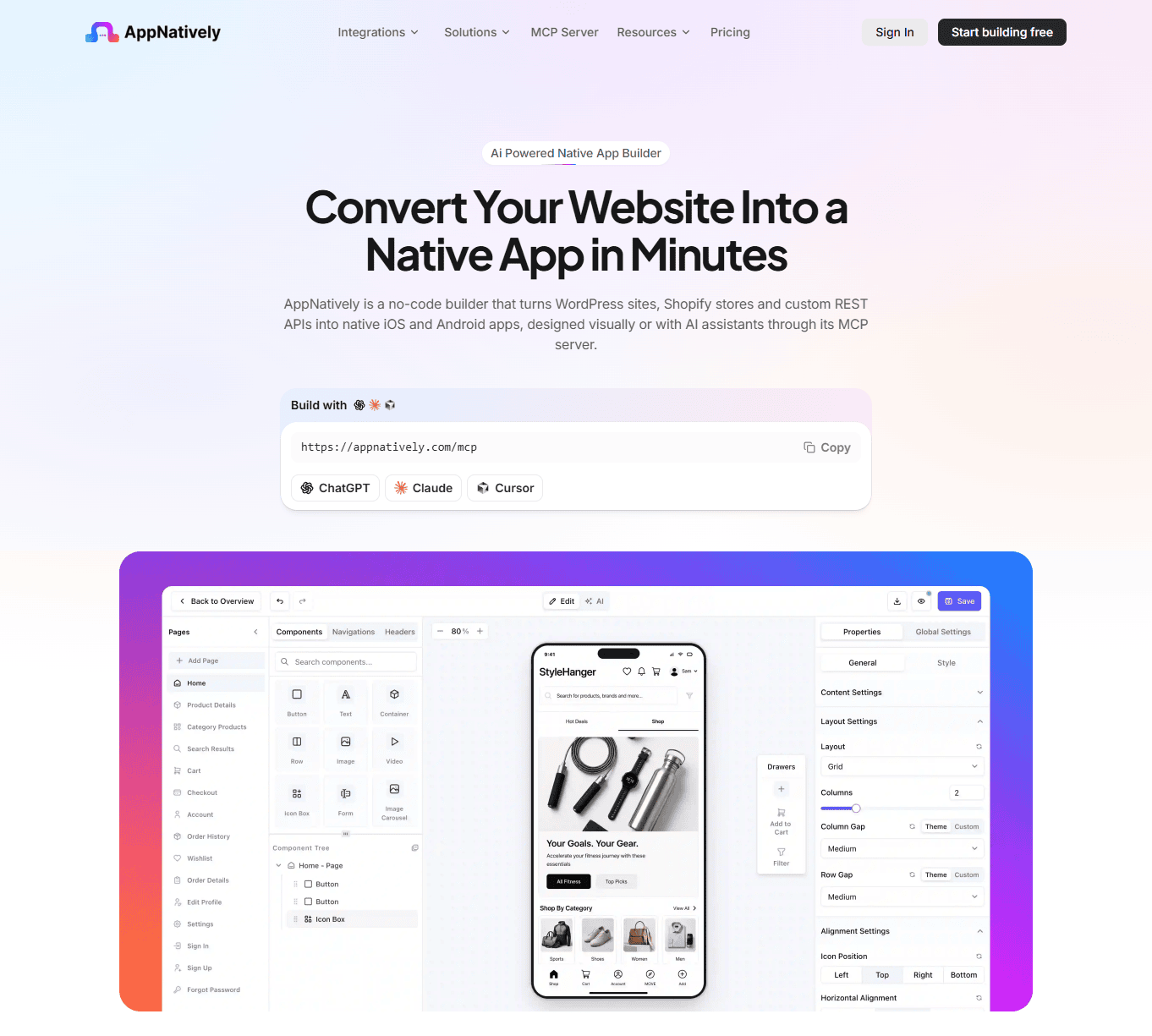
Its workflow is essentially:
Connect → Design → Preview → Launch → Update
The platform provides visual native screen building, real-time device preview, unlimited builds and deployments, OTA updates, push notifications, and an MCP server that allows AI agents to make actual changes inside an AppNatively project.
This makes AppNatively particularly interesting for businesses that don't want their mobile application to simply reproduce their website.
ii. AppMySite: Turn your existing stack into an app
AppMySite has a broader website-to-app positioning.
It supports WordPress, WooCommerce, Shopify, and custom app-building workflows. Its current AI builder can generate app content, visuals, branding, layouts, and structure through prompts.
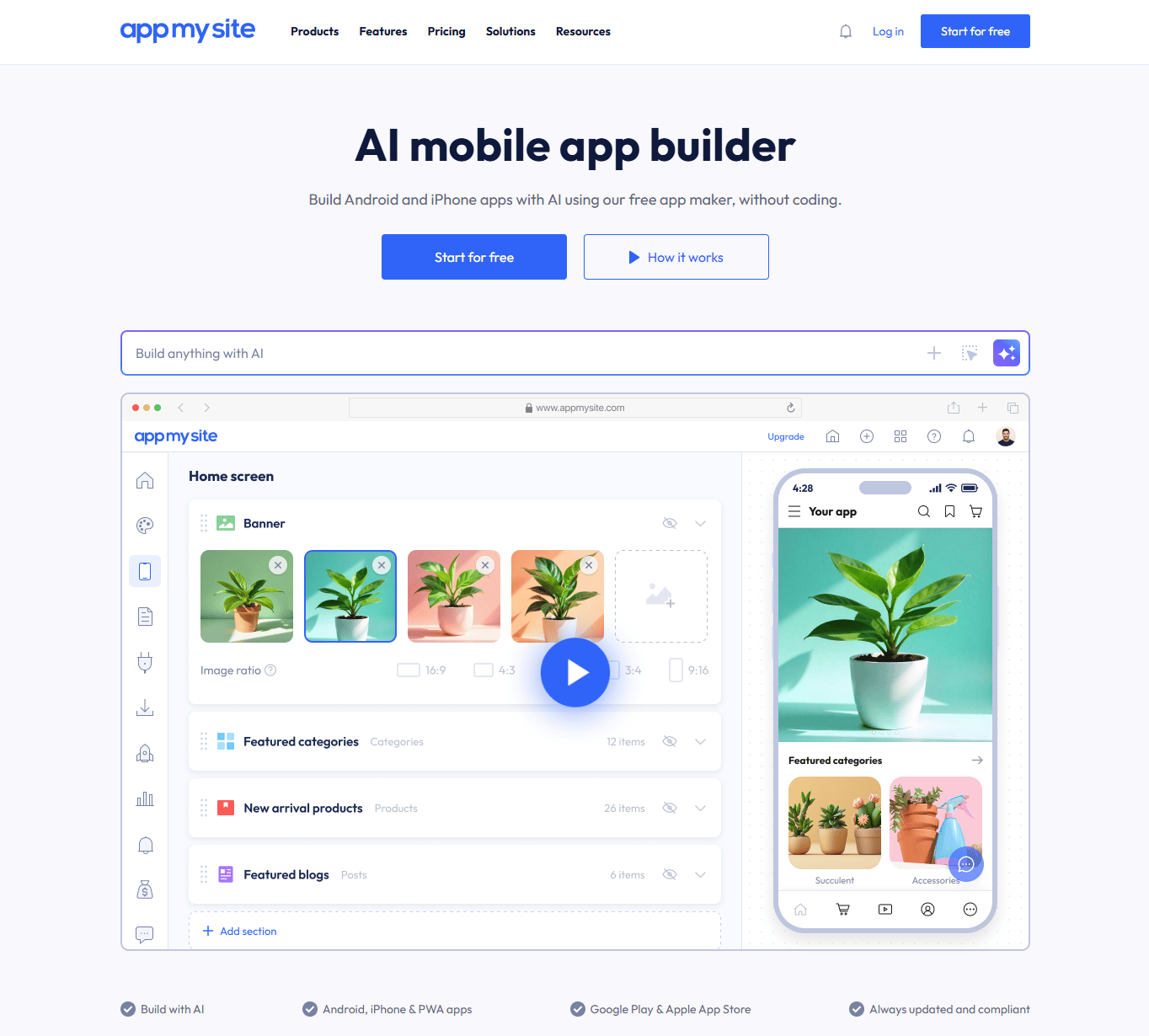
Its strength is convenience.
If you already have a WooCommerce store, WordPress website, or Shopify store and want a mobile app connected to that existing system, AppMySite provides a large set of ready-made integrations and ecommerce capabilities.
iii. AppPresser: Bring your WordPress ecosystem into an app
AppPresser takes a more specialized approach.
Rather than trying to be a general-purpose platform for every type of website, it focuses heavily on WordPress.
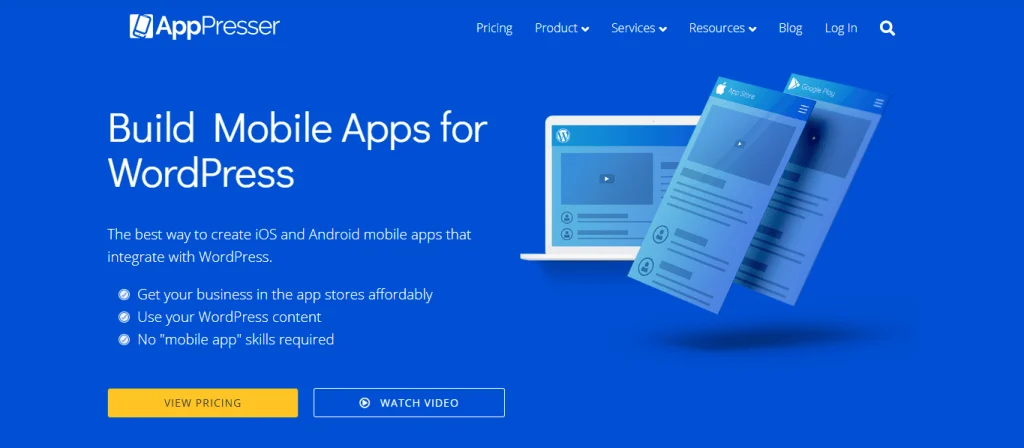
Its official documentation highlights integrations with WooCommerce, LearnDash, BuddyPress, BuddyBoss, membership functionality, podcasts, camera uploads, geolocation, push notifications, and other WordPress-oriented features.
That specialization can be extremely valuable.
For example, if your website is:
WordPress + BuddyBoss + LearnDash + WooCommerce + Memberships
AppPresser may be particularly attractive because those integrations are already central to its platform.
What Does "Best Mobile App Experience" Actually Mean?
Before declaring a winner, we need to define the term.
A mobile app experience isn't simply about whether an app exists in the Apple App Store or Google Play.
A good mobile app should make the experience better than using the website on a phone.
That usually means:
- Mobile-first navigation
- Fast access to important features
- App-friendly layouts
- Smooth interactions
- Search and filtering
- Push notifications
- Deep linking
- User accounts
- Native device capabilities
- Reliable backend connectivity
- Easy content updates
- App-store compatibility
- Consistent branding
- A scalable architecture
This is where app builders start to differ.
1. Native App Experience
AppNatively
Native app development is central to AppNatively's positioning.
The platform lets users build native Android and iOS applications visually and connect them to existing websites, stores, directories, and APIs.
That distinction matters.
Instead of thinking:
"How do I put my website inside an app?"
the better question becomes:
"How should my product work on a phone?"
For example, imagine a directory website.
The website might have:
- Listing archives
- Sidebar filters
- Desktop navigation
- Large tables
- Map sections
- Search forms
- Multiple widgets
Simply shrinking that interface for mobile doesn't necessarily create a good app.
A native app can instead be designed around:
- Bottom navigation
- Search-first discovery
- Listing cards
- Mobile filters
- Map views
- Saved listings
- User profiles
- Push notifications
- Location-based experiences
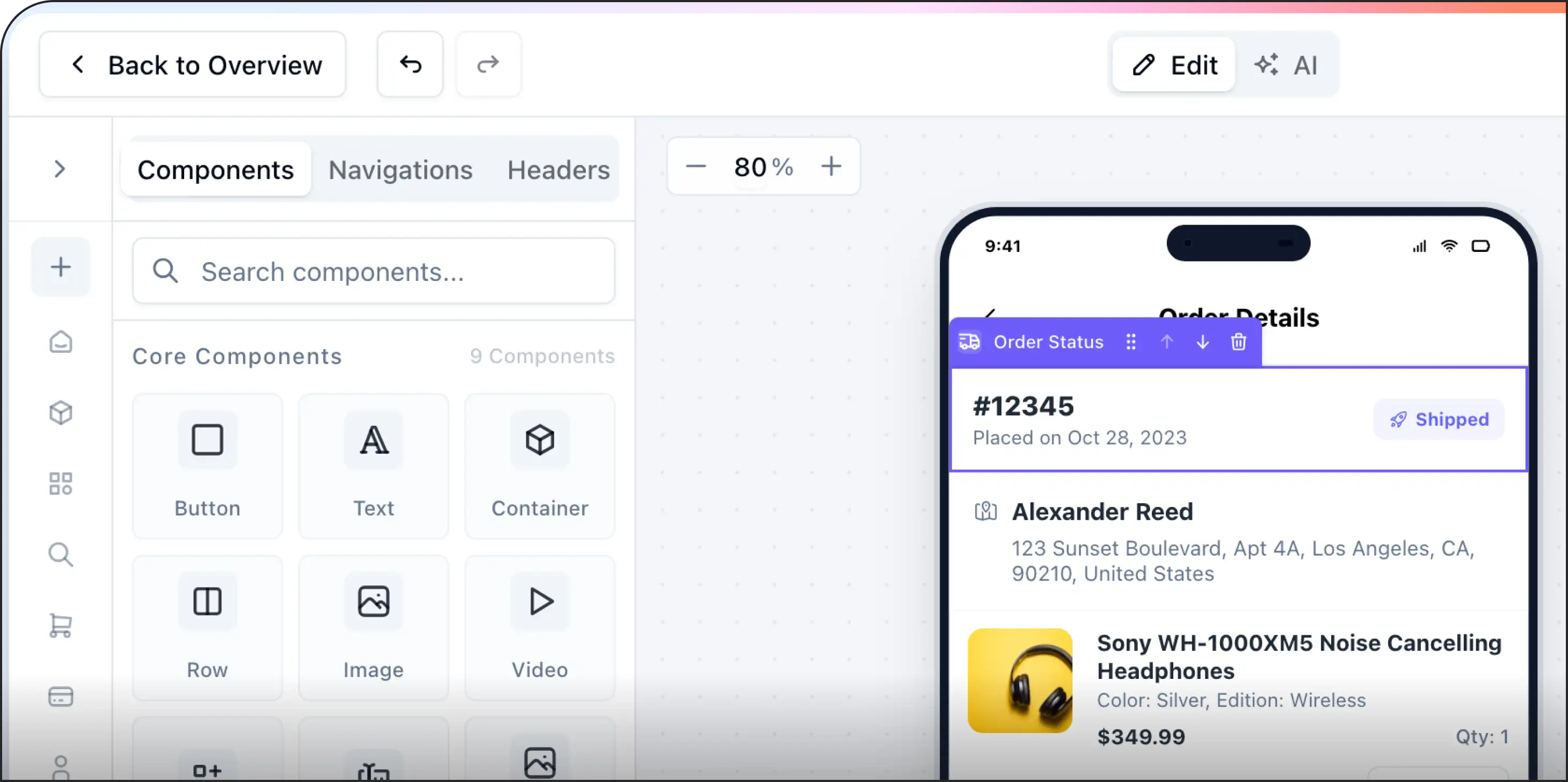
AppNatively's visual builder is designed around this type of native screen construction.
Verdict
AppNatively has the edge for businesses where the mobile UX itself is a major product requirement.
2. AppMySite's Mobile Experience
AppMySite approaches native apps through a more conversion-oriented workflow.
Its current platform supports native Android and iPhone/iPad apps, WordPress, WooCommerce, Shopify, Firebase, and other integrations.
For ecommerce businesses, this can be particularly useful.
A WooCommerce store can bring products, categories, variations, inventory, reviews, wishlists, carts, coupons, checkout, payment information, shipping, taxes, and order tracking into the app experience.
This means the business doesn't have to manually recreate its ecommerce catalog.
Verdict
AppMySite is excellent for businesses that want an established website or ecommerce backend to power a mobile application quickly.
3. AppPresser's Mobile Experience
AppPresser takes a WordPress-centered approach.
Its visual app customizer allows users to select pages, customize the app, and see a live preview while designing.
Its real advantage appears when the WordPress site contains complex functionality.
For example:
A learning platform
A LearnDash-powered website can expose:
- Student login
- Courses
- Lessons
- Topics
- Quizzes
- Progress
- Mark Complete functionality
- Push notifications
- Membership integrations
AppPresser documents these LearnDash capabilities directly.
A community website
For BuddyPress or BuddyBoss, the app can be structured around:
- Member profiles
- Groups
- Activity
- Messages
- Community content
AppPresser's setup documentation specifically identifies BuddyPress/BuddyBoss as one of its core app types.
Verdict
AppPresser can be an excellent choice when the mobile app needs to closely follow a sophisticated WordPress ecosystem.
4. Design and Customization
Customization is where many website-to-app solutions become limiting.
A business may have a strong brand identity and a very specific mobile UX in mind.
The question becomes:
How much can you change?
AppNatively
AppNatively is built around visual screen creation and native components.
The goal is not simply to copy your website's existing layout.
You can create app-specific screens and structure the experience around mobile navigation.
That makes it particularly suitable for:
- SaaS apps
- Directory apps
- Ecommerce apps
- Booking apps
- LMS apps
- Community apps
- Content apps
- Custom API-powered applications
AppMySite
AppMySite provides extensive design controls.
Its current design system allows users to configure themes, colors, fonts, headers, buttons, icons, layouts, login screens, consent screens, and other visual elements. It also supports dark mode and custom visual assets.
This gives users substantial control over branding.
AppPresser
AppPresser provides a visual customizer and app page builder.
The platform's documentation describes its app page builder as a way to combine different WordPress features within the application.
That can be particularly useful when the app needs to combine several WordPress plugins into one mobile experience.
Customization winner
AppNatively takes the overall edge for users who want to create a highly customized mobile-first experience.
AppMySite is very strong for structured website and ecommerce applications.
AppPresser is particularly strong when customization needs to work around a complex WordPress ecosystem.
5. AI-Powered App Building
AI has become one of the biggest developments in app creation.
But not all AI app builders work in the same way.
AppNatively and AI
AppNatively has integrated AI directly into the app-building workflow through its MCP server.
The platform says its MCP integration allows compatible AI agents to understand an AppNatively project and make actual changes, including creating pages, adding components, configuring navigation, and modifying layouts.
For example, instead of manually searching through the builder, you could tell an AI agent:
Add a search bar to the header and move the cart and wishlist icons beside it.
The goal is for the agent to understand the current project and make that change.
That is different from an AI assistant simply giving you instructions.
AppMySite and AI
AppMySite has also invested heavily in AI.
Its current AI builder lets users describe the application they want and generate content, visuals, branding, layouts, and structure. Users can then continue refining the application through prompts.
This makes AppMySite a serious competitor in AI-assisted app creation.
AppPresser and AI
AppPresser's core proposition remains centered on WordPress integration, visual app customization, and specialized WordPress functionality rather than an AI-first application-building workflow.
AI winner
AppNatively and AppMySite are the strongest options here, but their approaches differ.
AppMySite focuses on generating the application experience with AI.
AppNatively goes further toward using AI agents to modify and manage an actual application project.
6. MCP and AI Agents
This deserves its own section because it represents a different direction for app development.
MCP, or Model Context Protocol, can allow AI systems to interact with software tools and environments.
AppNatively has built an MCP server specifically around its app builder.
According to AppNatively, supported AI clients can connect to a project and perform actions such as:
- Creating pages
- Adding components
- Configuring navigation
- Modifying layouts
- Reading project configuration
- Making actual app changes
rather than simply suggesting what the user should do.
This creates a different type of app-building workflow.
Instead of:
Human → Builder → Component → Setting → Preview
you can move toward:
Human → AI agent → App project → Preview
For developers, agencies, SaaS founders, and technically curious users, this can become a significant advantage.
Winner
AppNatively
7. WordPress Support
All three platforms can work with WordPress, but their approaches are different.
AppNatively
AppNatively supports WordPress websites as one of its primary connection options.
This makes it suitable for:
- Blogs
- WooCommerce
- FluentCart
- SureCart
- Directories
- Booking websites
- LMS websites
- Membership sites
- Custom WordPress applications
Its broader API-oriented approach also means the platform isn't restricted to WordPress.
AppMySite
AppMySite offers extensive WordPress integration.
Its platform can synchronize:
- Pages
- Posts
- Categories
- Tags
- Users
- Custom post types
- Custom taxonomies
- Menus
and other WordPress content.
For conventional WordPress sites, this is a major advantage.
AppPresser
WordPress is AppPresser's specialty.
Its platform specifically integrates WordPress plugins and functionality into mobile apps.
This is particularly valuable for websites that rely heavily on WordPress plugins.
WordPress winner
AppPresser wins for specialized WordPress ecosystems.
AppMySite wins for broad, straightforward WordPress-to-app conversion.
AppNatively wins when WordPress is the backend, but the mobile application needs more freedom in how the experience is designed.
8. WooCommerce Mobile Apps
WooCommerce deserves special attention because mobile commerce is one of the biggest use cases for website-to-app builders.
AppMySite
WooCommerce is one of AppMySite's strongest areas.
The platform supports:
- Product synchronization
- Simple products
- Variable products
- Virtual products
- External products
- Categories
- Tags
- Product reviews
- Related products
- Wishlists
- Cart
- Coupons
- Inventory
- Addresses
- Order tracking
- Ecommerce analytics
Its WooCommerce app builder is explicitly designed to provide mobile product discovery, cart, checkout, payments, order tracking, and push notifications.
AppPresser
AppPresser also supports WooCommerce as part of its WordPress ecosystem.
That makes it useful when WooCommerce isn't the only important system.
For example:
WooCommerce + LearnDash + BuddyBoss + Membership
could be a more natural AppPresser use case than a simple ecommerce store.
AppNatively
AppNatively is also powerful for ecommerce applications connected to WordPress, WooCommerce, FluentCart, SureCart, Shopify, or other APIs.
The advantage is flexibility.
Instead of treating the mobile app as a fixed ecommerce representation, businesses can design their own product browsing, navigation, discovery, customer experience, and other necessary features.
WooCommerce verdict
AppMySite is arguably the easiest choice for a conventional WooCommerce-to-app project.
AppNatively becomes more promising when the business wants a highly customized mobile ecommerce experience.
AppPresser makes sense when WooCommerce is part of a larger WordPress application ecosystem.
9. Shopify App Building
Shopify is another important distinction.
AppMySite supports Shopify as a connection option.
AppNatively also has extensive Shopify support.
Its Shopify integration can synchronize products, collections, tags, menus, reviews, related products, inventory, customer addresses, wishlists, cart, coupons, checkout, payments, shipping, taxes, and order tracking.
AppPresser is primarily positioned around WordPress rather than Shopify.
Winner
AppMySite and AppNatively
The better option depends on whether your priority is:
Ecommerce conversion and synchronization: AppMySite
Custom native experience: AppNatively
10. Directory Websites
This is one category where the comparison becomes particularly interesting.
A directory application is fundamentally different from a normal blog.
A directory may need:
- Listings
- Categories
- Search
- Advanced filters
- Maps
- User profiles
- Reviews
- Favorites
- Listing submission
- Location-based discovery
- Memberships
- Booking
- Notifications
Simply displaying the website in an app isn't enough.
AppNatively
AppNatively is particularly well suited to directory applications because you can design the mobile experience around the directory's data and user journey. It has integrated with all major directory solutions, including GeoDirectory, HivePress, Directorist, and more.
For example:
Home → Search → Filters → Listings → Map → Listing Details → Contact/Booking
That can be designed as a mobile-first flow.
AppMySite
AppMySite can be useful when the directory is primarily structured through WordPress content and custom post types.
Its WordPress integration supports custom post types and taxonomies.
AppPresser
AppPresser can also support WordPress directory websites, especially when the directory depends heavily on WordPress plugins.
But its biggest advantage remains complex WordPress functionality rather than being specifically designed around directory-first UX.
Directory winner
AppNatively
Especially when the goal is to create an app that feels like a dedicated directory product rather than a mobile version of the website.
11. LearnDash and Online Learning
This is where AppPresser can take the lead.
AppPresser's LearnDash integration supports:
- Student login
- Registration
- Courses
- Lessons
- Topics
- Quizzes
- Mark Complete
- Automatic synchronization
- Push notifications
- Membership integration
- In-app purchases
- Language translation
- Customization
For a WordPress LMS, these specialized integrations can save significant development effort.
Winner
AppPresser
If LearnDash is central to your business, AppPresser deserves serious consideration.
12. Push Notifications
Push notifications are one of the biggest reasons users install an app instead of simply bookmarking a website.
They allow businesses to send:
- New product alerts
- Promotions
- Order updates
- New content
- Booking reminders
- Messages
- Community notifications
- Personalized offers
AppNatively
AppNatively offers unlimited push notifications through Firebase and supports campaigns with titles, messages, images, and deep links.
AppMySite
AppMySite supports push notifications and integrations such as Firebase and OneSignal.
AppPresser
AppPresser also provides push notifications as part of its WordPress-oriented app functionality.
Verdict
All three are strong.
The difference comes down more to the broader application architecture than whether push notifications are available.
13. OTA Updates
OTA, or over-the-air updates, can make app management much easier.
Normally, certain app changes may require a new build and app-store submission.
AppNatively specifically promotes OTA updates that can make supported changes available to installed apps without waiting for an App Store or Google Play review.
This is valuable for:
- UI changes
- Navigation changes
- Content changes
- Component changes
- Rapid iteration
- Bug fixes where supported
AppPresser also provides remotely updated app content through its page-builder model.
AppMySite provides automatic syncing for supported website and ecommerce data, which reduces the need to republish an app whenever backend content changes.
Winner
AppNatively
Particularly for businesses that expect to iterate on the mobile product frequently.
14. Real-Time App Preview
You should never have to guess what your app will look like.
AppNatively provides AppNatively Go, where users can scan a QR code and see edits appear on a physical phone in real time.
AppMySite also provides app preview and visual customization tools.
AppPresser offers live app preview while designing.
Winner
AppNatively
Its real-device preview workflow is particularly useful when you're making frequent design changes.
15. App Store and Google Play Publishing
All three platforms support publishing native apps.
AppNatively supports Android and iOS builds and direct app-store publishing workflows.
AppMySite supports native Android and iPhone/iPad apps and provides files required for store submission.
AppPresser supports Android and iOS app creation and store submission workflows.
The important thing is that building the app is only half the job.
You also need to think about:
- App icons
- Splash screens
- Store screenshots
- App descriptions
- Privacy policies
- Permissions
- App-store guidelines
- Developer accounts
- Testing
- Updates
A good app builder should make this process manageable.
Verdict
All three are capable.
16. Performance: Native vs WebView
This is one of the most misunderstood parts of website-to-app discussions.
"Native" and "WebView" aren't simply marketing labels.
What matters is how the app is actually built and how much of the user experience depends on embedded web content.
A native interface can use platform-native components for navigation, lists, buttons, screens, gestures, and other interactions.
A WebView-based approach essentially renders web content inside a mobile container.
Neither approach is automatically perfect for every use case.
However, if your objective is to create an application that feels like a dedicated mobile product, native UI components provide more opportunities to design the experience specifically for mobile.
This is one reason AppNatively emphasizes native screen building rather than simply wrapping an existing website.
AppMySite also describes its Android and iPhone/iPad products as native apps, while supporting web-based functionality where appropriate for particular experiences.
AppPresser similarly provides app-specific display templates rather than simply relying on a site's desktop theme. Its LearnDash documentation, for example, states that the app has its own display templates.
The practical takeaway
Don't ask only:
"Is this a native app?"
Ask:
"How much of the experience is designed specifically for mobile?"
That is a much better measure of app quality.
17. Backend Connectivity
Another important question is how your app communicates with your existing website.
You usually don't want to create a completely separate business system just because you are launching an app.
Your existing website may already contain:
- Users
- Products
- Orders
- Listings
- Bookings
- Courses
- Reviews
- Memberships
- Content
The mobile app should ideally work with that existing data.
AppMySite explicitly describes its ecommerce apps as using existing WooCommerce or Shopify store data to power the mobile experience.
AppNatively supports WordPress, Shopify, directories, and custom REST APIs, making API-driven application architecture a central part of its positioning.
This is particularly important for custom applications where you don't want to rebuild your backend.
18. Which Platform Is Best for Agencies?
Agencies have different requirements from individual website owners.
An agency may need:
- Multiple apps
- White-label branding
- Client management
- Reusable workflows
- Custom domains
- Team access
- Fast deployment
- Flexible integrations
AppMySite offers dedicated agency and white-label functionality, including white-labeled platform options, custom domains, custom email, branding, client subscription management, and app management.
AppNatively's flexible native app building can also be attractive to agencies that want to create different mobile experiences for different clients. It also provides white-label functionality for agencies.
Agency winner
Both are winners here.
19. Which Is Easiest to Use?
This depends on what you are building.
If you have a simple WordPress site
AppMySite can be very straightforward.
If you have a complex WordPress ecosystem
AppPresser can make more sense because of its specialized integrations.
If you want to design a completely customized mobile experience
AppNatively becomes more attractive.
So instead of asking:
Which platform is easiest?
ask:
Which platform makes my particular app easiest to build?
That is a much more useful question.
AppNatively vs AppMySite vs AppPresser: Best Platform by Use Case
| Use case | Recommended platform |
|---|---|
| Custom native mobile app | AppNatively |
| AI-assisted app creation | AppNatively / AppMySite |
| AI-agent-powered app management | AppNatively |
| WordPress blog | AppMySite |
| WooCommerce store | AppMySite, AppNatively |
| Shopify store | AppNatively / AppMySite |
| Directory website | AppNatively |
| Booking platform | AppNatively |
| LearnDash | AppPresser |
| BuddyPress | AppPresser |
| BuddyBoss | AppPresser |
| Membership-heavy WordPress site | AppPresser |
| Custom REST API | AppNatively |
| Maximum visual freedom | AppNatively |
| White-label agency | AppMySite, AppNatively |
| Frequent app iteration | AppNatively |
| Push notifications | All three |
| Native iOS + Android | All three |
| Real-time app preview | All three |
| OTA updates | AppNatively |
AppNatively vs AppMySite vs AppPresser: Pros and Cons
AppNatively
Pros
- Native iOS and Android app building
- Highly customizable visual experience
- AI-powered workflows
- MCP integration
- AI-agent app modification
- Custom REST API support
- WordPress support
- Shopify support
- Directory-friendly
- Real-time device preview
- OTA updates
- Unlimited push notifications
- Unlimited build and deployment workflows
- Strong fit for custom mobile products
Cons
- May offer more flexibility than a simple website owner actually needs
- Businesses with highly specialized WordPress plugins may need to evaluate their specific integrations
AppMySite
Pros
- Strong WordPress integration
- Strong WooCommerce integration
- Strong Shopify integration
- AI app builder
- Native Android and iOS apps
- Push notifications
- Ecommerce functionality
- Product synchronization
- Order tracking
- Native checkout options
- Agency and white-label tools
- Large ecosystem
Cons
- Businesses wanting highly unique app architectures may need to work within its supported product models
- Specialized WordPress ecosystems can sometimes favor a more dedicated WordPress-focused solution
AppPresser
Pros
- Deep WordPress focus
- WooCommerce support
- LearnDash support
- BuddyPress support
- BuddyBoss support
- Membership integrations
- Visual app customization
- Live preview
- Push notifications
- Strong option for WordPress communities and LMS platforms
Cons
- Primarily centered around WordPress
- Less compelling if your backend is Shopify or a completely custom API ecosystem
- AI-first app creation is not its primary differentiator
Which One Delivers the Best Mobile App Experience?
Now we can answer the main question.
Best overall: AppNatively
If the goal is to create a modern, highly customizable native mobile experience, AppNatively comes out ahead.
Its biggest advantage is that the mobile app doesn't have to be treated as an afterthought to the website.
You can think about the app as its own product.
That means you can design:
- Mobile-first navigation
- Custom screens
- Native components
- Search experiences
- Listing experiences
- Ecommerce experiences
- User journeys
- Push notification flows
- AI-powered workflows
And because AppNatively supports APIs, the mobile application can work with an existing website or backend rather than requiring the entire business to be rebuilt.
Best for Ecommerce: AppMySite
If your primary goal is:
"I have a WooCommerce or Shopify store and I want a mobile shopping app."
AppMySite deserves serious consideration.
Its ecommerce functionality covers the major pieces shoppers expect, including product discovery, categories, variations, wishlists, cart, checkout, payments, shipping, taxes, and order tracking.
Best for Advanced WordPress: AppPresser
If your website is deeply dependent on WordPress plugins, AppPresser can be the more logical choice.
For example:
LearnDash + BuddyBoss + WooCommerce + Memberships
is exactly the kind of environment where AppPresser's specialized WordPress integrations can provide significant value.
Final Verdict
There isn't one app builder that is perfect for every business.
The winner depends on the problem you are trying to solve.
Choose AppNatively if:
You want a highly customizable native mobile application, AI-assisted building, MCP-powered workflows, custom API connectivity, OTA updates, and more freedom to design the mobile experience around your users.
Choose AppMySite if:
You want to turn an existing WordPress, WooCommerce, or Shopify website into a mobile app quickly, with strong synchronization and ecommerce functionality.
Choose AppPresser if:
You have a complex WordPress ecosystem involving LearnDash, BuddyPress, BuddyBoss, WooCommerce, memberships, or other WordPress functionality.
"Which platform gives me the most control over how my mobile product actually looks, works, evolves, and interacts with users?"
AppNatively has the strongest overall case.
The fundamental difference is the mindset.
A website-to-app tool can ask:
How do we convert this website into an app?
A modern native app builder can ask:
How should this product work on mobile?
That difference matters.
Because the best mobile app isn't necessarily the one that reproduces the most of your website.
It's the one that gives your users the best reason to use the app instead of the website.
Frequently asked questions
It depends on the project. AppNatively has an advantage when native customization, custom API connectivity, AI-agent workflows, MCP, and OTA updates are priorities. AppMySite is particularly strong for WordPress, WooCommerce, and structured ecommerce app projects.
For highly customized native experiences and broader API-driven applications, AppNatively has an advantage. For WordPress ecosystems involving LearnDash, BuddyPress, BuddyBoss, and specialized membership functionality, AppPresser can be a better fit.
There is no universal winner. AppMySite is strong for general WordPress conversion, AppPresser is particularly strong for complex WordPress plugin ecosystems, and AppNatively is a strong option when you want a highly customized native mobile experience.
AppMySite and AppNatively are the strongest options in this comparison. AppMySite has extensive Shopify synchronization capabilities, while AppNatively is attractive when the priority is a more customized native experience.
AppPresser is the strongest fit in this comparison because its LearnDash integration directly supports courses, lessons, topics, quizzes, student accounts, progress, push notifications, and other LMS functionality.
AppPresser is a strong choice because BuddyPress and BuddyBoss are specifically supported within its WordPress-focused app ecosystem.
AppNatively is particularly compelling when the directory needs a custom native experience involving listings, search, filters, maps, profiles, and other mobile-specific workflows.
Yes. AppNatively positions itself around native iOS and Android applications, AppMySite provides native Android and iPhone/iPad apps, and AppPresser supports iOS and Android app creation.
No traditional coding knowledge is required for the core no-code workflows of these platforms. However, the amount of technical knowledge you may need depends on how customized your app, integrations, APIs, and backend architecture are.
Yes. That is one of the major advantages of these platforms. Instead of rebuilding your business from scratch, they can connect the mobile application to an existing website, ecommerce store, WordPress installation, or API depending on the platform and use case.
The simplest distinction is:
AppNatively: Build a highly customizable native mobile experience.
AppMySite: Convert your existing website, store, or content stack into a mobile application.
AppPresser: Bring a sophisticated WordPress ecosystem into a mobile application.
That distinction makes it much easier to choose the right platform.