WebView Apps in 2026: How They Work and When to Use Them

Websites have become more powerful than ever. Online stores process orders, directory websites connect customers with local businesses, booking platforms manage appointments, and membership websites deliver personalized experiences. But when users want convenient mobile access, a website alone may not always be enough.
That is where WebView apps come in.
A WebView app allows a mobile application to display web content inside an app using a built-in browser engine. Instead of rebuilding an entire website as a separate mobile application, businesses can reuse much of their existing web infrastructure to create a mobile experience.
In 2026, this approach remains relevant for businesses that want to extend their website to mobile users without the cost and complexity of developing everything from scratch. However, WebView apps are not the right solution for every project. Performance, user experience, app store requirements, and access to native device features all matter.
In this blog post, we will explain what WebView apps are, how they work, their advantages and disadvantages, and how they compare with native mobile apps. We will also explore how website owners can choose the right approach for their business.
What Is a WebView App?
A WebView app is a mobile application that uses an embedded web browser component to display web pages or web-based interfaces within the app.
Instead of building every screen with platform-specific UI components, developers can use existing HTML, CSS, and JavaScript to render parts or, in some cases, most of the application interface.
For example, imagine you run a WooCommerce store. Customers already browse products, manage accounts, add items to their carts, and complete purchases on your website. A WebView-based mobile app can display those existing experiences inside an app.
Your website continues to manage the underlying business logic and data, while the mobile app provides an additional way for customers to access your services.
Android provides the WebView component for embedding web content in applications. On Apple's platforms, WKWebView serves a similar purpose. Both allow web content to appear within a mobile app interface.
Sources: Android Developers and Apple Developer.
How does a WebView app work?
A typical WebView app follows a straightforward process:
- A developer creates a mobile app containing an embedded web view.
- The app loads a website or web-based interface.
- The web content is rendered within the mobile application.
- Users interact with the content through the app.
- The website's backend processes supported actions, such as account access, product browsing, or booking requests.
Depending on the architecture, the app may also communicate with native device features through native code or a JavaScript bridge.
For a website that relies on an existing backend, this can reduce duplicated development work. Instead of maintaining separate business logic for the website and mobile app, the business can reuse compatible services and APIs.
However, a WebView does not automatically make a website faster, fully native, or available offline. Those capabilities depend on how the website and mobile application are built.
Why Are WebView Apps Still Relevant in 2026?
The demand for mobile experiences has not eliminated the value of web technologies. Many businesses already have mature websites, established customer accounts, product catalogs, booking systems, and content management workflows.
Rebuilding all those systems for mobile can require considerable time, money, and ongoing maintenance.
A WebView-based approach can help businesses reuse existing web functionality rather than recreate everything from the beginning.
Here are five reasons businesses continue to consider this approach.
1. Reuse your existing website
Your website may already contain the features customers need. A WebView can make compatible web pages accessible within a mobile application.
This can be useful for eCommerce stores, directories, booking platforms, membership websites, and content-driven businesses.
2. Reduce duplicated development work
Maintaining separate implementations of the same business logic can increase complexity.
When the website and app share web-based functionality or backend services, businesses may reduce the amount of duplicated work required to maintain their products.
The actual savings depend on the existing website, the app architecture, and the level of native functionality required.
3. Keep website content current
When an app loads live web content, supported website changes can appear in the app without requiring a new app binary for every content update.
For example, updating a product description on your website may also update the product information displayed in the app.
Changes to native code, permissions, app configuration, or other bundled components may still require an app update and review.
4. Extend an established online business to mobile
Businesses do not always need a completely new product to benefit from a mobile app.
A directory owner may want customers to browse local listings more conveniently. An online retailer may want another channel for customer engagement. A booking platform may want returning customers to access services more easily.
A WebView app can be one way to explore those opportunities while reusing existing infrastructure.
5. Get to market without rebuilding every screen
A traditional native app project can require platform-specific development, backend integration, testing, and ongoing maintenance.
A WebView-based implementation may be simpler when most required functionality already exists on the website. This does not mean every WebView app can be built instantly, but it can reduce the amount of work needed for suitable projects.
WebView Apps vs. Native Apps: What Is the Difference?
The main difference is how the application interface is built and delivered.
A WebView app displays web content inside a mobile application. A native app uses platform-specific technologies to build its interface and functionality. Hybrid architectures can combine both approaches.
Feature | WebView App | Native App |
|---|---|---|
| Interface | Primarily web-rendered | Built with native UI technologies |
| Website reuse | Usually high | Depends on architecture |
| Development effort | Can be lower for existing websites | Can be higher for complex, platform-specific apps |
| Updates | Web content may update independently | Native changes generally require app releases |
| Device features | Depend on available bridges and integrations | Can provide direct platform API access |
| Performance | Depends on web content and implementation | Often preferable for demanding, graphics-heavy experiences |
| Offline support | Requires deliberate implementation | Can be implemented with native storage and synchronization |
| Best fit | Web-driven experiences | Deeply integrated, performance-sensitive experiences |
Neither approach is automatically better for every business. The right choice depends on what the app needs to do and what users expect from it.
Is a WebView app a real mobile app?
Yes. A WebView app can be a genuine installable mobile application distributed through an app store, provided it meets the relevant platform requirements.
However, packaging a website inside an app does not guarantee approval.
Apple's App Review Guidelines explain that apps should provide adequate functionality and value beyond simply repackaging a website. Apps with limited interaction or little app-specific utility may face review issues.
Read the official Apple App Review Guidelines.
The important consideration is not simply whether an app uses a WebView. It is whether the overall product delivers a useful, functional, and appropriate mobile experience.
WebView vs. Native vs. Hybrid Apps
These three approaches are often discussed together, but they solve slightly different problems.
i. WebView apps
A WebView app primarily presents web-based content inside a mobile application. It is attractive when the website already provides most of the required functionality.
ii. Native apps
Native apps use platform-specific technologies and interfaces. They are often a strong choice for applications that depend on advanced animations, intensive processing, complex device integrations, or highly customized interactions.
iii. Hybrid apps
Hybrid apps combine web technologies with native application capabilities. They may use web-rendered screens alongside native navigation, notifications, device integrations, or other platform-specific features.
The distinction is important because a mobile app can use web technologies without being nothing more than a website inside a browser window.
For many businesses, the practical question is not which technology is most advanced. It is which approach provides the right balance of functionality, development effort, maintenance, and user experience.
What Are the Main Limitations of WebView Apps?
WebView technology can be useful, but choosing it without understanding its limitations can lead to disappointing results.
1. Performance depends on the website
A slow website will not automatically become fast when displayed inside an app.
Large JavaScript bundles, unoptimized images, excessive network requests, and inefficient page layouts can all affect the experience.
Before launching a WebView app, optimize the website for mobile performance and test important workflows on real devices.
2. Mobile design requires more than responsive layouts
A website that looks acceptable in a mobile browser may still feel awkward inside an app.
Users expect convenient navigation, clear loading states, appropriately sized touch targets, predictable back-button behavior, and forms that work well on smaller screens.
A mobile app should be designed around how people actually use it, rather than simply shrinking a desktop interface.
3. Native features need proper integration
Features such as push notifications, biometric authentication, background synchronization, and certain hardware integrations may require native code, platform APIs, or additional services.
A basic WebView doesn't automatically provide these capabilities.
Businesses should confirm which features their chosen app-building approach supports before committing to it.
4. Offline functionality is not automatic
A live website generally needs a network connection to retrieve current content and communicate with the server.
Caching can make some content available offline, but reliable offline experiences require deliberate planning for stored data, synchronization, error handling, and conflicting changes.
If offline access is central to the product, evaluate it as a core technical requirement rather than an optional improvement.
5. App store approval is not guaranteed
Both Apple and Google have platform policies that app developers must follow. Apple's guidelines specifically address minimum functionality and apps that offer little beyond a repackaged website.
A useful app experience, accurate metadata, appropriate privacy disclosures, working functionality, and thorough testing are essential parts of the submission process.
The takeaway: WebView technology is a tool, not a shortcut around good product design. Its success depends on the quality of the implementation and the needs of the people using the app.
Can You Turn a Website Into a Mobile App Without Rebuilding Everything?
Yes. Several approaches allow businesses to create mobile apps using their existing websites, but the amount of reuse depends on the technology.
The three most common options are:
- Build a WebView wrapper: Package a website inside an application with the necessary navigation, configuration, and integrations.
- Build a hybrid app: Reuse web technologies while adding native screens and device capabilities where needed.
- Use a native app builder: Create an app through a visual interface or structured configuration, with the builder generating or managing the mobile application and its integrations.
The third option can be particularly attractive to website owners who want greater control over the mobile interface without building every component from scratch.
For example, a directory owner may want to display listings, search filters, maps, and business details in a mobile-friendly layout. An eCommerce business may need product screens, account access, cart functionality, and order information.
The ideal solution should reuse existing business data wherever possible while providing the controls and integrations needed for a polished mobile experience.
A Modern Alternative: Build a Native App From Your Existing Website
If your goal is to create a mobile app that feels more purpose-built than a basic website wrapper, consider whether a native app builder is a better fit.
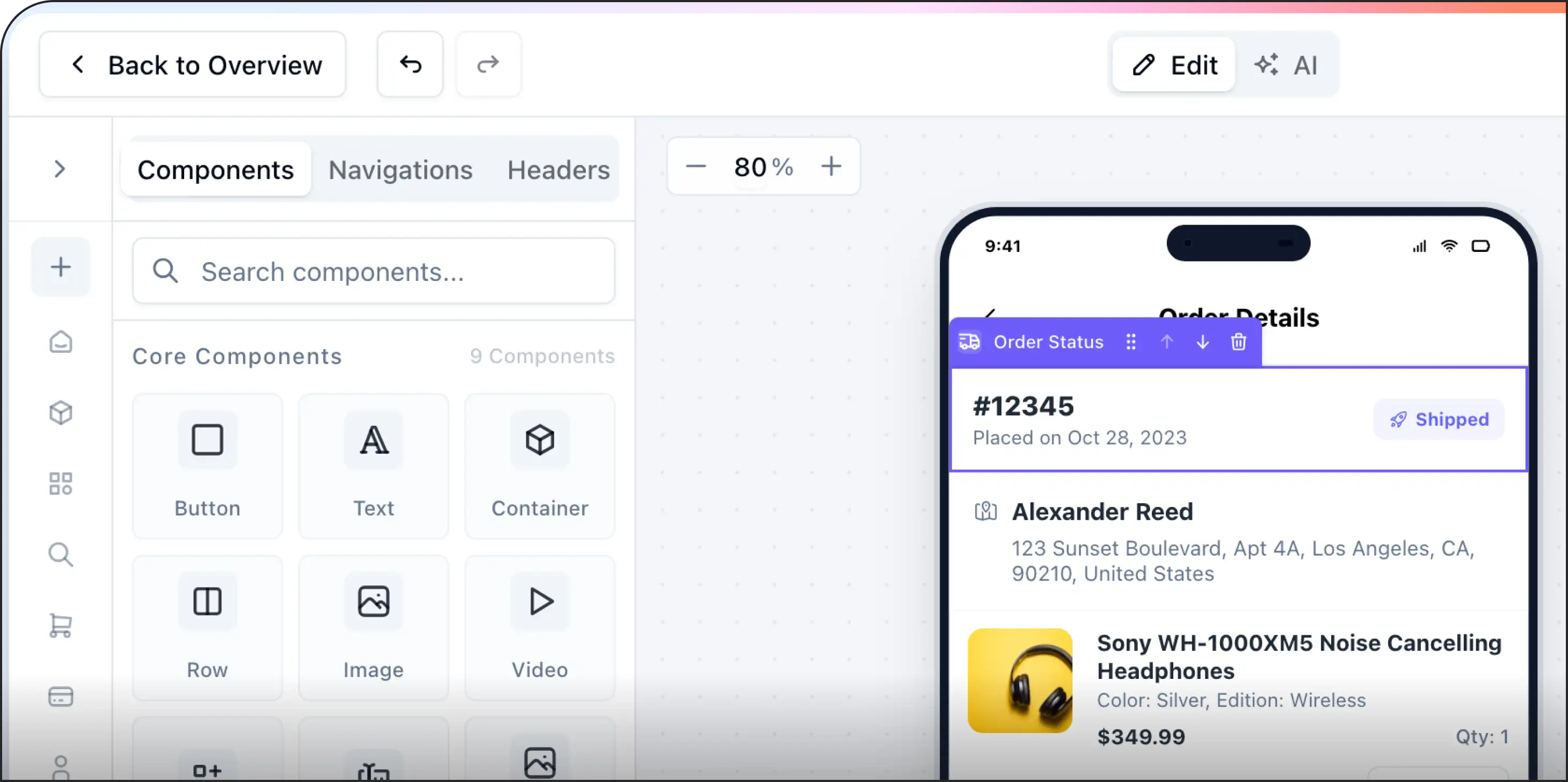
AppNatively is a drag-and-drop native app builder designed to turn websites into iOS and Android apps without requiring you to develop every screen manually.
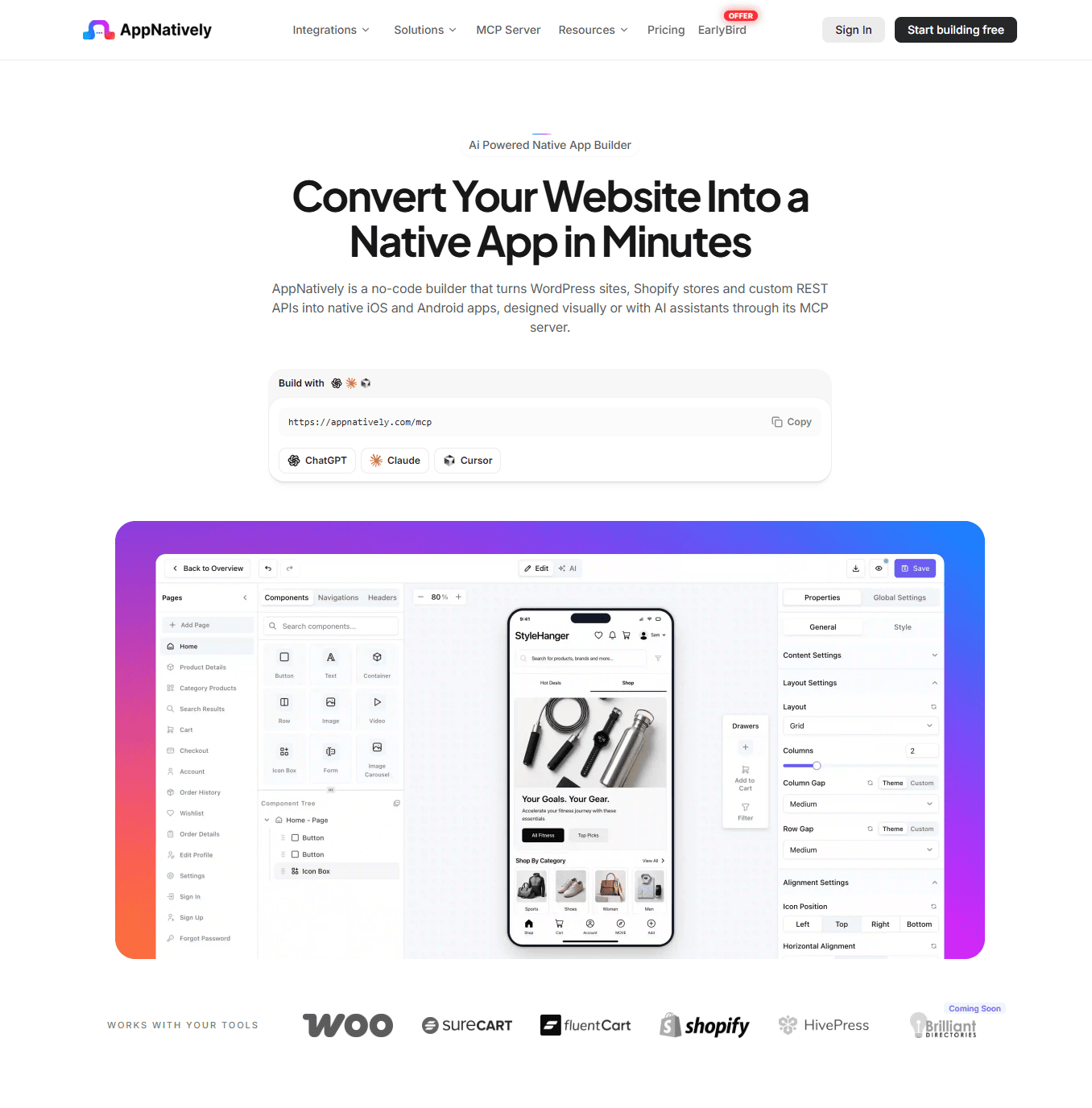
Rather than treating a mobile app as only a website displayed inside an embedded browser, AppNatively lets you customize the app experience using a visual builder and mobile components.
Depending on your website and integration, this approach can help you:
- Build and customize mobile app screens with drag-and-drop controls.
- Connect your app to your existing website and supported data sources.
- Add and arrange mobile components to suit your business.
- Support unlimited push notifications.
- Deliver supported over-the-air (OTA) updates without requiring a new store release for every eligible change.
- Prepare your app for submission to the Apple App Store and Google Play.
AppNatively is particularly relevant to website owners who want more control over their app's interface while retaining their existing website and backend.
For example, directory website owners can create a dedicated mobile experience for browsing business listings. WooCommerce store owners can explore a mobile shopping experience, while booking and membership businesses can build around the workflows their customers already use.
The precise capabilities available depend on the website, integration, and app configuration. As with any app builder, you should verify that your essential workflows are supported before publishing.
Want to explore a native app-building approach? Visit AppNatively to learn how you can turn your existing website into a customizable iOS and Android app.
Which Businesses Can Benefit From Website-to-App Technology?
Website-to-app solutions are particularly relevant to businesses that already have useful online services and want to make them more accessible on mobile.
1. eCommerce stores
Online retailers can extend their product catalogs and shopping workflows into a mobile app. A well-designed experience may help returning customers access products, accounts, and orders more conveniently.
WooCommerce and Shopify store owners should evaluate how their chosen solution handles product variations, cart state, checkout, customer authentication, and payment flows.
2. Directory websites
Business directories, local listing platforms, and niche marketplaces often have valuable searchable content.
A mobile app can provide a dedicated interface for browsing listings, applying filters, viewing locations, and accessing business details.
For directory owners, the important question is whether the app can preserve the website's existing data relationships and search functionality while making the experience easier to use on a phone.
3. Booking and appointment platforms
Booking businesses can use mobile apps to make services, availability, and customer accounts more accessible.
The app should handle essential workflows reliably, including booking confirmation, cancellation rules, authentication, and synchronization with the existing booking system.
4. Membership and learning platforms
Membership websites and online learning platforms may benefit from a mobile interface that makes courses, account information, and member resources easier to access.
If the experience requires offline lessons, media downloads, advanced background activity, or complex device integration, those requirements should be assessed before selecting a WebView-based architecture.
5. Content-driven businesses
Publishers, community websites, and information platforms can use web technologies to deliver frequently updated content inside mobile applications.
A dedicated app may also provide a way to introduce app-specific navigation, saved content, or notifications, where supported.
How to Choose the Right Website-to-App Solution in 2026
Before investing in a WebView wrapper, hybrid framework, or native app builder, answer these six questions.
1. What is your primary goal?
Do you simply want your website accessible from an app icon, or do you want a customized mobile experience with app-specific features?
2. How much of your existing website should be reused?
Identify which features already work well and which need a different mobile interface.
3. Which native features are essential?
List requirements such as push notifications, camera access, biometric authentication, background tasks, offline functionality, or location services. Confirm actual support rather than assuming it is included.
4. How will the app connect to your backend?
Determine whether the solution uses your existing website, APIs, authentication services, or additional infrastructure. Understand how customer data is accessed and protected.
5. What will happen when your website changes?
Check which changes can be delivered through web content or OTA updates and which require a new application build or store review.
6. Can the finished app satisfy store requirements?
Test the complete experience, including login, navigation, checkout or booking flows, error states, privacy disclosures, and any features described in the store listing.
Answering these questions early can help you avoid paying for an approach that does not match your actual needs.
Final Thoughts: Are WebView Apps the Right Choice for Your Business?
WebView apps offer a practical way to bring existing web experiences into mobile applications. They can reduce duplicated work, reuse established website functionality, and help businesses explore mobile distribution without rebuilding every system.
However, a successful mobile app requires more than placing a website inside an application. Performance, mobile-first design, native integrations, security, and app store compliance all contribute to the final experience.
If your website already does most of the work and you mainly need an accessible mobile version, a WebView approach may be enough.
If you want greater control over mobile screens, app components, and native functionality, explore hybrid solutions or a native app builder such as AppNatively.
The best decision is the one that lets you reuse what already works while delivering the mobile experience your customers actually need.
Ready to take your website beyond the browser? Explore AppNatively and see whether its drag-and-drop native app builder fits your website and business goals.
Frequently asked questions
A WebView app is a mobile application that displays web pages or web-based interfaces inside the app using an embedded browser component. It allows developers to reuse web technologies instead of building every interface entirely with native UI components.
Yes. WebView apps remain useful for content-driven products and businesses that want to reuse existing web functionality. Their suitability depends on performance, mobile design, native feature requirements, and app store policies.
No. A WebView app renders web content inside a mobile application, while a native app uses platform-specific technologies to build its interface and functionality. Hybrid apps can combine web and native components.
Potentially, yes. The application must meet each store's technical, content, privacy, and quality requirements. Simply wrapping a website does not guarantee approval, particularly if the app provides insufficient functionality or value.
They can, but push notifications do not come automatically from a basic WebView. They generally require appropriate native integration, notification services, permissions, and backend support.
Some can. Developers must deliberately implement caching, local storage, and any required synchronization. A WebView that loads a live website does not automatically provide a complete offline experience.
They can be cheaper when an existing website already provides most of the required functionality. However, costs depend on the complexity of the website, native integrations, testing, maintenance, and the quality of the desired mobile experience.
Yes. WordPress website owners can use a suitable WebView wrapper, hybrid development solution, or native app builder. The right option depends on the website's plugins, data structure, integrations, and desired mobile features.
A WebView app runs inside an installed mobile application and uses an embedded web rendering component. A Progressive Web App (PWA) is a web application that uses browser capabilities to offer features such as installation and, where supported, offline access.
They can share web technologies, but their installation, distribution, platform integrations, and capabilities differ.
There is no single best method for every website. A WebView wrapper may suit simple web-driven experiences, a hybrid approach may suit products needing both web and native features, and a native app builder may suit website owners who want a customizable mobile interface without building the entire app manually.