

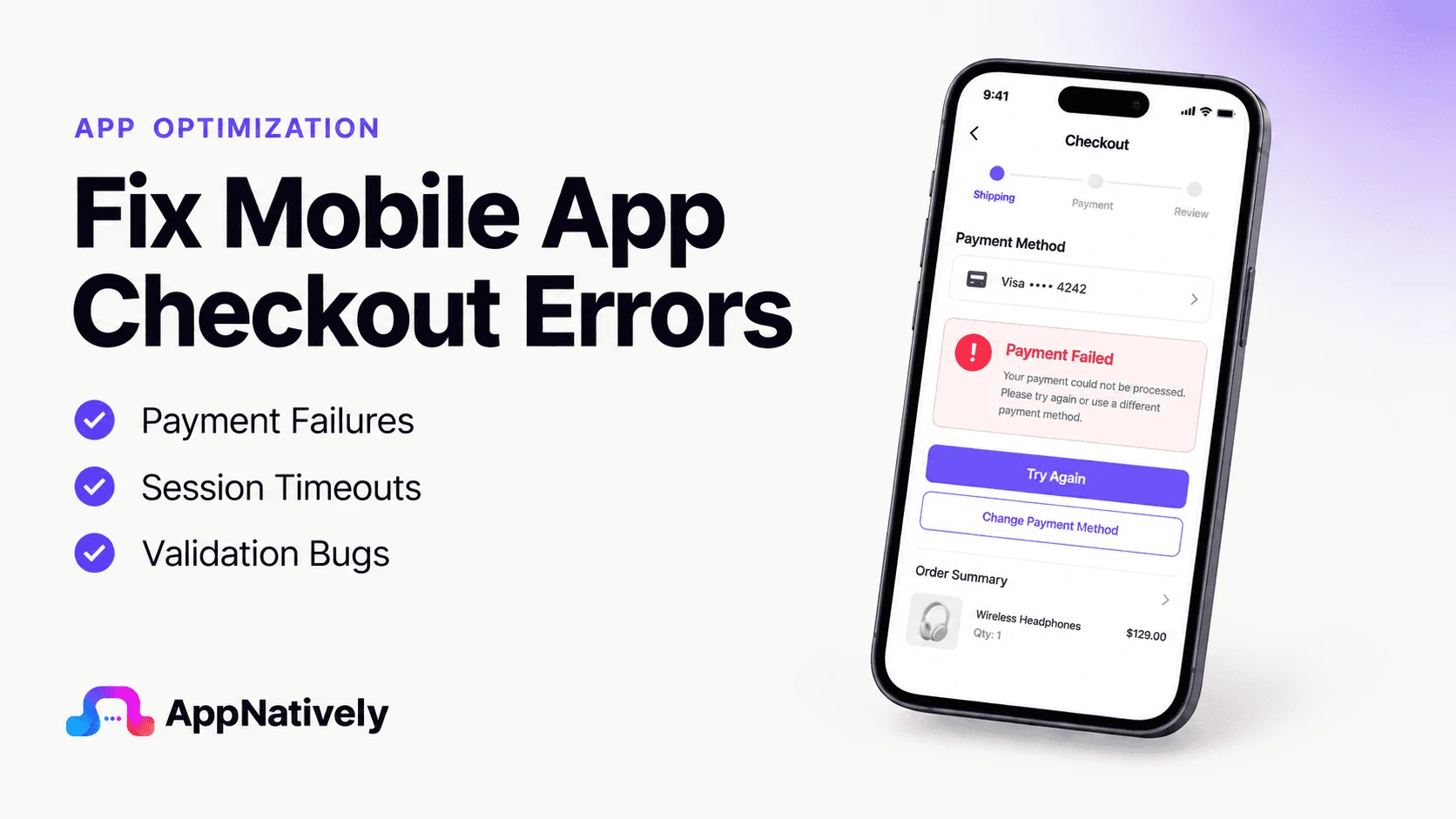
Have you ever wondered how many sales your mobile app loses every day because customers can’t complete their purchases?
A smooth checkout experience is the final step between a browsing user and a paying customer. Yet even the most successful mobile apps can suffer from checkout errors that stop transactions in their tracks.
A failed payment, endless loading spinner, incorrect order total, or unexpected app crash can instantly turn an eager buyer into a lost opportunity.
The impact goes far beyond a single abandoned cart. Checkout problems can reduce conversion rates, increase customer frustration, generate negative reviews, and directly affect revenue growth.
Since users have countless alternatives at their fingertips, many won’t give an app a second chance after encountering a payment or checkout issue.
Fortunately, most checkout errors have identifiable causes and practical solutions. Whether the problem stems from payment gateway failures, server outages, API conflicts, network interruptions, inventory synchronization issues, or bugs within the app itself, understanding the root cause is the first step toward fixing it.
In this guide, you’ll learn the most common mobile app checkout errors, why they occur, and the proven solutions that help businesses deliver faster, smoother, and more reliable checkout experiences.
Why Checkout Errors Matter More Than Most App Bugs
Not every bug impacts revenue.
A minor UI issue on a profile screen might go unnoticed for weeks.
A visual glitch in a settings menu may never affect conversions.
Checkout errors are different.
Every checkout problem occurs when a user is actively trying to spend money.
That means the consequences are immediate.
Common business impacts include:
- Lost sales
- Increased cart abandonment
- Lower conversion rates
- Customer frustration
- Negative app reviews
- Higher support costs
- Reduced customer trust
In many cases, users won’t try again.
They’ll simply leave and purchase elsewhere.
The Most Common Mobile App Checkout Errors
Checkout failures can appear in many forms.
Some are obvious. Others happen silently in the background.
i. Payment processing failures
This is one of the most common checkout issues.
Customers may see messages such as:
- Payment failed
- Transaction declined
- Unable to process payment
- Authorization failed
Sometimes the payment provider causes the problem.
Sometimes the app does.
Without proper error handling, users rarely know the difference.
ii. Endless loading screens
A spinning loader during checkout is often a warning sign of a backend communication issue.
The app may be waiting for:
- Payment confirmation
- Inventory validation
- Tax calculations
- Shipping estimates
- Order creation
If any service fails to respond, the checkout process may never complete.
iii. Invalid coupon code errors
Customers become frustrated when promotional codes don’t work as expected.
The issue might involve:
- Expired coupons
- Usage limits
- Product exclusions
- User restrictions
- Synchronization issues
Regardless of the cause, the user only sees a broken discount.
iv. Shipping method unavailable
A customer enters their address, only to discover that no delivery options are available.
This often results from:
- Configuration mistakes
- Delivery zone conflicts
- API failures
- Incorrect shipping rules
v. Checkout button not responding
Few issues are more confusing than a button that simply doesn’t work.
This problem can stem from:
- Form validation errors
- JavaScript issues
- State management bugs
- Network failures
Many users assume the app has frozen and leave.
vi. Cart updates during checkout
Imagine reaching the final payment screen only to discover:
- An item is out of stock
- Prices have changed
- Discounts disappeared
- Shipping costs increased
Unexpected changes during checkout are major conversion killers.
What Causes Mobile App Checkout Errors?
The checkout process appears simple from the user’s perspective.
Behind the scenes, however, dozens of systems may be working together.
A typical checkout can involve:
- Customer accounts
- Product databases
- Inventory systems
- Payment gateways
- Shipping providers
- Tax services
- Coupon engines
- Fraud detection tools
- Analytics platforms
When one component fails, the entire process can break.
Payment gateway issues
Payment providers occasionally experience:
- Downtime
- API errors
- Authentication failures
- Rate limiting
Even temporary interruptions can stop transactions.
Inventory synchronization problems
Inventory levels change constantly.
If stock information isn’t updated in real time, customers may attempt to purchase unavailable products.
The result is often a failed checkout.
Network instability
Mobile users frequently switch between networks.
They may move from:
- Home Wi-Fi
- Office Wi-Fi
- Public hotspots
- Mobile data
These transitions can interrupt critical checkout requests.
Server-side failures
Backend infrastructure problems remain one of the leading causes of checkout issues.
Examples include:
- Database outages
- Server overload
- API crashes
- Memory limitations
The user only sees a checkout error, even though the root cause is much deeper.
App update bugs
New releases occasionally introduce checkout issues that weren’t present before.
Examples include:
- Broken validation rules
- Incorrect pricing calculations
- Payment integration bugs
- User interface conflicts
This is why checkout testing should be part of every release cycle.
How Checkout Errors Impact Conversion Rates
Most ecommerce teams focus heavily on traffic generation.
Traffic alone doesn’t generate revenue.
Completed purchases do.
Checkout errors create friction at the exact moment when customers are ready to buy.
The consequences include:
i. Increased cart abandonment
Many users won’t attempt checkout a second time.
A single failure may end the purchasing journey completely.
ii. Reduced customer trust
Checkout is where customers share sensitive information.
Errors during this process can make an app appear unreliable.
iii. Negative reviews
Frustrated users frequently leave reviews mentioning:
- Payment failures
- Order issues
- Broken checkout experiences
These reviews can affect future downloads.
iv. Lower customer retention
A failed purchase often becomes a lost customer.
Many users choose competitors after a poor checkout experience.
How to Diagnose Checkout Problems
Fixing checkout issues starts with identifying exactly where the process fails.
1. Review checkout analytics
Analyze:
- Checkout completion rates
- Payment success rates
- Cart abandonment trends
- Error frequency
Patterns often reveal the source of the problem.
2. Examine backend logs
Server logs provide valuable insights into:
- Failed requests
- API errors
- Timeout events
- Validation failures
Logs frequently expose issues invisible to users.
3. Test every payment method
Each payment option should be validated independently.
Examples include:
- Credit cards
- Debit cards
- Apple Pay
- Google Pay
- Digital wallets
A payment method may fail even when others work correctly.
4. Test real-world scenarios
Many checkout problems only appear under specific conditions.
Examples include:
- Poor internet connections
- Low battery modes
- High server loads
- Out-of-stock inventory
Testing these situations helps uncover hidden problems.
Proven Solutions for Mobile App Checkout Errors
The best solution depends on the root cause.
However, several practices consistently improve checkout reliability.
Simplify the checkout process
Every additional step creates another opportunity for failure.
Focus on reducing complexity wherever possible.
Validate information early
Don’t wait until the final payment screen.
Validate:
- Addresses
- Coupons
- Inventory
- Shipping availability
Early validation prevents surprises later.
Improve error messaging
Avoid vague messages such as:
“Something went wrong.”
Instead, explain:
- What happened
- Why it happened
- What users should do next
Clear communication reduces frustration.
Build fallback mechanisms
If one service fails, the app should recover gracefully.
Examples include:
- Payment retries
- Alternative payment methods
- Temporary order saving
- Session recovery
Monitor checkout performance continuously
Track:
- Error rates
- API response times
- Payment success rates
- Abandonment metrics
Early detection prevents widespread problems.
How AppNatively Helps Create Better Ecommerce Apps
A reliable checkout experience starts with a strong app foundation.
AppNatively helps businesses transform websites into native mobile apps that deliver smoother shopping experiences and better performance.
Benefits include:
- Native Android apps
- Native iOS apps
- Faster loading speeds
- Better user engagement
- Push notification support
- Simplified mobile commerce management
A well-built native app can reduce friction throughout the customer journey, including during checkout, where conversions matter most.
Frequently Asked Questions
Why does my mobile app checkout keep failing?
Checkout failures often result from payment gateway issues, inventory conflicts, API errors, network interruptions, or backend server problems.
How do checkout errors affect ecommerce sales?
Checkout issues increase cart abandonment, reduce conversion rates, and negatively impact customer trust.
Why does payment fail even when the customer’s card is valid?
The problem may involve payment gateway outages, authentication failures, banking restrictions, API errors, or configuration issues.
Can slow internet connections cause checkout errors?
Yes. Mobile users often experience unstable connections that can interrupt payment processing and order submission.
What should ecommerce businesses monitor during checkout?
Important metrics include payment success rates, checkout completion rates, cart abandonment rates, API performance, and overall error frequency.
Final Thoughts
A customer who reaches checkout has already decided to buy.
That’s why checkout errors are among the most expensive problems an ecommerce app can face.
Whether the issue involves payment processing, inventory synchronization, shipping calculations, coupon validation, or backend infrastructure, every failure creates friction at the worst possible moment.
The goal isn’t simply to fix checkout errors when they occur.
The goal is to build a checkout experience so reliable that customers never have to think about it.
Because in ecommerce, the best checkout is the one users barely notice before their order is complete.
Related posts
AppNatively vs BuildFire vs MobiRoller vs AppMySite vs AppPresser vs Thunkable vs GoodBarber: Which App Builder Is Best?

Why Do People Install Apps Instead of Using Websites?

AppNatively vs Tapcart vs MobiLoud vs Shopney: Which Shopify Mobile App Builder Is Best in 2026?