
How to Build a Mobile App Without Learning to Code

Building a mobile app no longer requires years of programming experience or a team of software developers. Today, anyone can create a mobile application using no-code app builders, visual development platforms, and AI-powered tools.
Whether you own an online store, run a business, manage a directory website, or have an idea for a new digital product, you can build a mobile app without writing code. Modern app-building platforms provide visual editors, drag-and-drop components, prebuilt integrations, and AI assistance that simplify the development process.
However, building an app without coding does not mean choosing a tool randomly and expecting everything to work automatically. You still need to understand your app's purpose, select the right development platform, connect your data, design the user experience, and prepare the application for publication.
In this blog post, you'll learn how to build a mobile app without learning to code, which tools you can use, how much it costs, and what to consider before launching your app on the Apple App Store and Google Play Store.
Can You Build a Mobile App Without Coding?
Yes, you can build a mobile app without coding by using a no-code mobile app builder. These platforms let you create application screens, add features, configure navigation, connect APIs, and customize the interface through visual editors instead of writing programming languages.
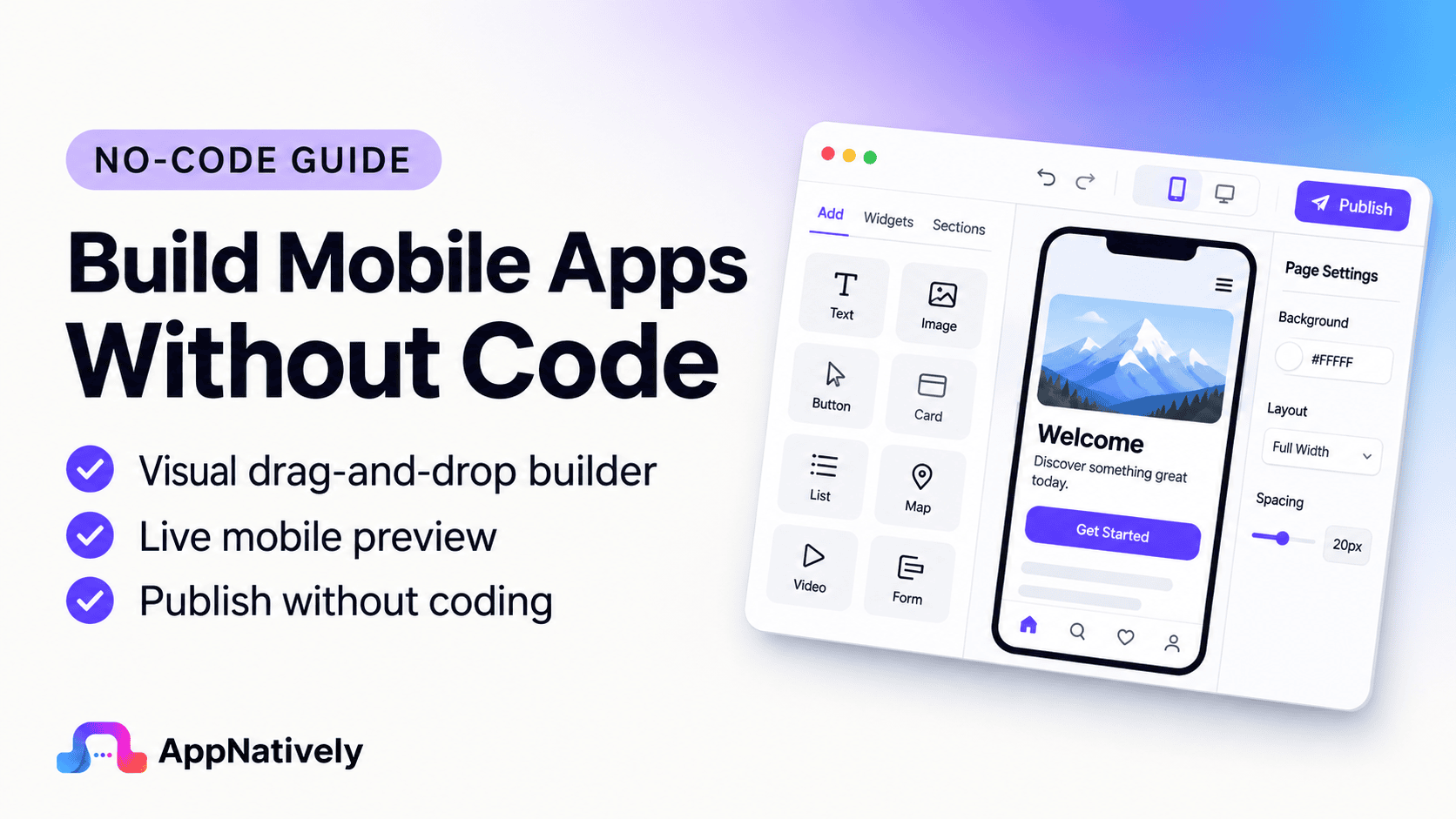
Most no-code app builders use drag-and-drop functionality. You select components, place them on your app screens, configure their behavior, and connect them to the data or services your application needs.
For example, an online store owner can create a mobile shopping experience by connecting an existing ecommerce website to an app-building platform. The app can display products, categories, customer accounts, and other store information without requiring the owner to develop a separate backend.
There are different approaches to no-code mobile app development:
- No-code app builders: Create applications using visual interfaces and configurable components.
- AI-powered app builders: Describe your requirements in natural language and use AI to assist with app creation.
- Website-to-app builders: Convert an existing website or connect its backend to a mobile application.
- Low-code platforms: Combine visual development with optional programming for advanced customization.
The best approach depends on the type of application you want to build, your technical requirements, and how much control you need over the final product.
What Do You Need Before Building a Mobile App?
Before choosing an app builder, take some time to understand what you want to create.
You don't need a technical specification or a professional development team. However, having a clear plan will make the development process easier.
Here are five things to prepare.
1. Define Your App's Purpose
Start by identifying the problem your application will solve.
Ask yourself:
- Who will use this application?
- What problem will it solve?
- What should users be able to do?
- Why would someone download it instead of using the website?
For example, an ecommerce business might want an app to make shopping easier, send order updates, and encourage repeat purchases.
A business directory might need an app where users can discover businesses, browse categories, search listings, and contact service providers.
Your app's purpose should guide every development decision.
2. Identify Your Essential Features
You don't need to include every possible feature in your first version.
Focus on the functionality users actually need.
Depending on your business model, essential features might include:
- User registration and login
- Home screen and navigation
- Product or content listings
- Search and filtering
- Push notifications
- Shopping cart and checkout
- User profiles
- Payment integration
- Maps and location-based services
- Customer support
Start with the most important features and expand your application as your requirements grow.
3. Prepare Your Existing Website or Data
If you already have a website, ecommerce store, directory, or content management system, check whether it provides APIs or supported integrations.
An API allows your mobile application to communicate with an existing system and retrieve or update information.
For example, a WooCommerce store can provide product, customer, and order information through its APIs. This means you may be able to build a mobile shopping experience without creating an entirely new backend.
If you're starting from scratch, choose an app builder that supports the data management and integrations your application requires.
4. Choose Your App Development Approach
Decide whether you need a native mobile app, a web app, or a progressive web app (PWA).
These approaches are not interchangeable.
- A native mobile app is built for mobile operating systems such as iOS and Android.
- A web app runs through a web browser.
- A PWA is a website enhanced with features that make it behave more like an application.
If your goal is to provide a dedicated mobile experience with native functionality, choose a platform that genuinely supports native iOS and Android development.
5. Set a Realistic Budget
Your budget should cover more than the app builder subscription.
Consider:
- App builder pricing
- Apple Developer Program membership
- Google Play Console registration
- Backend or third-party service costs
- Design assets
- Maintenance and updates
- Optional integrations
A clear budget helps you choose a platform that won't become unnecessarily expensive as your application grows.
How to Build a Mobile App Without Learning to Code: 8 Steps
Now that you understand the basics, let's walk through the actual development process.
Step 1: Choose the Right No-Code Mobile App Builder
The first step is selecting a platform that matches your application requirements.
Not all no-code app builders work the same way. Some specialize in business applications, while others focus on ecommerce, internal tools, or website-to-app development.
Before choosing a platform, evaluate these factors:
Native app support: Does the platform generate native iOS and Android applications, or does it simply display your website inside a WebView?
Visual editor: Can you customize screens, layouts, navigation, and components without writing code?
Backend connectivity: Can the app connect to your existing website, database, or API?
Integrations: Does it support the services your business already uses?
Customization: Can you control the appearance and functionality of your app?
Publishing support: Does it help you prepare builds for the Apple App Store and Google Play Store?
Pricing: Are essential features included, or will you need to pay separately for important functionality?
Take advantage of free trials whenever possible. Test the platform before committing to a long-term subscription.
Step 2: Create Your App Project
After selecting an app builder, create an account and start a new project.
Depending on your platform, you may be able to:
- Start with a blank project.
- Select a preconfigured app structure.
- Connect an existing website.
- Import data through an API.
- Use AI assistance to generate an initial layout.
If you already have a website, look for a builder that can connect to its existing backend rather than forcing you to recreate all your content and business logic.
For example, a WooCommerce store owner should ideally be able to connect the existing store and retrieve products, categories, and other relevant information.
This can save significant development time.
Step 3: Design Your App Screens
Your app's interface determines how users interact with your business.
A good no-code app builder should provide a visual editor where you can create and customize screens without programming.
Start with the essential screens:
Home screen: Introduces your business and highlights important content.
Navigation screen: Helps users move between different sections of your app.
Listing or product screen: Displays products, services, articles, or other content.
Details screen: Provides more information about an individual product, listing, or item.
Profile screen: Allows users to manage their accounts and personal information.
Settings screen: Provides access to preferences, support, and other options.
Keep your design consistent. Use readable typography, appropriate spacing, recognizable icons, and clear navigation.
Avoid overcrowding the interface with unnecessary features.
Step 4: Add Features Using Drag-and-Drop Components
Once your screens are ready, add the components your app needs.
Depending on the platform, these might include:
- Buttons
- Text fields
- Image galleries
- Product cards
- Search bars
- Navigation menus
- Forms
- Maps
- Lists
- Filters
- Notification components
A drag-and-drop editor allows you to position and configure these elements visually.
For example, if you're building a directory application, you might add a search bar, category section, business listing cards, location filters, and a map component.
If you're creating an ecommerce app, you might add product grids, category navigation, cart functionality, and checkout-related components.
The important thing is to choose components that support your app's actual purpose.
Step 5: Connect Your Website, Database, or API
This is one of the most important steps in building a functional mobile app.
An attractive interface is not enough. Your application needs access to real data.
If you already operate a website, connecting it to your mobile app can eliminate the need to manage two separate content systems.
For example:
- WooCommerce can provide product and order data.
- WordPress can provide posts, pages, and other content.
- Shopify can provide ecommerce data through its supported APIs.
- Custom applications can expose data through REST APIs.
Some app builders provide direct API integrations, while others require middleware or additional configuration.
Ideally, choose a solution that connects your mobile frontend directly to your existing backend through supported APIs.
This approach can help keep products, listings, content, and other information synchronized with your existing website.
Always check authentication, permissions, API limits, and data security before connecting your systems.
Step 6: Configure App Navigation and User Experience
Navigation helps users understand how to use your application.
A good mobile experience should make important actions easy to find.
For example, an ecommerce application might use navigation for:
- Home
- Categories
- Search
- Cart
- Account
A directory application might include:
- Explore
- Categories
- Map
- Favorites
- Profile
Test your navigation on different screen sizes. Make sure buttons are easy to tap, important content is visible, and users can complete common tasks without unnecessary steps.
Remember that a mobile application should be designed for mobile interactions, not simply scaled down from a desktop website.
Step 7: Test Your App Before Launching
Never publish an application without testing it.
Even if you build everything through a no-code platform, you are still responsible for checking the final experience.
Test the following:
- Screen layouts and responsiveness
- Navigation and button functionality
- User registration and login
- API connections
- Product or content loading
- Forms and checkout processes
- Push notification delivery
- Loading speed
- Error handling
- Permissions and authentication
Test on actual iOS and Android devices whenever possible.
If your platform supports preview builds or internal testing, use those features before submitting your app to the stores.
Also check whether your app handles poor network conditions and unexpected API responses properly.
Step 8: Publish Your App on the Apple App Store and Google Play Store
After testing, prepare your application for publication.
You generally need:
- An Apple Developer account
- A Google Play Console developer account
- App name and description
- App icon
- Screenshots
- Privacy policy
- Appropriate app permissions
- Store listing information
- Production-ready app builds
Submit your iOS application to Apple and your Android application to Google for review.
Both stores have their own review processes and publishing requirements. Meeting technical requirements does not guarantee approval.
For example, Apple reviews applications under its App Review Guidelines, while Google Play evaluates applications under its Developer Program Policies.
Make sure your app provides meaningful functionality, handles user data responsibly, and complies with the relevant policies.
One important distinction: an app builder may help you generate and prepare your application, but that does not necessarily mean it publishes the app on your behalf. Check whether you need to submit the app yourself using your own developer accounts.
Best Types of Mobile Apps You Can Build Without Coding
No-code development is suitable for many types of applications, particularly when you can use existing integrations and backend services.
Here are some examples.
1. Ecommerce Mobile Apps
Online store owners can build mobile shopping applications without developing an entirely new ecommerce system.
An ecommerce app can include:
- Product catalogs
- Product categories
- Product details
- Shopping carts
- Customer accounts
- Order information
- Push notifications
Platforms such as WooCommerce and Shopify provide ways to access store data through APIs and integrations.
A dedicated mobile experience can make it easier for customers to browse products and interact with your store.
2. Business Directory Apps
Business directories connect users with companies, professionals, and local services.
You can build a directory app with features such as:
- Business listings
- Category browsing
- Location-based discovery
- Search and filters
- Business profiles
- Maps
- Reviews and ratings
- Favorites
If your directory already runs on WordPress, you may be able to connect it to a mobile app using supported APIs.
This allows you to extend your existing directory platform instead of rebuilding the entire system.
3. Booking and Appointment Apps
Service-based businesses can create mobile applications that help customers discover services and manage appointments.
Common features include:
- Service catalogs
- Appointment scheduling
- Availability information
- Customer profiles
- Booking history
- Notifications
- Payment integration
The availability of these features depends on the app builder and the booking system you use.
4. Education and LMS Apps
Educational businesses can use no-code tools to create mobile learning experiences.
Depending on their integrations, these applications may include:
- Course catalogs
- Lesson content
- Student accounts
- Learning progress
- Video lessons
- Notifications
- Quizzes
If your courses are already managed through an LMS, look for an app builder that supports the necessary API connections.
5. Restaurant Apps
Restaurants can create mobile applications to improve customer engagement and ordering experiences.
Possible features include:
- Digital menus
- Food categories
- Online ordering
- Reservations
- Order updates
- Loyalty programs
- Push notifications
The right platform depends on the restaurant's existing ordering and management system.
Best No-Code Mobile App Builders to Consider
Choosing the right app builder is just as important as designing your application.
Here are several platforms worth evaluating, depending on your requirements.
AppNatively
AppNatively is an AI-powered, drag-and-drop native mobile app builder that helps businesses turn existing websites into native iOS and Android applications.
Instead of requiring users to build an entirely new backend, AppNatively connects the mobile application to an existing website or backend through supported API connections.
Its visual builder lets users customize app screens, add components, configure layouts, and create mobile experiences without writing code.
Key capabilities include:
- Native iOS and Android app development
- AI-assisted app building
- Drag-and-drop visual editor
- Website and API connectivity
- More than 110 UI components
- Push notifications
- OTA (over-the-air) updates
- Customization of app screens and navigation
AppNatively can be particularly relevant for WordPress businesses, WooCommerce stores, directories, and other website owners who want a dedicated mobile application without rebuilding their existing backend.
Adalo
Adalo is a no-code platform for creating applications through a visual interface.
It is worth considering for entrepreneurs and small businesses that want to build applications with screens, data collections, user accounts, and workflows.
Its suitability depends on the application's complexity, integrations, and publishing requirements.
Glide
Glide focuses on building applications from structured data sources.
It can be useful for business tools, internal applications, dashboards, and data-driven workflows.
However, if your main objective is publishing a traditional native iOS and Android app through the app stores, carefully evaluate its current publishing capabilities before choosing it.
FlutterFlow
FlutterFlow is a visual development platform built around Flutter.
It allows users to design interfaces, connect data sources, and build mobile applications with a visual editor.
Although it reduces the amount of manual programming required, it is more flexible for users who are comfortable with technical concepts and may involve custom code for advanced requirements.
Thunkable
Thunkable provides a visual environment for creating mobile applications using block-based logic and components.
It can be a suitable starting point for beginners, educators, and people experimenting with mobile app development.
Evaluate its current platform features and publishing options against your project requirements.
Important: These platforms serve different use cases. A tool that works well for internal business applications may not be the best option for a customer-facing ecommerce or directory application. Always evaluate the actual output, integrations, customization, and publishing capabilities before making a decision.
No-Code vs. Low-Code vs. Traditional App Development
Before choosing a development method, understand the differences.
| Factor | No-code | Low-code | Traditional development |
|---|---|---|---|
| Programming knowledge | Usually not required | Helpful | Required |
| Development approach | Visual tools | Visual tools + code | Programming |
| Development speed | Often faster | Moderate | Depends on scope |
| Customization | Platform-dependent | High | Very high |
| Technical control | Platform-dependent | Greater control | Full control |
| Maintenance | Platform-dependent | Shared responsibility | Developer-managed |
Which Development Approach Is Best?
Choose no-code if you want to build a mobile app quickly using visual tools and your requirements fit the platform's capabilities.
Choose low-code if you want visual development but also need the flexibility to write custom code.
Choose traditional development if your application requires highly specialized functionality, deep system-level control, or architecture that existing platforms cannot support.
There is no universally best approach. The right choice depends on your requirements, budget, timeline, and long-term plans.
How Much Does It Cost to Build a Mobile App Without Coding?
The cost of building a mobile app without coding depends on the platform, features, integrations, and publishing requirements.
A no-code app builder can reduce development expenses because you don't need to hire a full development team for every task.
However, no-code development is not necessarily free.
Your total cost may include:
- App builder subscription: The platform's monthly or annual pricing.
- Developer accounts: Apple and Google developer account fees.
- Third-party integrations: Costs associated with APIs, payment services, analytics, or other tools.
- Backend services: Hosting, databases, or existing website infrastructure.
- Maintenance: Updates, troubleshooting, and additional functionality.
The best way to estimate your budget is to identify your required features and compare the complete cost of each platform.
Don't select a builder based only on its starting price. Check the pricing limits for app publishing, integrations, notifications, updates, and the number of applications you can create.
Can You Build a Native iOS and Android App Without Coding?
Yes. Some no-code platforms can generate native applications for both iOS and Android through visual development tools.
However, not every platform that claims to build mobile apps generates native applications.
There are three important approaches to understand:
Native applications: Built for mobile operating systems and designed to use their supported capabilities.
WebView applications: Display website content inside a native application container. Much of the experience is still web-based.
Progressive Web Apps: Websites that use browser technologies to provide app-like functionality.
These approaches have different technical characteristics and capabilities.
If you want to build a native application, ask your provider how the application is generated, how it renders its interface, how it accesses device capabilities, and whether you receive actual iOS and Android builds.
Don't assume that an application is native simply because it can be downloaded from an app store.
Learn more: PWA vs WebView vs Native app.
Common Mistakes to Avoid When Building an App Without Coding
No-code tools make development more accessible, but beginners can still make costly mistakes.
Here are some issues to watch out for.
1. Choosing a Builder Without Checking Its Limitations
Some platforms restrict integrations, customization, publishing, or advanced functionality.
Always check whether the platform supports your essential requirements.
2. Confusing WebView Apps With Native Apps
A mobile application that simply displays your website may not provide the experience you expect.
Understand how the platform builds and renders applications before purchasing a subscription.
3. Ignoring Mobile User Experience
A desktop website and a mobile application serve users in different environments.
Design your app around smaller screens, touch interactions, clear navigation, and mobile-friendly layouts.
4. Rebuilding an Existing Backend Unnecessarily
If you already have a functioning website or business management system, you may not need a separate backend for your mobile app.
Look for a platform that can connect to your existing infrastructure through APIs.
5. Skipping Testing
A successful preview does not guarantee that your final application will work correctly on every device.
Test important features, API connections, navigation, and performance before publishing.
6. Ignoring App Store Guidelines
Apple and Google have their own requirements for applications.
Review their guidelines before submission to avoid preventable rejection.
Is Building a Mobile App Without Coding Worth It?
For many businesses, yes.
No-code development makes mobile app creation more accessible to entrepreneurs, small businesses, marketers, ecommerce owners, and website operators.
It can reduce the time and technical knowledge required to launch an application.
However, no-code is not a shortcut around planning, testing, security, or good product design.
The best results come from selecting a platform that matches your requirements, using your existing infrastructure where possible, and focusing on the experience your users actually need.
If you already have a website, consider whether you can extend it into a mobile application instead of building everything from scratch.
That approach can save time, reduce operational complexity, and make it easier to manage your digital business across multiple platforms.
Final Thoughts
Building a mobile app without learning to code is no longer an unrealistic idea. No-code and AI-powered app builders have changed how entrepreneurs and businesses approach mobile application development.
You don't need to become a programmer to bring your app idea to life. You need a clear plan, the right development platform, a good understanding of your users, and a willingness to test and improve your application.
If you already have a website, ecommerce store, or online business, you may not need to start from zero. You can explore platforms that connect your existing infrastructure to a dedicated mobile application.
The important thing is to choose a solution that gives you the functionality, flexibility, and mobile experience your business needs.
Ready to turn your website into a mobile app? Explore AppNatively and discover how you can build native iOS and Android applications using a visual, AI-powered app builder, without writing code.
Frequently asked questions
Yes. You can use no-code mobile app builders that provide drag-and-drop editors, visual components, and integrations. These tools let you design screens, connect data, and configure app functionality without manually writing programming code.
The easiest approach is to use a no-code app builder with a visual editor. Start by defining your app's purpose, choosing a platform, designing essential screens, connecting your data, and testing the application before publishing.
Some platforms offer free plans or trials that allow you to experiment with app development. However, publishing a production-ready app may require a paid subscription, developer accounts, and additional services.
Yes. Several no-code platforms support building applications for both Android and iOS. However, check whether the platform generates native builds for both operating systems and supports the publishing process.
A simple application may take a few hours or days to create, while a more complex application can take several weeks or longer. The timeline depends on the features, integrations, design requirements, testing, and publishing process.
Yes. Website-to-app builders can connect an existing website or its backend to a mobile application. Depending on the platform, you can reuse your website's data, products, content, and existing business systems.
Some no-code platforms generate native iOS and Android applications, while others create WebView-based applications or web apps. Check the platform's technical architecture and actual app output before choosing one.
Yes, provided your app meets the respective store's technical, privacy, functionality, and policy requirements. You will generally need your own Apple Developer and Google Play Console accounts to submit the applications.
Not necessarily. Many updates, design changes, and content adjustments can be managed through the app builder. However, complex integrations, custom functionality, API issues, and technical troubleshooting may require developer assistance.
The best platform depends on your website technology and app requirements. Website owners should prioritize API connectivity, native iOS and Android support, visual customization, reliable data synchronization, and publishing options. AppNatively is one option worth evaluating for businesses that want to turn existing websites into native mobile applications.
Related posts