

Website to App: Everything You Need to Know

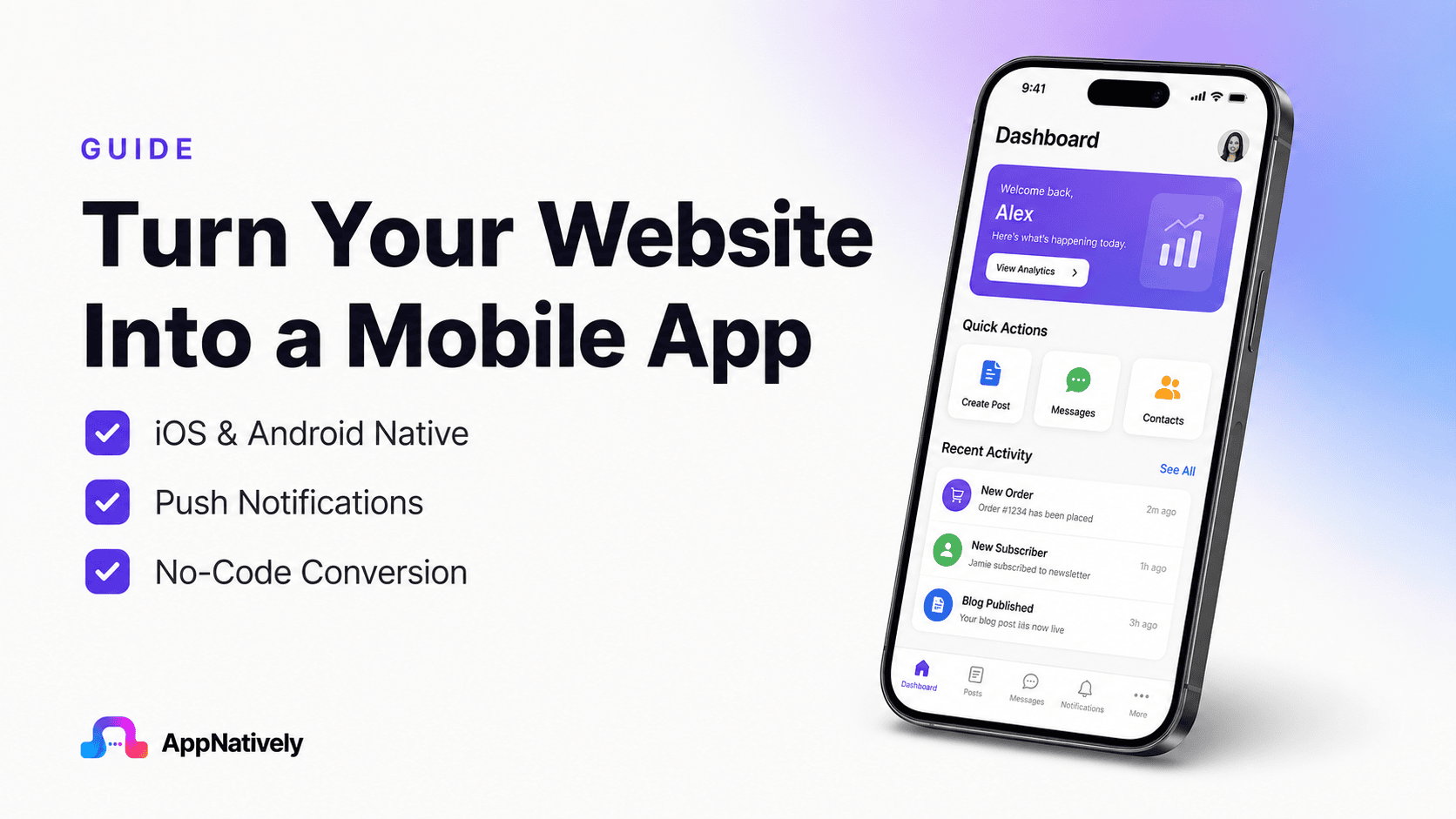
Your website brings visitors. A mobile app brings them back.
As mobile usage continues to dominate, customers expect faster, smoother, and more personalized experiences than a website alone can provide.
That’s why more businesses are turning their websites into mobile apps, not by rebuilding everything from scratch, but by leveraging what they already have.
Whether you run an eCommerce store, booking platform, directory, restaurant, hotel, or online service, converting your website into a mobile app can improve customer engagement, increase retention, and create new revenue opportunities.
In this blog post, you’ll learn everything about website-to-app conversion, including how it works, its benefits, the different approaches available, and how to choose the right solution for your business.
What Is Website-to-App Conversion?
Website-to-app conversion is the process of transforming an existing website into a mobile application that runs on Android and iOS devices.
Instead of rebuilding your entire business from the ground up, the app leverages your existing website, backend, APIs, and business logic while providing a mobile-first experience.
Depending on the technology used, the final product can range from a simple WebView wrapper to a fully native mobile application with platform-specific features.
Think of your website as the engine of your business. Website-to-app technology builds a mobile interface around that engine, allowing customers to interact with your services more efficiently from their smartphones.
Why Are More Businesses Building Mobile Apps?
Consumer behavior has changed dramatically over the past decade.
People now spend significantly more time inside mobile apps than web browsers. They shop, book appointments, order food, read news, communicate, and manage finances primarily through apps.
This presents a major opportunity for businesses.
A mobile app allows companies to remain on customers’ home screens, creating a constant brand presence that websites simply cannot match.
Instead of hoping customers remember to revisit your website, your app becomes a direct communication channel.
With push notifications, personalized recommendations, saved user preferences, and faster navigation, businesses can build stronger customer relationships while increasing repeat engagement.
For online stores, this often translates into higher purchase frequency and better customer lifetime value.
Website vs Mobile App
Many business owners wonder whether a responsive website is enough.
The answer depends on your goals.
A website is excellent for discovery through search engines. It helps new customers find your business.
A mobile app, on the other hand, excels at retaining existing customers.
| Website | Mobile App |
|---|---|
| Great for SEO | Great for customer retention |
| Accessible through browsers | Installed directly on devices |
| Limited device integration | Full access to native features |
| No push notifications | Push notifications included |
| Requires internet | Can support offline capabilities |
| Lower engagement | Higher engagement |
| Harder to encourage repeat visits | One tap away on the home screen |
Rather than replacing each other, websites and apps work best together.
Your website attracts visitors.
Your mobile app turns those visitors into loyal customers.
The Biggest Misconception About Website-to-App Conversion
Many people believe every website-to-app builder produces the same result.
This is far from true.
Some platforms simply display your website inside a browser embedded within the app.
While this approach is inexpensive, it often results in slower performance, limited offline functionality, poor navigation, and an experience that feels more like visiting a website than using a mobile app.
More advanced solutions generate true native applications that are specifically built for Android and iOS.
These apps integrate directly with device capabilities, provide smoother interactions, load faster, and offer a significantly better user experience.
Understanding this distinction is one of the most important decisions you’ll make when selecting a website-to-app solution.
Native Apps vs WebView Apps: Understanding the Biggest Difference
If you’re researching website-to-app solutions, you’ve probably come across terms like native app and WebView app.
At first glance, both appear to solve the same problem by turning a website into a mobile app. However, they deliver very different experiences for both businesses and customers.
Choosing the wrong approach can lead to slow performance, frustrated users, poor app ratings, and lower customer retention.
Choosing the right one can create an app that feels polished, responsive, and capable of supporting your business for years to come.
Let’s explore the differences.
What Is a WebView App?
A WebView app is essentially your website displayed inside a mobile application. Rather than creating a separate mobile interface, the app loads your website within an embedded browser component.
This method is popular because it is fast to build and requires minimal development effort. Any changes made to your website are reflected in the app without rebuilding the application.
While this approach may be suitable for very simple informational websites, it often falls short when businesses expect a premium mobile experience.
Advantages
- Lower development cost
- Faster initial setup
- Easy content updates
- Reuses your existing website
Limitations
- Performance depends heavily on website speed
- Navigation may feel like browsing a website rather than using an app
- Limited offline functionality
- Restricted access to native device features
- Less fluid animations and interactions
- Can lead to lower user satisfaction if not optimized properly
What Is a Native App?
A native app is specifically built for a mobile operating system such as Android or iOS. Instead of simply displaying your website, it creates a mobile experience designed around platform standards and device capabilities.
Modern website-to-app platforms can generate native applications while still connecting to your existing website, APIs, and backend systems.
The result is a mobile app that looks, feels, and performs as software users download from major app stores every day.
Advantages
- Faster performance
- Smoother scrolling and animations
- Better responsiveness
- Access to native hardware features
- Superior user experience
- Higher engagement potential
- Better scalability for future features
Native App vs WebView App
| Feature | Native App | WebView App |
|---|---|---|
| Performance | Excellent | Depends on website |
| User Experience | Optimized for mobile | Website inside an app |
| Animations | Smooth | Limited |
| Offline Support | Better | Limited |
| Push Notifications | Full support | Often limited |
| Camera Integration | Native | Limited |
| GPS Integration | Native | Limited |
| Device APIs | Extensive | Restricted |
| Scalability | High | Moderate |
| Customer Satisfaction | Higher | Lower if poorly optimized |
Which One Should You Choose?
The answer depends on your business goals.
If you simply want a mobile version of your website for occasional visitors, a WebView solution may meet your basic requirements.
However, if your goal is to increase customer engagement, improve retention, build loyalty, and create a premium brand experience, a native app is the better long-term investment.
Businesses that depend on repeat customers, such as online stores, food delivery services, booking platforms, directories, and subscription services, benefit the most from native applications.
Why Businesses Are Investing in Website-to-App Conversion
Building a mobile app isn’t just about keeping up with competitors. It directly impacts how customers interact with your brand.
Here are the biggest advantages.
1. Increased customer retention
A website depends on users remembering to return.
A mobile app stays on the customer’s home screen, making repeat visits effortless.
Every icon on a smartphone acts as a reminder of your business.
The easier it is for customers to return, the more opportunities you have to build loyalty.
2. Higher conversion rates
Apps reduce friction throughout the customer journey.
Users don’t need to:
- Open a browser
- Search for your website
- Wait for multiple pages to load
- Log in repeatedly
Instead, they launch the app with one tap.
This streamlined experience often leads to more completed purchases and fewer abandoned carts.
3. Push notifications drive repeat sales
One of the biggest advantages of mobile apps is direct communication.
Instead of relying solely on email marketing or social media algorithms, businesses can instantly notify users about:
- Flash sales
- New arrivals
- Order updates
- Special discounts
- Cart reminders
- Personalized offers
Well-timed notifications consistently outperform many traditional marketing channels in terms of engagement.
4. Better brand visibility
Every installed app becomes permanent advertising.
Unlike a browser bookmark that users rarely revisit, your app icon remains visible every day.
This constant visibility strengthens brand recognition over time.
5. Faster shopping experience
Modern consumers expect speed.
Native apps can cache resources, preload content, and optimize interactions to deliver a smoother shopping experience.
Even small improvements in loading speed can have a measurable impact on revenue.
6. Improved customer loyalty
Apps encourage repeat behavior.
Customers are more likely to:
- Browse products frequently
- Save favorite items
- Receive personalized recommendations
- Complete purchases
- Return for future orders
This creates a stronger relationship than a website alone.
Industries That Benefit Most from Website-to-App Conversion
While almost any business can benefit from a mobile app, certain industries see especially strong results because they rely on repeat customer engagement and frequent interactions.
i. eCommerce stores
Online retailers often experience the greatest return on investment from mobile apps.
Customers can browse products more quickly, receive instant notifications about promotions, track orders in real time, and enjoy a smoother checkout process.
The convenience of having a store available with a single tap encourages repeat purchases and increases customer loyalty.
Popular examples include businesses powered by WooCommerce, Shopify, SureCart, and other eCommerce platforms.
ii. Online directories
Business directories, service marketplaces, and local listing websites benefit from apps that make searching, filtering, and contacting businesses much faster.
Features like GPS integration, saved searches, maps, favorites, and instant notifications improve the overall experience while encouraging users to return more frequently.
iii. Booking platforms
Hotels, travel agencies, appointment booking systems, and event platforms rely on timely interactions.
A mobile app allows users to:
- Make reservations
- Receive booking confirmations
- Get reminders
- Manage appointments
- Access tickets
- Receive last-minute offers
All without needing to revisit a website.
iv. Restaurants and food delivery
Restaurants can simplify ordering, promote limited-time offers through push notifications, enable repeat ordering, and provide customers with real-time order updates.
The result is a faster ordering experience and increased customer retention.
v. Learning platforms
Students expect learning to happen on mobile devices.
An app enables learners to access courses, track progress, receive assignment reminders, and continue learning wherever they are.
vi. Membership communities
Organizations, clubs, and subscription-based businesses can strengthen engagement through personalized notifications, exclusive content, and easier access to member resources.
Features Every Modern Business App Should Include
Converting a website into an app is only the first step. To maximize user engagement and long-term success, your app should provide a mobile experience that feels intuitive, fast, and valuable.
Native navigation
Mobile users expect navigation that feels familiar and effortless.
Well-designed native menus, bottom navigation bars, gestures, and smooth transitions help users move through the app naturally.
Push notifications
Push notifications remain one of the most effective tools for bringing users back.
They can be used to announce promotions, order updates, abandoned carts, new content, or personalized recommendations.
When used thoughtfully, they increase engagement without overwhelming users.
Secure authentication
Whether customers log in using email, social accounts, or biometric authentication, the process should be quick and secure.
A frictionless login experience encourages continued use while protecting user data.
Offline support
Although not every feature can work without an internet connection, caching important content such as previously viewed pages, product information, or user preferences improves reliability and creates a smoother experience in areas with poor connectivity.
Fast performance
Every second counts.
Users expect instant responses when opening the app, switching between screens, or browsing products. Optimized performance reduces frustration and increases the likelihood of conversions.
Personalized experiences
Modern apps can tailor content based on user behavior.
Examples include:
- Recently viewed products
- Recommended items
- Favorite businesses
- Saved searches
- Personalized offers
- Custom dashboards
Personalization makes the app feel more relevant to each user and encourages repeat engagement.
Seamless integration
Your app should work effortlessly with the systems that already power your business, such as payment gateways, inventory management, customer accounts, booking engines, and content management systems.
The smoother these integrations are, the more consistent the experience becomes for both you and your customers.
How Does Website-to-App Conversion Work?
One of the biggest misconceptions about website-to-app conversion is that it’s simply a matter of putting a website inside a mobile application. While some basic solutions work this way, modern website-to-app platforms take a much more sophisticated approach.
The goal isn’t just to display your website on a smaller screen. It’s to create a mobile experience that feels intuitive, responsive, and optimized for Android and iOS while continuing to use your existing website as the source of truth.
In most cases, your website remains responsible for storing products, customer accounts, orders, bookings, content, and other business data. The mobile app communicates with your website in real time, ensuring that both platforms stay synchronized.
For example, if a customer places an order through your app, that order is instantly available in your website’s dashboard. If you update product prices or publish a new blog post on your website, the app reflects those changes automatically.
This synchronization eliminates duplicate work and allows businesses to manage everything from a single backend.
The Core Components of a Website-to-App System
Although implementations vary between platforms, most modern solutions include several key components working together.
1. The website
Your website continues to power the business.
It stores:
- Products
- Customers
- Orders
- Blog posts
- Inventory
- User accounts
- Booking information
- Business settings
Think of the website as your central management hub.
2. APIs
APIs act as translators between your website and your mobile application.
Whenever the app needs information, such as product details, customer profiles, or order history, it sends a request to your website through an API. The website processes the request and returns the required data in a structured format.
This allows the app to display live information without requiring duplicate databases or manual updates.
3. Mobile interface
Instead of simply displaying web pages, many advanced solutions create dedicated mobile screens designed for touch interactions.
These screens are optimized for:
- Faster navigation
- Better readability
- Improved usability
- Native gestures
- Smaller screens
- Platform-specific design guidelines
The result feels much more natural than browsing a website inside a mobile browser.
4. Cloud services
Many mobile apps also rely on cloud services for features such as:
- Push notifications
- Analytics
- Crash reporting
- User authentication
- File storage
- Real-time messaging
These services improve reliability while giving businesses valuable insights into user behavior.
What Happens When a Customer Uses the App?
A simplified user journey looks like this:
- The customer opens the app.
- The app requests the latest information from your website.
- Your website returns the necessary data through APIs.
- The app displays the information using a mobile-friendly interface.
- If the customer makes a purchase, books a service, or updates their profile, the information is sent back to your website instantly.
- Both platforms remain synchronized without any manual intervention.
This seamless communication ensures that your website and app always stay aligned.
Common Website-to-App Technologies
Businesses generally have several options when converting a website into an app.
WebView applications
These display the website inside an embedded browser.
Development is fast and inexpensive, but the user experience often resembles browsing a website rather than using a native mobile app.
Progressive web apps (PWAs)
PWAs bridge some of the gap between websites and mobile apps.
They support features such as:
- Offline caching
- Home screen installation
- Faster loading
- Background synchronization
However, they still have limitations compared to fully native applications, particularly regarding device integrations and platform-specific capabilities.
Cross-platform frameworks
Technologies such as React Native and Flutter allow developers to build apps for Android and iOS from a shared codebase.
They offer excellent performance and reduce development time while maintaining near-native experiences.
Native app builders
Modern no-code platforms generate native applications while allowing businesses to continue managing content through their existing websites.
This approach combines the convenience of website synchronization with the performance benefits of native apps.
What Does Website-to-App Conversion Cost?
Pricing varies significantly depending on the approach you choose.
Option 1: Custom development
Hiring a development team to build Android and iOS apps from scratch is the most expensive route.
Costs often include:
- UI/UX design
- Frontend development
- Backend integration
- Testing
- App Store deployment
- Ongoing maintenance
- Future updates
For many small and medium-sized businesses, this investment can be difficult to justify.
Option 2: Freelancers or agencies
Freelancers may reduce initial costs, but quality, communication, long-term support, and scalability can vary considerably.
Businesses should carefully evaluate experience, maintenance plans, and post-launch support before making a decision.
Option 3: Website-to-app platforms
Modern website-to-app builders significantly reduce both development costs and launch timelines.
Many platforms provide:
- Drag-and-drop customization
- Native Android and iOS apps
- Website synchronization
- Push notifications
- Easy updates
- Faster deployment
For businesses that already have a functioning website, this is often the most cost-effective path to launching a mobile app.
Factors That Affect Development Costs
Several variables influence the overall investment required.
Design complexity
Highly customized interfaces require more design and development effort than standard layouts.
Number of features
Advanced capabilities such as loyalty programs, live chat, GPS tracking, subscriptions, payment integrations, and offline functionality increase project complexity.
Third-party integrations
Connecting external services may require additional development depending on available APIs and documentation.
Platform support
Building for both Android and iOS naturally requires more resources than targeting a single platform, although many modern solutions can generate both platforms from a single project.
Long-term maintenance
Launching the app is only the beginning.
Businesses should also consider:
- Operating system updates
- Security improvements
- Performance optimization
- Bug fixes
- New features
- Store compliance
Choosing a platform with ongoing updates and reliable support can reduce maintenance costs over time.
Common Challenges During Website-to-App Conversion
Although converting a website into an app has become much easier, businesses still face several common challenges.
Understanding them in advance helps avoid delays and costly mistakes.
Mobile user experience
A desktop website doesn’t automatically translate into an excellent mobile app.
Navigation, layouts, buttons, and interactions should be optimized specifically for mobile users rather than copied directly from the website.
Performance optimization
Large images, unnecessary scripts, slow database queries, and excessive plugins can negatively affect app performance.
Optimizing your website before conversion often leads to a faster and smoother mobile experience.
Data synchronization
Products, customers, orders, inventory, and content should stay synchronized across both platforms.
Reliable API communication is essential to avoid inconsistencies.
Platform guidelines
Both Google Play and the Apple App Store have strict review processes.
Apps must meet requirements related to privacy, security, functionality, and user experience before approval.
Choosing a solution that follows these guidelines from the beginning reduces the likelihood of rejection.
Security
Your app should protect user data through secure authentication, encrypted communication, and regular updates.
Customers expect their personal and payment information to remain safe.
How to Choose the Best Website-to-App Builder
Not every website-to-app platform delivers the same results. Some prioritize speed of deployment, while others focus on performance, customization, or scalability. The right choice depends on your business goals, technical requirements, and future growth plans.
Rather than asking, “Which platform is the cheapest?” ask, “Which platform will help my business grow over the next five years?”
A well-built app should become a long-term business asset, not just another marketing expense.
1. Choose native performance over simple wrappers
The first question you should ask is how the app is built.
Some platforms simply wrap your website inside a mobile browser. While this may reduce development time, it often results in slower performance, inconsistent navigation, and a user experience that doesn’t feel like a real mobile app.
Look for a solution that generates true native Android and iOS applications while staying connected to your existing website.
Native apps generally offer:
- Better responsiveness
- Faster loading
- Smoother animations
- Improved customer satisfaction
- Higher long-term engagement
2. Ensure it works with your existing website
Your website is already the foundation of your business.
The ideal platform should integrate seamlessly with your existing infrastructure instead of forcing you to rebuild everything.
Look for compatibility with:
- WooCommerce
- Shopify
- Booking platforms
- Directory websites
- Membership websites
- Learning management systems
- Custom APIs
The easier the integration, the faster your launch.
3. Look for easy customization
Your mobile app should reflect your brand.
Choose a platform that allows you to customize:
- Colors
- Typography
- Navigation
- Home screen
- Icons
- Splash screen
- Layouts
- Menus
Without requiring extensive coding.
4. Prioritize scalability
Your app today won’t be the same app you’ll need two years from now.
Consider whether the platform supports future features like:
- Loyalty programs
- Advanced analytics
- Multiple languages
- Additional payment gateways
- AI-powered personalization
- New integrations
A scalable solution saves you from rebuilding your app later.
5. Review support and documentation
Even no-code platforms require occasional assistance.
Evaluate:
- Documentation quality
- Tutorial videos
- Customer support
- Update frequency
- Community resources
Reliable support can significantly reduce downtime and frustration.
Website-to-App Launch Checklist
Before publishing your app, verify that every essential component has been tested and optimized.
Business preparation
✔ Website is mobile-friendly
✔ Product information is accurate
✔ Navigation is organized
✔ Images are optimized
✔ Payment gateway works properly
✔ Privacy policy is available
✔ Terms and conditions are updated
Technical Preparation
✔ Login works correctly
✔ Registration process is smooth
✔ Push notifications are configured
✔ APIs are functioning properly
✔ Performance has been tested
✔ Error handling has been verified
✔ Analytics are connected
Store readiness
✔ High-quality app icon
✔ Professional screenshots
✔ Optimized app description
✔ Relevant keywords
✔ Feature graphic
✔ Privacy disclosures
✔ Proper app categorization
Best Practices for Long-Term Success
Launching your app is only the beginning. The businesses that achieve the highest return on investment continuously improve their apps based on user feedback and performance data.
i. Continue improving user experience
Monitor user behavior regularly.
Identify where customers leave the app, abandon purchases, or struggle with navigation. Small improvements often have a significant impact on conversion rates.
ii. Use push notifications wisely
Push notifications are powerful, but excessive messaging can encourage users to disable notifications or uninstall the app.
Focus on delivering relevant and timely updates, such as:
- Order confirmations
- Shipping updates
- Personalized offers
- Product launches
- Flash sales
- Back-in-stock alerts
Quality always outperforms quantity.
iii. Monitor analytics
Data helps you make better decisions.
Track metrics such as:
- Daily active users
- Monthly active users
- Session duration
- Retention rate
- Conversion rate
- Average order value
- Cart abandonment
- App crashes
These insights reveal opportunities to improve both user experience and revenue.
iv. Keep your app updated
Regular updates demonstrate that your app is actively maintained.
Updates can include:
- Performance improvements
- Security enhancements
- Bug fixes
- New features
- UI refinements
- Compatibility with the latest Android and iOS versions
Users are more likely to trust and recommend an app that evolves.
v. Encourage reviews
Positive reviews improve credibility and visibility within app stores.
Ask satisfied customers for feedback after successful purchases or meaningful interactions.
Avoid requesting reviews immediately after installation, as users haven’t yet experienced the app’s value.
Frequently Asked Questions
Can I convert any website into a mobile app?
Most modern websites can be converted into mobile apps, especially those built with popular platforms like WooCommerce, Shopify, WordPress, booking systems, directory solutions, and custom CMS platforms.
The quality of the final app depends on both the website’s structure and the technology used for conversion.
Do I need coding knowledge?
Not necessarily.
Many modern website-to-app builders provide visual interfaces that allow businesses to create and customize native mobile apps without writing code.
Is a mobile app better than a responsive website?
They serve different purposes.
A responsive website is excellent for attracting visitors through search engines, while a mobile app excels at retaining existing customers, increasing engagement, and encouraging repeat purchases.
For many businesses, using both together produces the best results.
Will my website and app stay synchronized?
Yes.
Most modern platforms synchronize products, customers, orders, content, and other data automatically through APIs or direct integrations.
This allows you to manage everything from your existing website.
Can I publish on both Android and iOS?
Yes.
Many website-to-app platforms support publishing on both Google Play and the Apple App Store from a single project.
How long does it take to launch?
The timeline depends on your website’s complexity and the solution you choose.
Traditional custom development may take several months.
Website-to-app builders can often reduce that timeline to days or weeks, provided your website is already operational and optimized.
Is a native app worth the investment?
For businesses that rely on repeat customers, the answer is often yes.
Native apps typically deliver:
- Better user experiences
- Higher engagement
- Improved customer retention
- Faster performance
- More opportunities for personalized marketing
These advantages can contribute to stronger long-term business growth.
Why Businesses Choose AppNatively
If you’re looking for a modern way to transform your website into a fully native Android and iOS app, AppNatively offers a streamlined solution designed for growing businesses.
Unlike platforms that simply display your website inside a WebView, AppNatively focuses on generating high-performance native applications while allowing you to continue managing your business through your existing website.
With its drag-and-drop interface, extensive customization options, seamless website synchronization, and support for popular platforms such as WooCommerce, directory websites, booking systems, and other business websites, AppNatively makes launching a professional mobile app significantly faster and more accessible.
Instead of spending months coordinating designers, developers, and multiple teams, you can focus on growing your business while delivering the mobile experience your customers expect.
Whether you run an online store, booking platform, restaurant, directory, hotel, marketplace, or service-based business, converting your website into a native mobile app can become one of the most impactful investments you make for long-term growth.
Final Thoughts
The mobile-first era has fundamentally changed how customers discover, interact with, and purchase from businesses. While a responsive website remains essential, it is no longer enough for companies that want to maximize engagement and build lasting customer relationships.
A mobile app creates a direct connection with your audience. It shortens the path from interest to action, improves accessibility, strengthens brand recognition, and gives businesses powerful tools like push notifications, personalized experiences, and native device capabilities.
The success of your app, however, depends on choosing the right approach. A solution that prioritizes native performance, seamless integration, scalability, and ease of management will provide far greater long-term value than one focused solely on reducing initial development costs.
If your business already has a website, you’ve completed the hardest part. Your products, services, content, and customers are already online. The next step is extending that experience into the mobile world with an app that feels fast, intuitive, and built for today’s users.
Related posts
AppNatively vs BuildFire vs MobiRoller vs AppMySite vs AppPresser vs Thunkable vs GoodBarber: Which App Builder Is Best?

Why Do People Install Apps Instead of Using Websites?

AppNatively vs Tapcart vs MobiLoud vs Shopney: Which Shopify Mobile App Builder Is Best in 2026?