
Your app makes its first impression before anyone opens it – the icon sitting on someone’s home screen, and the screen they see for a moment while it loads. Both show up before a user sees anything you built in the App Editor. It’s a short category, but a high-visibility one, and your app icon is also one of the things checked before your first build, so it’s worth doing early rather than at the end.
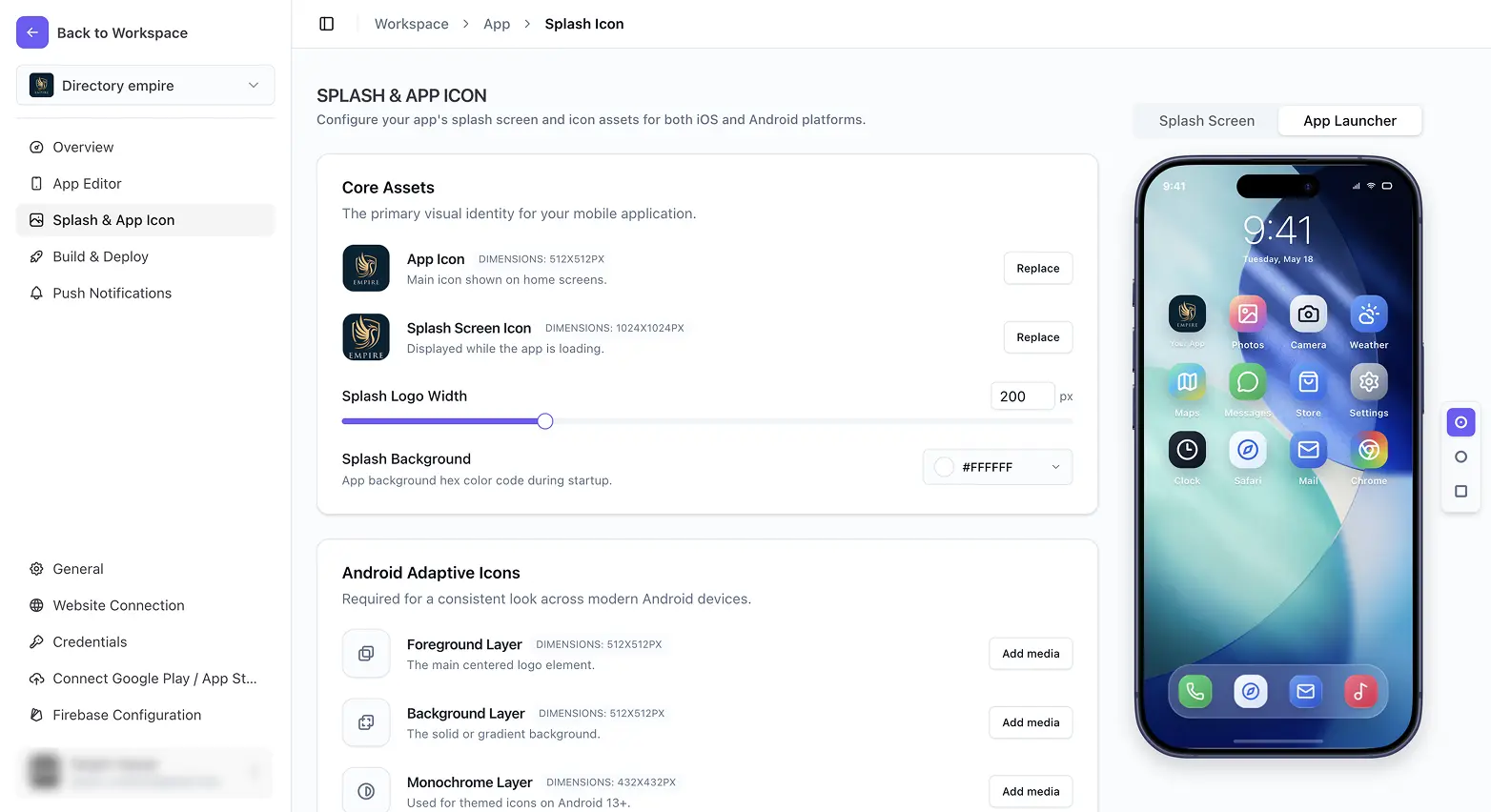
What you can do in Splash & App Icon
Set your app icon is the main one – a single square image, previewed exactly as it’ll appear on a home screen. Android goes a step further with adaptive icons, where separate foreground, background, and monochrome layers let modern launchers reshape and theme your icon to match the user’s device. Then there’s the splash screen: an icon, a size, and a background color, so your app opens with your branding instead of a blank white flash.
Every control on these pages saves automatically as you change it – there’s no Save button to hunt for. If you’d rather prepare all your images first, Recommended image sizes lists every size in one place.