Appnatively
Appnatively
Knowledge Base
Go to Studio
Knowledge Base
Go to Studio
Getting Started
Welcome to AppNativelyCreate your first appFinding your way around the Studio dashboard
Website Connection
Connect your website to AppNativelyInstall and update the required pluginChoose which plugins power your app“Website Not Connected” – what it means and how to clear itFix a failing or dropped connection
App Editor
Build your app with AI chatWrite prompts that get the screen you wantUndo an AI change you don’t wantEdit screens and components by handManage your app’s pagesDesign your headerDesign your bottom navigationAdd and edit drawersManage your themeHow your changes reach your usersSave vs. Publish – what each one doesWhen a new release is requiredWhen AI gets it wrong
Splash & App Icon
Set your app iconAdd Android Adaptive Icon layersDesign your splash screenRecommended image sizes
Publishing Setup
What you need before your first buildSet your app’s name, slug, and package IDAdd Android credentials and your keystoreAdd iOS certificates and provisioningConnect Google PlayConnect the App StoreSet up Firebase Configuration
Build & Deploy
Connect GitHub before you buildBuild your app – and submit it to the storeFix a failed build
Push Notifications
Create and send a push campaignTrack campaign performanceNotifications aren’t arriving
Integrations
Connect a third-party service

Recommended image sizes

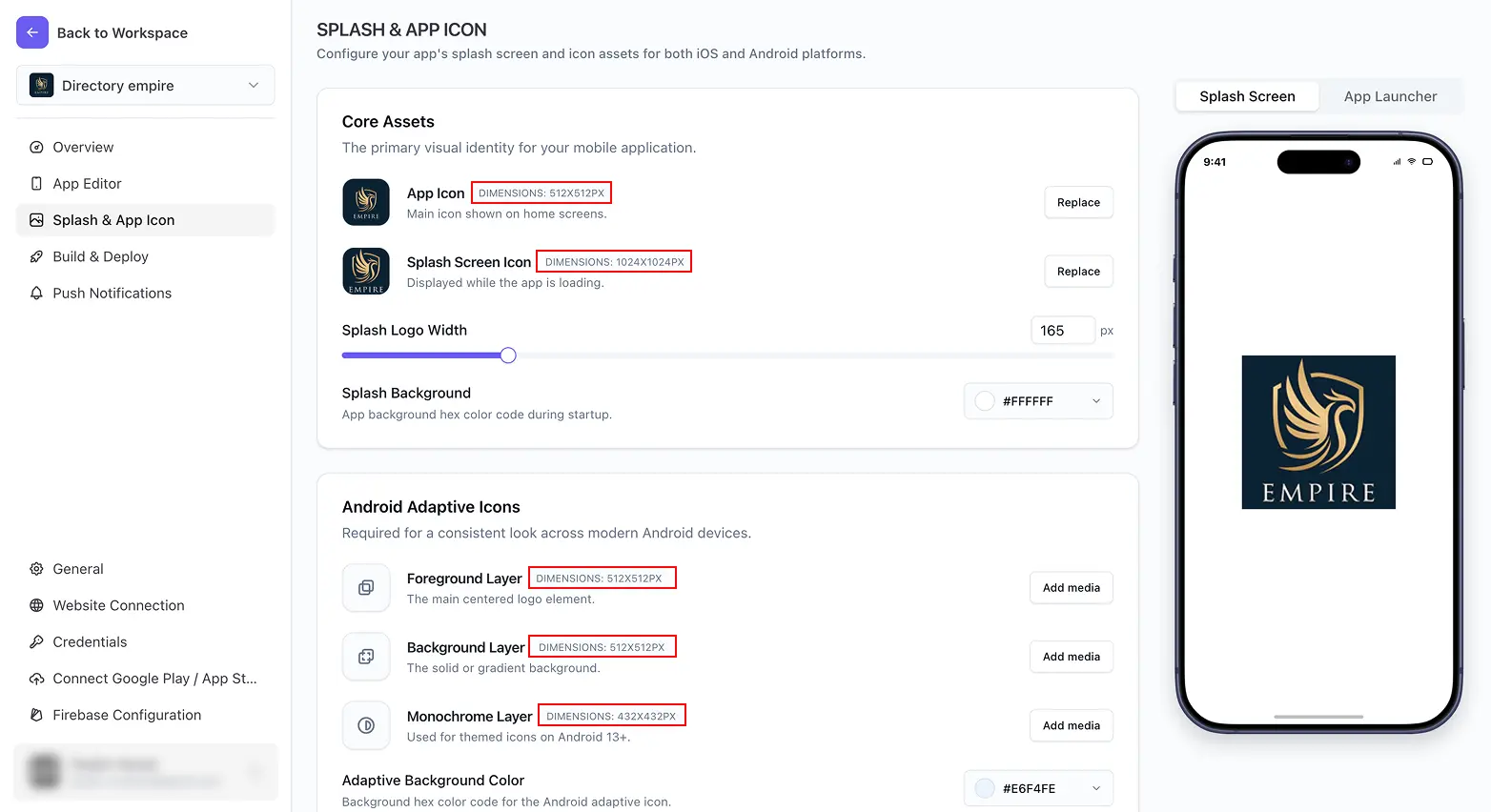
A quick reference for preparing your images before you sit down to upload them – pulled together in one place so you don’t have to hunt through each doc.

AssetRecommended size
App Icon512 × 512 px
Splash Screen Icon1024 × 1024 px
Android Adaptive Icon – Foreground Layer512 × 512 px
Android Adaptive Icon – Background Layer512 × 512 px
Android Adaptive Icon – Monochrome Layer432 × 432 px

These are the exact sizes shown next to each upload slot inside the editor – matching them gives you the sharpest result across every device size and launcher shape, rather than relying on automatic scaling from a mismatched source image.

Related docs

  • Set your app icon
  • Add Android Adaptive Icon layers
  • Design your splash screen
Design your splash screen
Publishing Setup
Was this page helpful?
On this page
Related docs