
Your app icon is what people see before they ever open your app – on a home screen, in a search result, in a notification. This is the single most important image in this whole category.
Steps
1. Go to Splash & App Icon
Open your app and go to Splash & App Icon.
2. Upload your App Icon
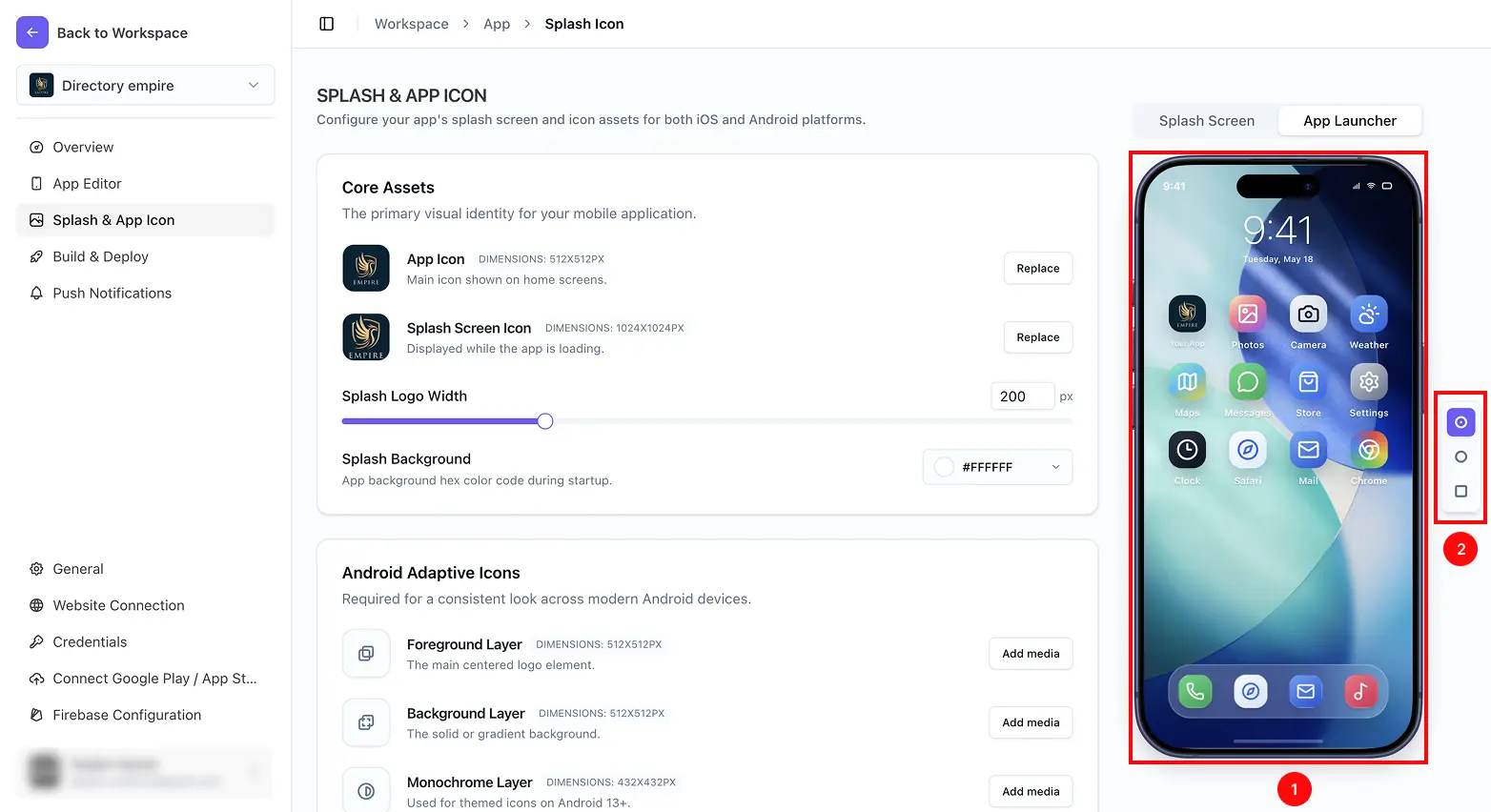
Under Core Assets, add your App Icon. A square image around 512×512 pixels is recommended – this is the main icon shown on home screens on both iOS and Android.
3. Preview it live
Switch to the App Launcher tab to see your icon exactly as it’ll appear on a phone’s home screen, including how it looks with different corner shapes – Squircle, Circle, or Square.
4. Done – no separate save needed
Changes save automatically the moment you add the image. There’s no Save button to click.